SaaS SEO: A Strategy for Teams Without an SEO Hire
A SaaS SEO strategy for teams without an SEO hire: the pages buyers search for, what to build first, technical basics, AI answers and how to measure.


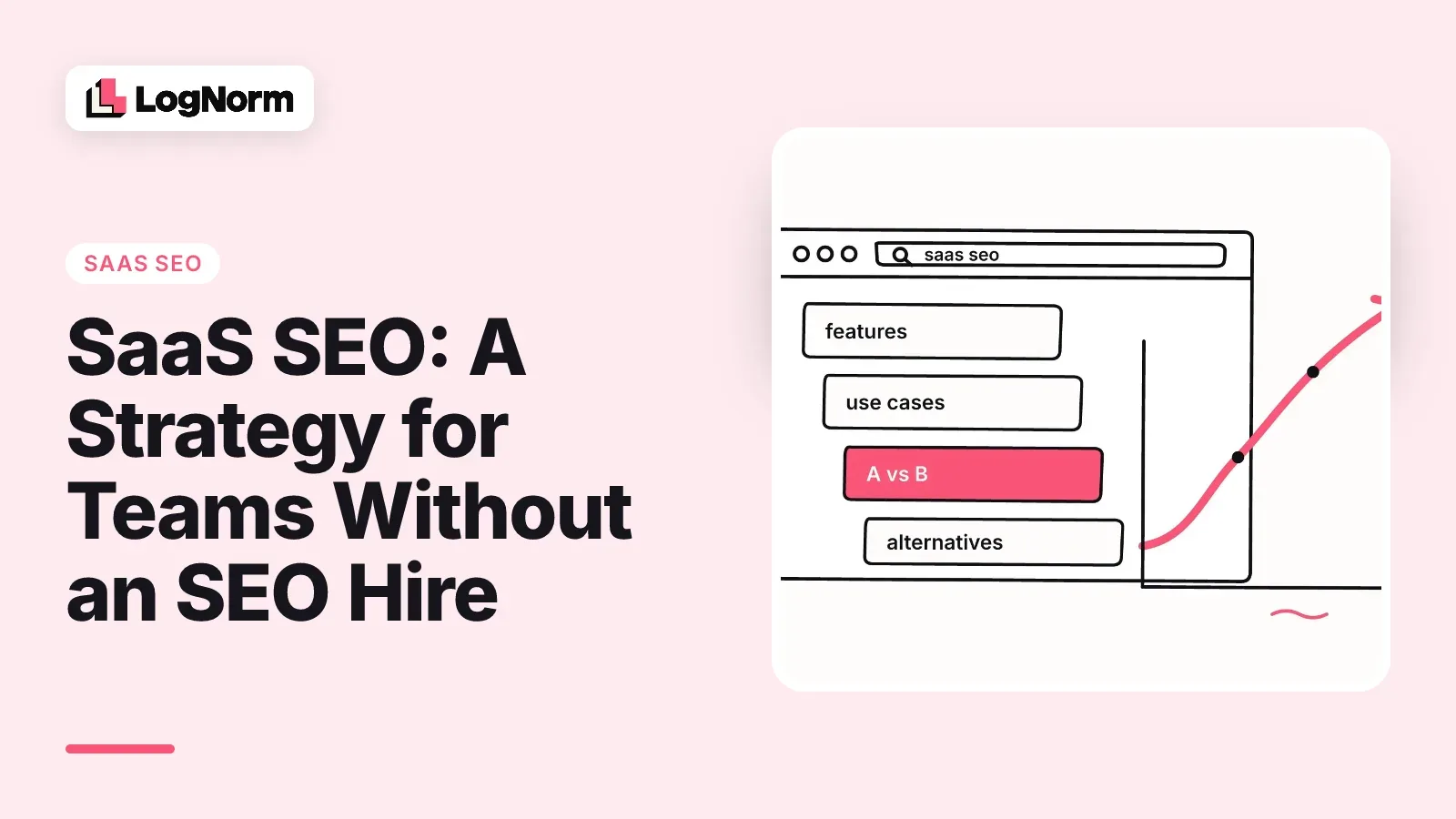
SaaS SEO is the work of getting the pages software buyers compare to rank on Google and get named in AI answers, measured by signups and demo requests rather than traffic. You do not need an SEO hire to do it well. You need the right pages in the right order, a technical floor that stays fixed, and a weekly habit of picking the next most useful task.
This guide is the strategy for a team where SEO is somebody's second job: a founder, a first marketer, an engineer with a few hours a week. It covers which pages SaaS buyers search for, what to build in month one and what to skip, the technical basics, how AI answers change the work, which tools you actually need, and how to tell whether any of it is working.
What SaaS SEO is and how it differs from other SEO
SaaS SEO is search optimisation for software companies, where the goal is a trial, a signup or a demo, and the buyer usually compares several products before choosing. The mechanics are the same as any SEO. The difference is in what people search for and how long they take to decide.
Four things set it apart:
- Buyers search by job, feature, integration and competitor name. "Invoice approval workflow", "Slack integration for X" and "X alternatives" are all buying searches.
- Several people search for the same purchase. An end user looks for a feature, an engineer checks the docs and security page, and whoever owns the budget reads pricing and comparisons.
- The product is the content. A good SaaS article shows the product doing the job, which a services business or a shop cannot do.
- The conversion comes later. Someone reads a guide today, compares tools next week and signs up the week after, often on a different device.
B2B SaaS SEO stretches all of this further. Buying groups are bigger and cycles are longer, so comparison and alternatives pages carry more weight than they would for a consumer app. If you sell to companies, assume your best organic visitor has already shortlisted two other tools.
The pages SaaS buyers search for
SaaS buyers search for seven kinds of page, and each one answers a different question at a different stage of the decision. Build the pages closest to a purchase first, because they convert with less traffic and usually face fewer competing pages than broad guides.
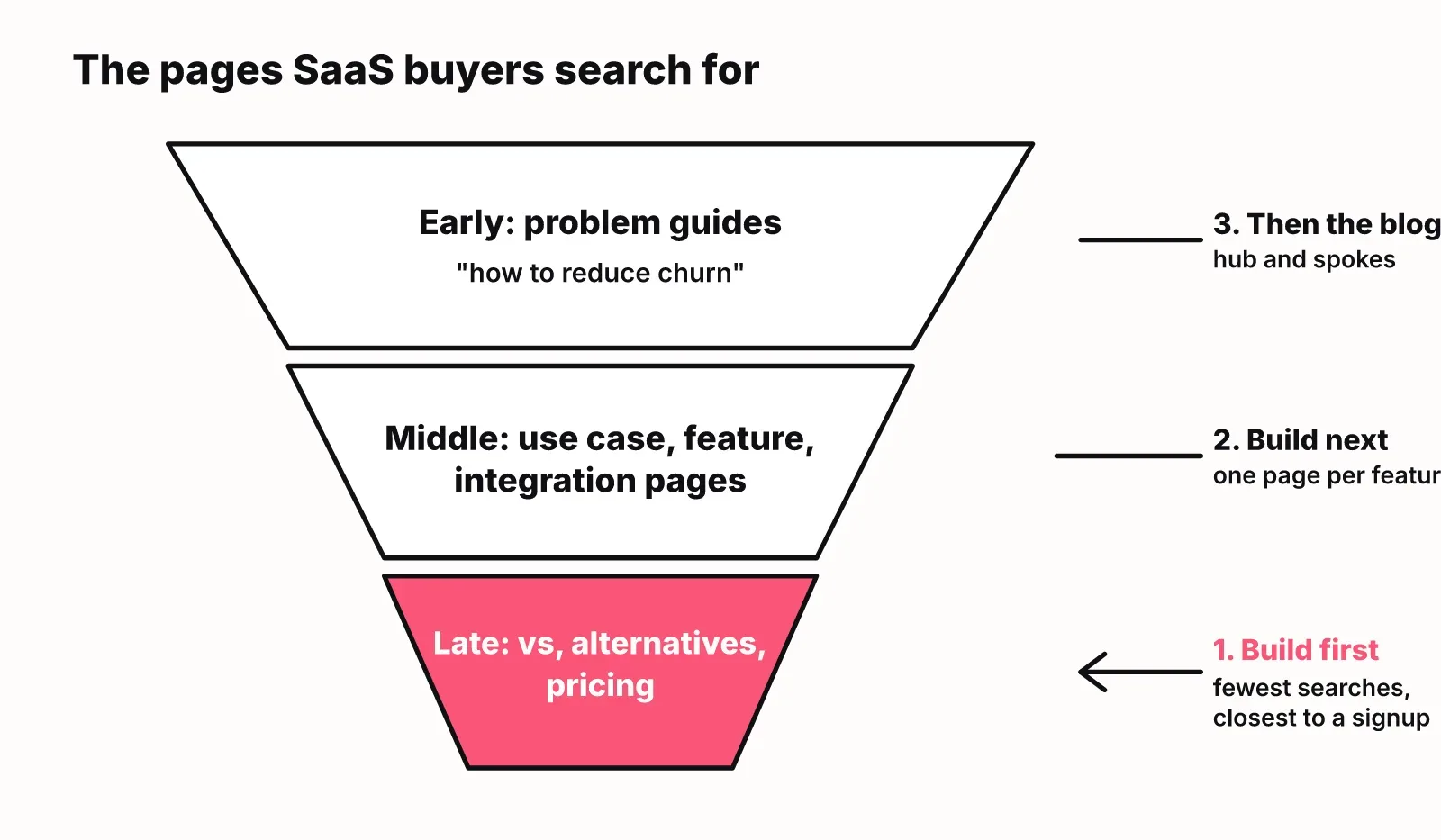
| Page type | Example search | Buyer stage | What the page must answer |
|---|---|---|---|
| Problem guide | "how to reduce churn in a SaaS" | Early, problem-aware | How to solve the problem, with or without a tool |
| Use-case page | "customer onboarding software for fintech" | Middle, solution-aware | Does this product fit my situation and team |
| Feature page | "automatic invoice reminders" | Middle | What the feature does, how it works, limits |
| Integration page | "CRM that syncs with HubSpot" | Middle to late | Does it work with the tools I already use |
| Comparison page | "Tool A vs Tool B" | Late | Which one is better for my case, honestly |
| Alternatives page | "Tool A alternatives" | Late | What else exists and why someone would switch |
| Pricing page | "Tool A pricing" | Late | What it costs, what each plan includes |
Comparison and alternatives pages deserve the most care. The person searching "Tool A alternatives" is unhappy with Tool A and ready to move. A fair page that says where your product is weaker, and who should pick the other tool, earns more trust than a table full of ticks in your column.
Use-case and feature pages are where most SaaS sites are thin. A single "Features" page with twelve icons cannot rank for twelve different searches. Give each feature that people search for its own page with a clear heading, a short answer, a screenshot and an example.
If you want a tool built for exactly these pages, LogNorm for B2B SaaS covers the commercial side. The rest of this guide stays on the strategy.
What to do in month one without an SEO hire
In month one, fix the technical floor, connect Search Console, and ship the pages closest to a purchase before you write a single blog post. That order matters more than any individual tactic, because a part-time team runs out of hours long before it runs out of ideas.
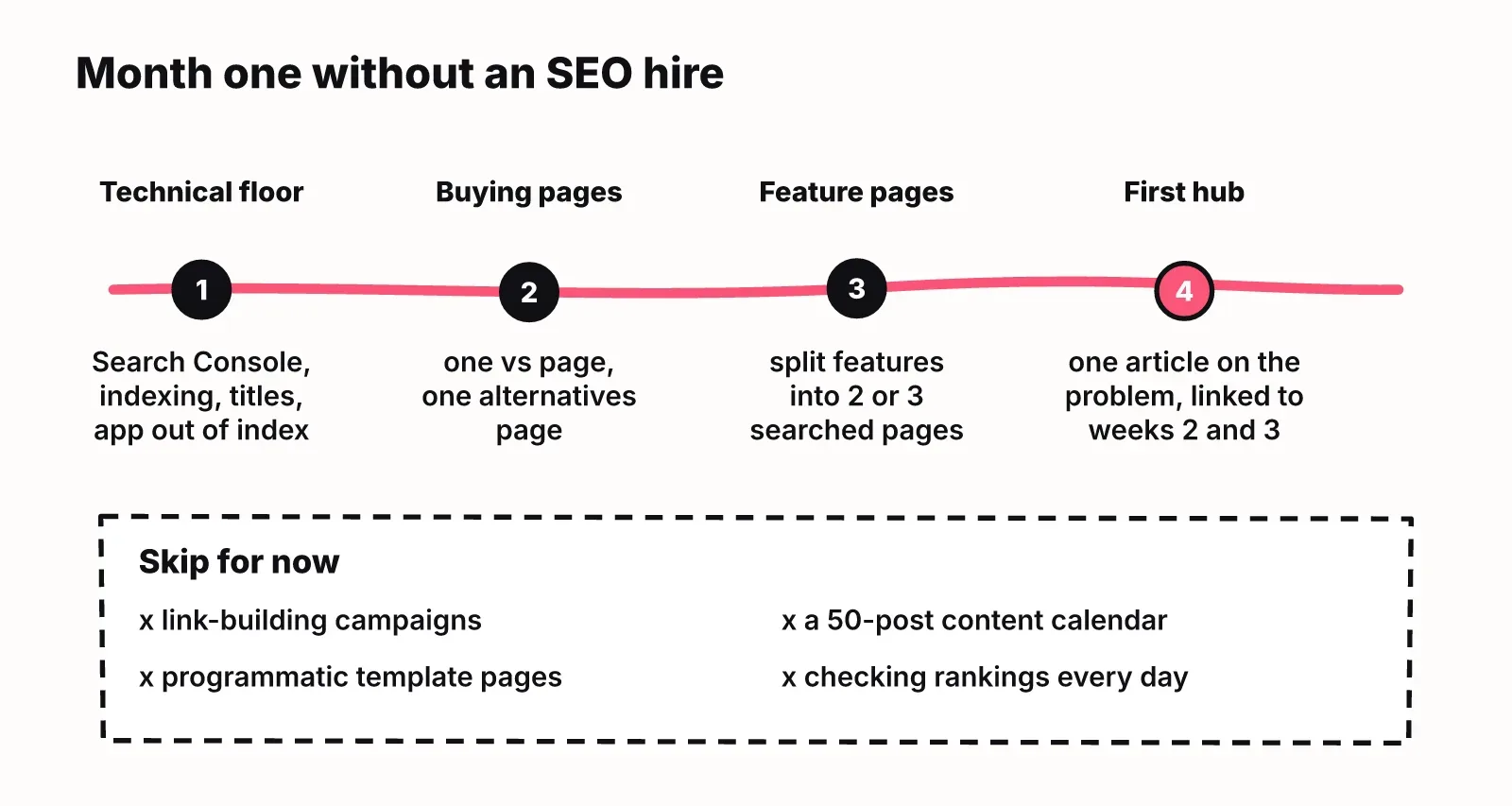
A workable order for the first four weeks:
- Week one: connect Google Search Console, fix indexing problems, write a unique title and meta description for every important page, and check that your app routes are kept out of the index.
- Week two: write one comparison page and one alternatives page against the competitor buyers mention most in sales calls.
- Week three: split your features page into separate pages for the two or three features people search for by name.
- Week four: publish one hub article on the problem your product solves, and link it to the pages from weeks two and three.
What to skip for now:
- Link-building campaigns. Links help, but outreach eats hours and works better once you have pages worth linking to.
- Programmatic pages generated from templates. Without demand data and strong page quality, they become thin pages that drag the site down.
- A year-long content calendar. You will not finish it, and half the topics will not fit your buyers.
- Checking rankings every day. Positions move daily for reasons you cannot control. Weekly is enough.
After month one, the question changes from "what is the plan" to "what comes first this week". Compare tasks two at a time: if you can only do one of these this week, which one moves more signups? Size the week to the hours you really have. A team with five hours should plan two tasks, finish both, and pick again next week. This is the habit a ranked weekly plan is built around, and you can run it in a spreadsheet before you run it in any tool.
For the broader startup version of this playbook, including positioning and early keyword picks, read the SEO for startups playbook.
Content: one hub per topic, spokes that link back
The content model that works for small SaaS teams is one hub page per topic you want to own, with spoke articles for the narrower questions, each linking back to the hub. Fewer, deeper topics beat a scattered blog, because Google and AI engines both learn what your site is about from how pages connect.
Pick topics by fit before volume. A small keyword searched by people who could buy your product beats a popular one searched by students. Ask three things of each topic: does our product solve this, would a buyer search it, and can we say something the ranking pages do not.
Make the writing product-led where it is honest to do so. If the article explains how to set up approval workflows, show the setup in your product with a screenshot, and also say how to do it manually. The reader learns the job, sees the product doing it, and decides for themselves.
Refresh before you write new. Once you have twenty or more posts, some will lose clicks every quarter. Updating a page that already ranks on page two is usually a faster win than starting a new one. This is the same loop that turns SEO into one of your growth loops: pages bring signups, signups bring product data and customer language, and that language feeds the next pages.
The full method for turning a keyword list into a backlog you can actually ship is in our guide to SEO content strategy.
Technical SEO basics that matter for a SaaS site
A SaaS site needs a small set of technical basics right, and most of them are one-time fixes an engineer can do in a day or two. The SaaS-specific problems come from having an app, docs and a marketing site on the same domain.
Start with the issues most guides miss:
- Keep the app out of the index. Logged-in routes, dashboards and password reset pages should be noindexed or blocked, so Google spends its crawl on pages buyers read.
- Handle docs and changelog duplicates. Versioned docs and tag pages create near-identical URLs. Point them to one canonical version.
- Give every page its own title and meta description. Google rewrites meta descriptions 60 to 70 percent of the time, but a strong original still influences click-through when it survives. Write them anyway, especially for comparison and pricing pages.
- Keep the marketing site fast. Aim for a Largest Contentful Paint under 2.5 seconds. Heavy hero videos and chat widgets are the usual culprits on SaaS homepages.
Then the standard foundations:
- An XML sitemap that lists only indexable marketing, blog and docs pages, submitted in Search Console.
- Structured data where it fits: software application details on product pages, FAQ markup on pages with real FAQs, article markup on posts.
- A robots.txt that allows the AI crawlers you want answering questions about you. Many sites block them by accident with a blanket rule.
- Clean internal links from the homepage and navigation to your comparison, feature and use-case pages, so they do not sit three clicks deep.
None of this needs ongoing work once it is fixed. Re-check it after every redesign or migration, which is when most of these break.
AI answers: getting named when buyers ask ChatGPT
AI answers are now part of SaaS SEO, because buyers ask ChatGPT, Gemini and Google AI Overviews which tool to use, and those answers name a short list of products. Google even shows an AI Overview for the search "saas seo" itself. If your product is not in those answers, a buyer may never reach your comparison page.
Two separate things can happen in an AI answer, and they need different fixes:
| Situation | What it means | What to do |
|---|---|---|
| Named and cited | The answer recommends you and uses your page as a source | Keep that page current |
| Named, not cited | The engine knows you from other sites | Publish your own page that answers the question directly |
| Cited, not named | Your page informs the answer but the answer does not recommend you | Make the page state plainly who your product is for |
| Neither | Other products own the answer | Study which sources the engine cites for them |
Pages get quoted when they are easy to quote. Open every section with a sentence that answers its heading on its own. Put comparisons in tables. State your category in plain words on the homepage and product pages ("X is invoicing software for agencies"), so an engine can repeat it accurately. This is what people call answer engine optimisation (AEO) or generative engine optimisation (GEO). In practice it is good page structure plus being mentioned on the sites engines trust.
Track it the way you track rankings. Write down the ten questions a buyer would ask an AI about your category, run them every few weeks, and note who gets named and which pages get cited. The detailed method for ChatGPT and Perplexity is in how to rank in ChatGPT, and the wider view on using AI for search work is in AI SEO for startups.
Which SaaS SEO tools a small team needs
A small SaaS team needs Google Search Console first, one source of keyword data second, and something that decides what to work on each week third. Most teams buy the second and skip the third, then own a large database of keywords and no plan.
When early-stage founders ask AI engines for SEO tools, the answers usually name the big suites such as Ahrefs and Semrush, and content tools such as Surfer. They answer different questions:
| Tool type | Examples | The question it answers | When to add it |
|---|---|---|---|
| Search Console | Google Search Console | What do I already rank for, and what is broken | Day one, it is free |
| Keyword and backlink suite | Ahrefs, Semrush | What do people search, and who links to competitors | When you start choosing topics |
| Content optimiser | Surfer, Frase | Does this draft cover what ranking pages cover | When you publish several posts a month |
| Decision and execution layer | LogNorm | What should we do this week, who does it, did it work | When the to-do list is longer than your hours |
LogNorm is the last row, and we make it, so weigh this paragraph accordingly. It pulls in your site and GEO audit, Search Console, keywords, competitors and what ChatGPT, Gemini and Google AI Overviews say about your category. It turns findings into moves, ranks them head to head, and sizes a weekly plan to your team. AI coding agents such as Claude Code or Cursor, or your own team, do the work, and LogNorm measures each shipped move at 28 and 90 days. It does not replace a deep backlink database. If backlink research is your main need, a suite is the better buy. If you are comparing it to a content optimiser, LogNorm vs Surfer SEO lays out the difference.
How to measure SaaS SEO beyond traffic
Measure SaaS SEO per page and per change: did the page you shipped gain impressions and position, did it get clicks, and did those clicks become signups or demo requests. Total site traffic hides everything useful, because one viral post can mask ten pages that never ranked.
A simple scorecard for a small team:
- Impressions and average position per page, from Search Console. These move first and show whether Google is testing your page.
- Clicks per page. These follow position and are the first sign a page is earning visits.
- Signups or demo requests from organic visits, by landing page. This is the number that justifies the work.
- AI mention and citation rates for your tracked category questions.
Judge each change against a baseline. Record where a page stood on the day you shipped it, then check again at about 28 days and 90 days. A page that gained impressions and position by day 28 is working even with few clicks. A page flat at day 90 needs a rewrite, better internal links, or retiring.
SaaS SEO takes months, not weeks. Early progress shows in impressions and position long before it shows in signups, so do not judge the strategy on revenue in month two. For which numbers predict growth and which are vanity, see SEO KPIs that predict growth.
FAQ
What is SaaS SEO?
SaaS SEO is search optimisation for software companies. It focuses on the pages buyers use to choose a product, such as feature, use-case, comparison and alternatives pages, and it is measured by trials, signups and demos rather than traffic alone.
What is the difference between SaaS SEO and traditional SEO?
The techniques are the same, but SaaS buyers search by feature, integration and competitor name, several people research one purchase, and conversion happens weeks after the first visit. That shifts effort toward comparison and product pages and toward measuring by page and by signup.
Do SaaS companies need SEO?
Most do, because buyers research software through search and AI assistants before they talk to sales. Even if paid ads or outbound bring your first customers, comparison and alternatives pages capture buyers who are already deciding.
How long does SaaS SEO take to show results?
Expect months rather than weeks. Impressions and positions in Search Console usually move first, clicks next, and signups last. Bottom-of-funnel pages on low-competition keywords tend to show results sooner than broad guides.
How much does SaaS SEO cost?
The main cost is time. A founder or engineer with a few hours a week can cover the technical basics and a few pages a month. Tools range from free (Search Console) to paid suites and platforms; agencies cost far more. Start with time and Search Console, and buy tools when a specific question needs them.
Does SaaS SEO still work with AI search?
Yes, but the target is wider. AI answers draw on pages that rank and on sites engines trust, so the same well-structured pages help you in both. Track whether AI engines name you for your category questions, not only where you rank.
What is AEO and how does it fit into SaaS SEO?
AEO, answer engine optimisation, is the work of getting your product named and your pages cited in AI answers. For a SaaS team it is part of SaaS SEO: answer-first sections, clear category statements, comparison tables, and mentions on sites engines trust.
How do you measure SaaS SEO success beyond traffic?
Measure each page's impressions, position, clicks and the signups or demo requests it brings, and compare each change against its baseline at about 28 and 90 days. Add AI mention and citation rates for your category questions.