SEO Audit Checklist: 30 Checks in the Order That Matters
Use this SEO audit checklist to run 30 checks in order of impact, from indexing and AI crawler access to Core Web Vitals, and fix what costs traffic first.


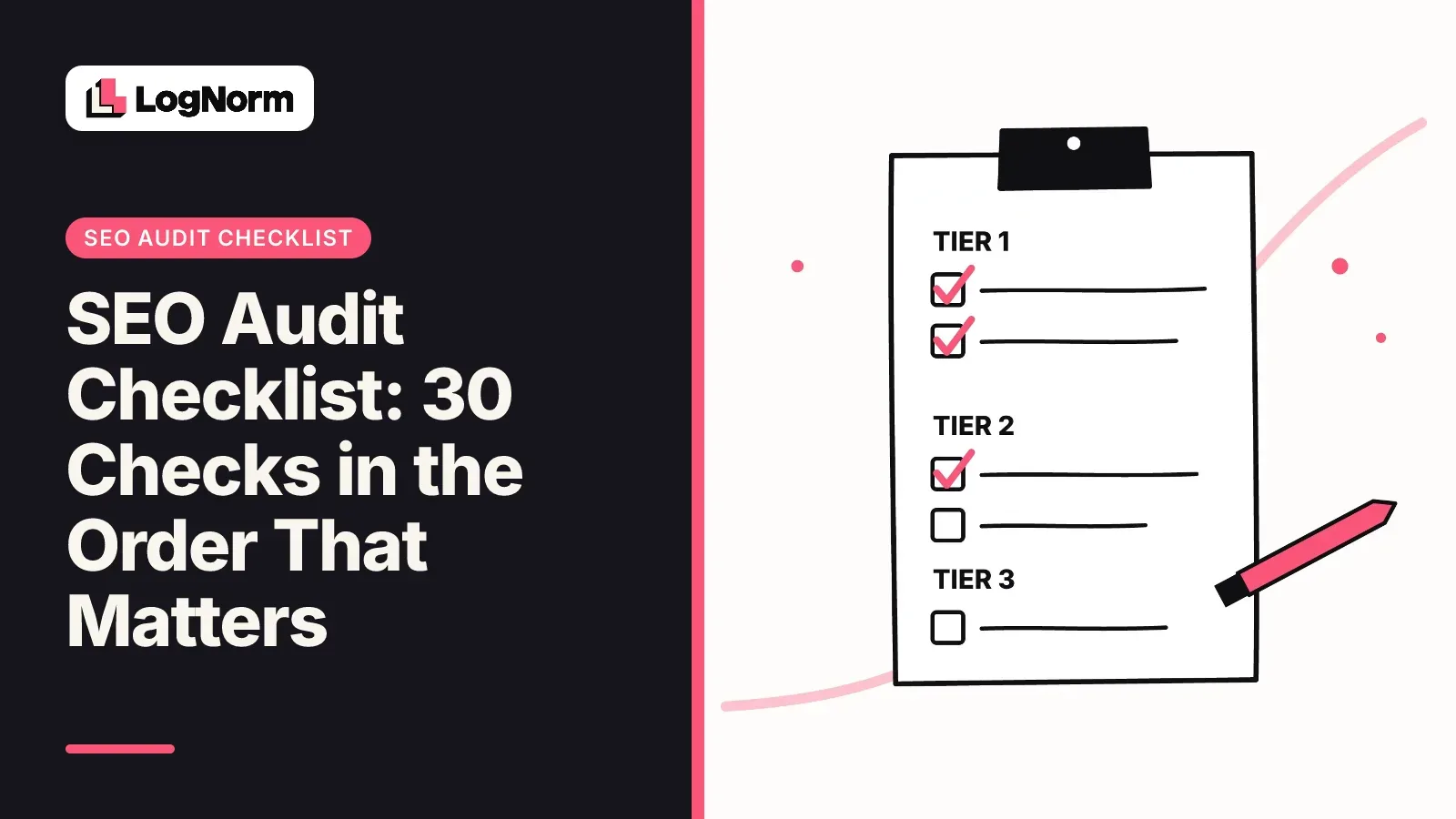
An SEO audit checklist is an ordered list of checks that shows what stops your pages from being found, indexed and ranked, so you fix the expensive problems first. This one has 30 checks in three tiers. Tier 1 asks whether Google and AI crawlers can reach and read your pages at all. Tier 2 covers what decides rankings once they can. Tier 3 is speed, mobile and polish.
Most checklists give you 50 to 200 items in a flat list. That is fine for an agency with a week to spare. If you are a founder or a two-person growth team, the order matters more than the length: a sitewide noindex tag costs you more than every missing alt text on the site combined.
What an SEO audit checklist should do
A good SEO audit checklist tells you which problem to fix first, how to confirm it exists, and which free tool checks it. A list of 200 equal items does none of that, because it leaves you to rank the findings yourself.
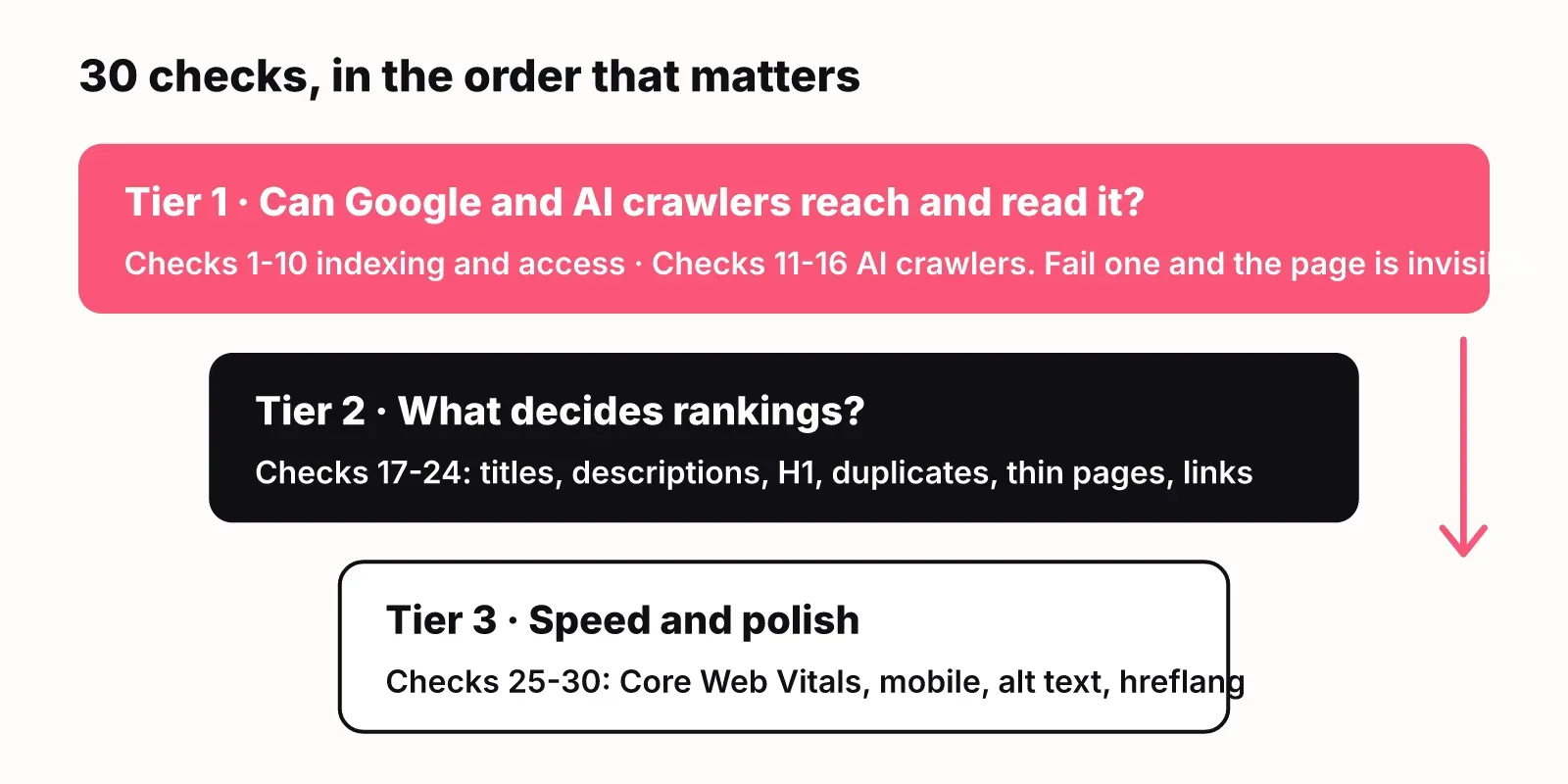
The rule behind the order in this checklist is simple. A check sits higher when failing it hides pages completely, and lower when failing it only costs you a few positions. Indexing problems block everything below them. Title tags only matter once a page is indexed. Alt text only matters once the page ranks.
Here is the whole technical SEO checklist on one screen. Work top to bottom and stop when you run out of time this week.
| # | Check | Tier | How to check it (free) |
|---|---|---|---|
| 1 | Search Console and analytics set up | 1 | Google Search Console, your analytics tool |
| 2 | robots.txt does not block important pages | 1 | LogNorm robots.txt checker, Search Console robots.txt report |
| 3 | No accidental noindex or X-Robots-Tag | 1 | View source, Search Console URL Inspection |
| 4 | Important pages return 200 | 1 | Site crawler, URL Inspection |
| 5 | XML sitemap is clean and submitted | 1 | Search Console Sitemaps report |
| 6 | Sitemap location listed in robots.txt | 1 | Open /robots.txt |
| 7 | Canonical tags point to the right URL | 1 | Site crawler, URL Inspection |
| 8 | HTTPS everywhere, no mixed content | 1 | Browser, site crawler |
| 9 | No redirect chains or loops | 1 | Site crawler |
| 10 | Indexed page count matches what you expect | 1 | Search Console Pages report |
| 11 | robots.txt allows the AI crawlers you want | 1 | LogNorm robots.txt checker |
| 12 | CDN and firewall do not block AI user agents | 1 | Server or CDN logs, bot settings |
| 13 | Main content is in the raw HTML | 1 | View source, curl |
| 14 | Structured data is present and valid | 1 | Google Rich Results Test |
| 15 | Pages answer the query in the first lines | 1 | Read the page |
| 16 | llms.txt published (optional) | 1 | Open /llms.txt |
| 17 | Unique title tag on every page | 2 | Site crawler, LogNorm SEO checker |
| 18 | Unique meta description on every page | 2 | Site crawler |
| 19 | One clear H1 per page | 2 | Site crawler |
| 20 | No duplicate content across URLs | 2 | Site crawler |
| 21 | No keyword cannibalization | 2 | Search Console Performance report |
| 22 | No thin pages | 2 | Site crawler word counts |
| 23 | Important pages get internal links, no orphans | 2 | Site crawler |
| 24 | No broken internal or external links | 2 | Site crawler |
| 25 | LCP of 2.5 seconds or better | 3 | PageSpeed Insights |
| 26 | CLS of 0.1 or less | 3 | PageSpeed Insights |
| 27 | Responsiveness passes (INP) | 3 | PageSpeed Insights |
| 28 | Pages work on mobile | 3 | A real phone, Lighthouse |
| 29 | Images have alt text and sensible file names | 3 | Site crawler |
| 30 | hreflang is correct, if you run several languages | 3 | Site crawler |
Tier 1: Can search engines reach and index your pages (checks 1 to 10)
Tier 1 checks whether Google can crawl and index the pages you care about. Fail any of these and the page is invisible, no matter how good its content is. Do all ten before you touch anything in tier 2.
1. Search Console and analytics are set up
You cannot audit what you cannot see, so connect Google Search Console and an analytics tool before anything else. Search Console gives you the indexing, sitemap and query data that half of this checklist depends on. Then run a crawl of the site with any desktop or cloud crawler so you have every URL, status code and tag in one export.
2. robots.txt does not block important pages
Open yourdomain.com/robots.txt and read every Disallow line. The classic failure is a Disallow: / left over from a staging site, which tells every crawler to stay away from the whole domain. Less obvious ones block /blog/ or a product folder by accident when someone meant to block /blog/drafts/. Paste the file into the LogNorm robots.txt checker to test specific URLs against it.
3. No accidental noindex or X-Robots-Tag
A <meta name="robots" content="noindex"> tag, or an X-Robots-Tag: noindex HTTP header, removes a page from search results even when robots.txt allows crawling. Check the page source and the response headers of your key templates. In Search Console, URL Inspection tells you whether indexing is allowed for a given URL.
4. Important pages return a 200 status code
Every page you want ranked should answer with HTTP 200. Your crawl export lists the rest: 404s, 5xx errors, and soft 404s where an error page answers with 200. Fix server errors first because they often affect whole sections at once.
5. Your XML sitemap is clean and submitted
The sitemap should list only canonical, indexable URLs that return 200. Remove redirects, noindexed pages and 404s from it, then submit it in Search Console's Sitemaps report and confirm it was read without errors.
6. The sitemap location is listed in robots.txt
Add a Sitemap: https://yourdomain.com/sitemap.xml line to robots.txt. It costs one line and helps crawlers that never see your Search Console settings, including AI crawlers, find every URL.
7. Canonical tags point to the right URL
Each page should carry a canonical tag pointing at itself, or at the one version you want indexed. Look for canonicals that point to the home page, to a staging domain, or to a URL that redirects. Search Console's URL Inspection shows the canonical Google actually chose, which can differ from yours.
8. HTTPS everywhere, with no mixed content
Every URL should load over HTTPS, and the HTTP version should redirect to it in one hop. Mixed content means an HTTPS page loading images or scripts over HTTP; browsers flag it and some block the resources outright.
9. No redirect chains or loops
A redirect chain is A to B to C. Each extra hop slows the page and wastes crawl time, and a loop makes the page unreachable. Point every internal link and every old redirect straight at the final URL.
10. The indexed page count matches what you expect
Compare the number of indexed pages in Search Console's Pages report with the number of pages you want indexed. Far fewer means something in checks 2 to 9 is blocking pages. Far more usually means parameter URLs, tag pages or duplicates are being indexed, which sends you to check 20.
Tier 1b: Can AI crawlers read your content (checks 11 to 16)
To audit technical SEO issues that stop AI web crawlers from indexing your content, check four layers in order: robots.txt rules for each AI user agent, CDN and firewall bot rules, whether your content exists in the raw HTML, and whether the page is structured so an answer can be lifted from it. A page can be fully indexed by Google and still unreadable to ChatGPT, Claude or Perplexity, so this tier sits next to tier 1 rather than at the end.
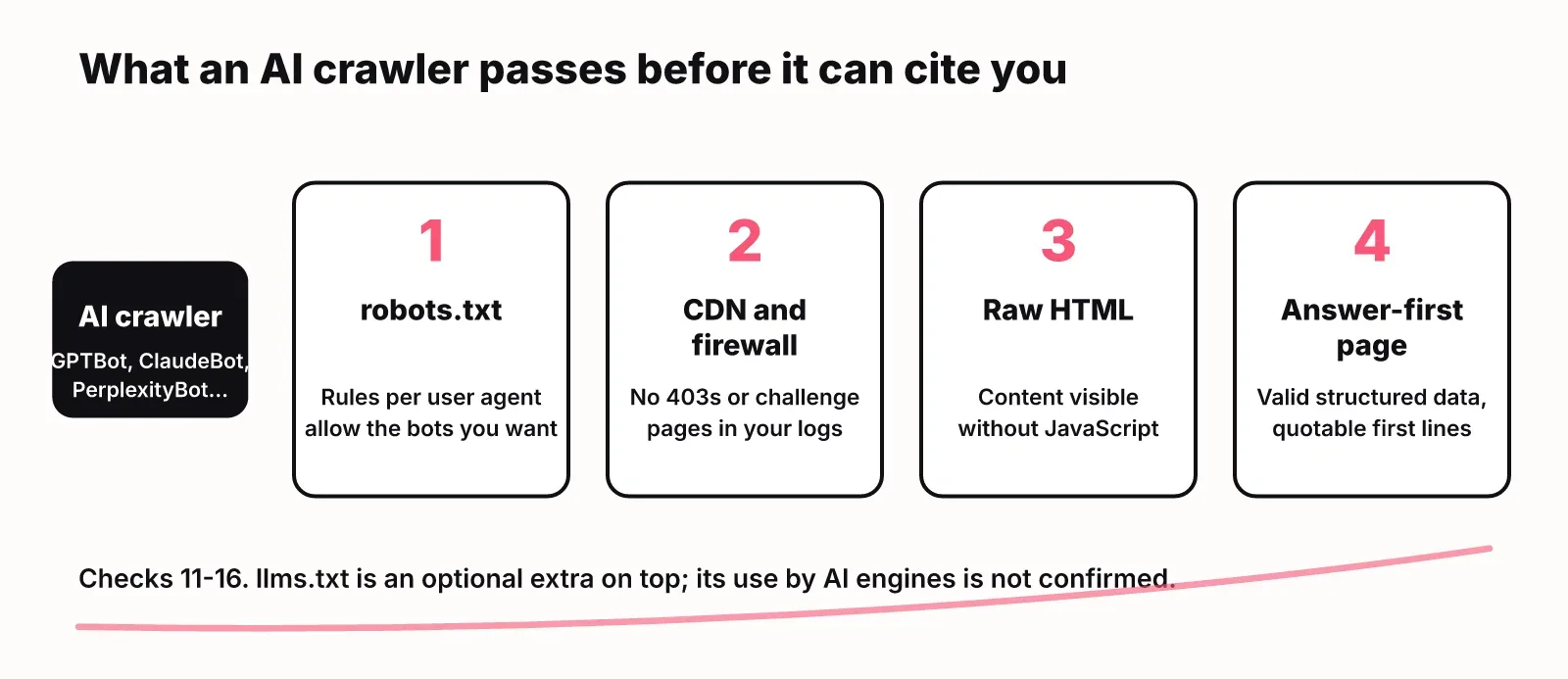
If you want the strategy side of this, our guides on how to rank in ChatGPT and Perplexity and GEO vs SEO cover it. This section is only the technical audit.
11. robots.txt allows the AI crawlers you want
Each AI company crawls with named user agents, and robots.txt rules apply to them one by one. The ones to look for:
| User agent | Company | What it is for |
|---|---|---|
| GPTBot | OpenAI | Collecting content for model training |
| OAI-SearchBot | OpenAI | Finding pages to show and cite in ChatGPT search |
| ClaudeBot | Anthropic | Crawling for Anthropic's models |
| PerplexityBot | Perplexity | Indexing pages for Perplexity answers |
| Google-Extended | A robots.txt token that controls use of content for Gemini; it does not change Google Search crawling |
Search your robots.txt for each name and for a blanket User-agent: * with Disallow: /. The common mistake is a rule copied from a "block AI" template that blocks the search crawlers too, so your pages stop being cited in AI answers. Decide per bot: many companies block training crawlers and allow search crawlers. Check each agent in the robots.txt checker before and after you edit.
12. Your CDN and firewall do not block AI user agents
robots.txt is a request, but a firewall rule is a wall. Bot protection in your CDN or hosting provider can return 403 errors or challenge pages to AI crawlers even when robots.txt allows them. Search your server or CDN logs for the user agents in the table above and look at the status codes they received. If you see 403s or challenge responses, add an exception for the bots you want.
13. The main content is in the raw HTML
Assume an AI crawler reads the HTML your server sends and does not run your JavaScript. Run curl https://yourdomain.com/page or use View Source (not the browser's element inspector) and search for a sentence from the middle of the page. If it is missing, your content is rendered in the browser, and crawlers that skip JavaScript see an empty shell. Server-side rendering or static generation fixes this. Google renders JavaScript, so this problem often hides in tier 1 checks and only shows up in AI answers.
14. Structured data is present and valid
Structured data (schema.org markup in JSON-LD) tells crawlers what a page is: an article, a product, an organization, an FAQ. Add Organization on the home page and Article or Product on the matching templates, then validate with Google's Rich Results Test. Invalid markup is ignored, so a validation error is the same as having none.
15. Pages answer the query in their first lines
AI engines quote passages, and a passage is easier to quote when it answers a question in one or two sentences on its own. Read your key pages as a stranger: does the first sentence under each heading answer that heading? Pages that open with a story or a sales pitch are harder to cite. This is a content check, but it belongs in a technical audit for AI because no markup fixes it.
16. llms.txt is published (optional)
llms.txt is a proposed Markdown file at the root of your site that summarises what the site is and links to its most useful pages for language models. Whether major AI engines read it is not confirmed, so treat it as a cheap extra rather than a fix: it takes under an hour and does no harm. Do checks 11 to 15 first.
LogNorm's site and GEO audit runs these AI-side checks alongside the SEO ones: AI crawler access in robots.txt, answerability across the site and agent readiness. The GEO audit docs explain each check.
Tier 2: What decides rankings once you are indexed (checks 17 to 24)
Tier 2 covers the on-page and site-structure checks that decide where an indexed page ranks and whether people click it. These rarely make a page vanish, but they cost positions and clicks on every page they affect.
17. Every page has a unique title tag
The title tag is the blue link in search results. Each page needs its own, with the main keyword near the start, short enough not to be cut off. Your crawler flags missing, duplicate and overlong titles; the LogNorm SEO checker checks a single page.
18. Every page has a unique meta description
Google does not rank on meta descriptions, but it often shows them as the snippet, so they drive clicks. Write one per page that says what the reader gets. Duplicates across templates are the usual finding.
19. One clear H1 per page
The H1 should say what the page is about in plain words, and there should be one. Crawlers flag pages with none and pages where the logo or a promo banner is marked up as an H1.
20. No duplicate content across URLs
The same content at several URLs splits signals between them. Typical causes are tracking parameters, www and non-www versions, trailing slashes, and print or filter pages. Fix with redirects or canonicals (check 7).
21. No keyword cannibalization
Cannibalization is two of your own pages competing for the same query, so neither ranks well. In Search Console's Performance report, filter by a query and look at the Pages tab: two or more of your URLs swapping places is the sign. Merge the weaker page into the stronger one or change its target.
22. No thin pages
Thin pages have little useful content: near-empty tag pages, stub location pages, old announcements. Sort your crawl export by word count, then improve, merge or noindex the pages at the bottom. Delete and redirect old pages that get no traffic and have no links.
23. Important pages get internal links, with no orphans
Internal links tell search engines which pages matter. An orphan page has no internal links pointing at it and is hard for any crawler to find. Compare your sitemap with your crawl: URLs in the sitemap that the crawler never reached are orphans.
24. No broken internal or external links
Broken links waste crawl time and send readers to dead ends. Fix internal ones at the source rather than with a redirect, and replace or remove dead external links.
Tier 3: Speed, mobile and polish (checks 25 to 30)
Tier 3 checks how fast and stable your pages are, whether they work on phones, and the remaining details. They matter, but fixing them on a page nobody can find does nothing, which is why they come last.
25. Largest Contentful Paint of 2.5 seconds or better
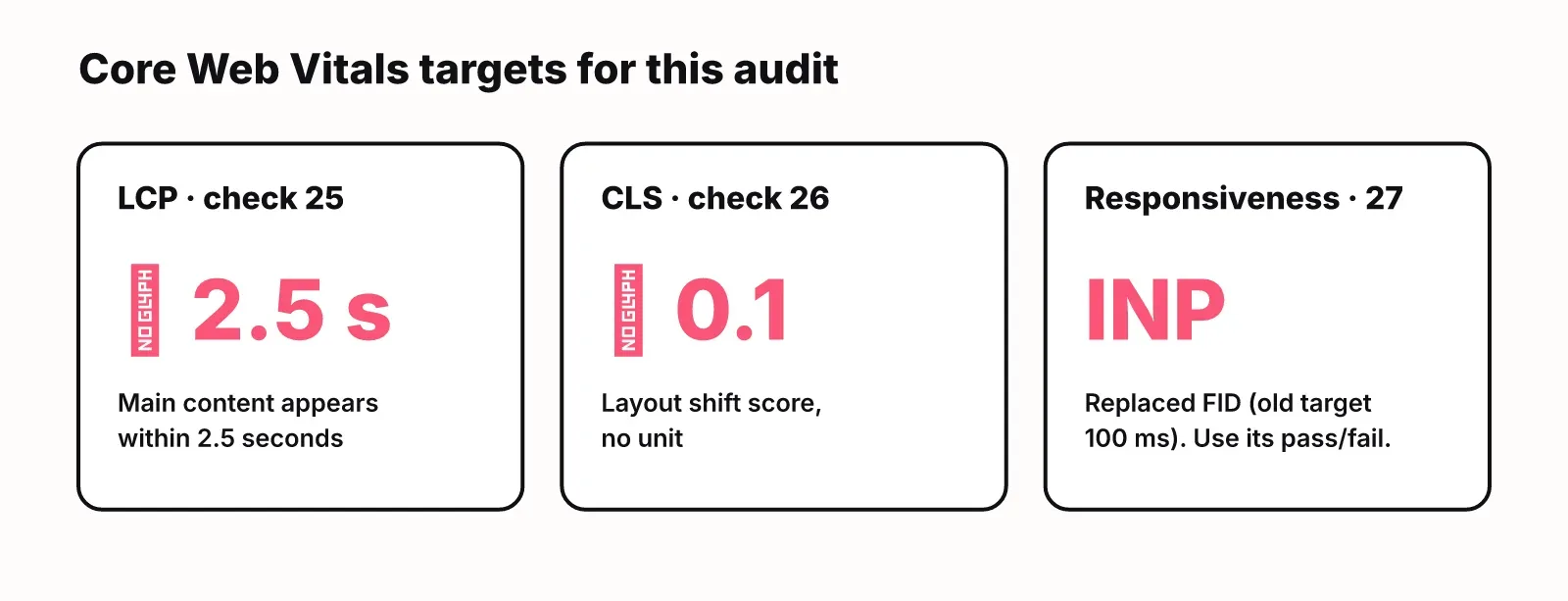
Largest Contentful Paint (LCP) measures how long the main content takes to appear. The target is 2.5 seconds or better. Check your main templates in PageSpeed Insights; large hero images and slow servers are the usual causes.
26. Cumulative Layout Shift of 0.1 or less
Cumulative Layout Shift (CLS) measures how much the page jumps around while it loads. The target is a score of 0.1 or less. Reserve space for images, ads and embeds so content below them does not move.
27. Responsiveness passes
The older responsiveness metric, First Input Delay, had a target of 100 milliseconds or faster. Google has since replaced it with Interaction to Next Paint (INP) in Core Web Vitals, so read the INP result in PageSpeed Insights and treat its pass or fail as the check. Heavy JavaScript on the main thread is the usual cause of a fail.
28. Pages work on mobile
Open your top pages on a real phone. Text should be readable without zooming, buttons tappable, and nothing wider than the screen. Lighthouse in Chrome flags the common problems.
29. Images have alt text and sensible file names
Alt text describes an image for screen readers and for image search. Name files after what they show (seo-audit-tiers.png, not IMG_0042.png) and write short, literal alt text.
30. hreflang is correct, if you serve several languages
If you publish the same page in several languages or countries, hreflang tags tell search engines which version to show where. Each version must link to all the others and to itself. Skip this check if your site is in one language.
How to run the audit: time, tools and cadence
A first audit of a small site (under a few hundred pages) fits in a day: an afternoon for tiers 1 and 1b, and a second session for tiers 2 and 3. Larger sites take longer mostly because there are more findings to sort, not more checks.
You can run every check above with free tools. Google Search Console covers indexing, sitemaps and queries. PageSpeed Insights and Lighthouse cover speed and mobile. Google's Rich Results Test covers structured data. A desktop crawler with a free tier covers titles, links and status codes for smaller sites. Our free robots.txt checker and SEO checker handle the AI-crawler and single-page checks.
The hard part of an audit is what comes after it. A crawl export with 400 rows does not tell you what to do on Monday. Take each finding, note how many pages it touches and which tier it sits in, and fix in that order. When a fix ships, check the live page again rather than assuming the deploy worked. That loop is what LogNorm automates: audit findings become ranked moves next to keyword, competitor and AI-answer work, and you can validate a fix without re-running the whole audit. For the wider plan around it, see our SEO playbook for startups.
Run the full checklist once a quarter, and re-run tier 1 after every redesign, migration, CMS change or new CDN rule. Those are the moments when a stray noindex or a firewall rule slips in.
FAQ
How do you audit technical SEO issues that stop AI web crawlers from indexing content?
Check robots.txt rules for each AI user agent (GPTBot, OAI-SearchBot, ClaudeBot, PerplexityBot and the Google-Extended token), then your CDN and firewall logs for blocked bot requests, then whether your content appears in the raw HTML without JavaScript. Finish with valid structured data and pages that answer their question in the first lines. Checks 11 to 16 above walk through each one.
How long does a technical SEO audit take?
For a site with a few hundred pages, plan on a day for the checks and longer for the fixes. Tier 1 alone takes an afternoon and catches the problems that cost the most traffic.
Can I run a technical SEO audit myself with free tools?
Yes. Google Search Console, PageSpeed Insights, the Rich Results Test, a free crawler and free checkers like our robots.txt checker cover all 30 checks on a small site. Paid tools mainly save time on large sites and on sorting findings.
How is a technical SEO audit different from a content or keyword audit?
A technical SEO audit checks whether search engines and AI crawlers can reach, render and index your pages. A content audit judges whether those pages are useful and current. A keyword audit checks whether you target the right searches. Run the technical audit first, because the other two assume your pages are indexed.
How often should you run an SEO audit?
Run the full SEO audit checklist once a quarter, and repeat tier 1 after any redesign, migration or infrastructure change. Watch Search Console's Pages report weekly so a sudden drop in indexed pages does not wait three months.