Perplexity SEO: How to Show Up in Perplexity Answers
Perplexity SEO in practice: let PerplexityBot crawl your site, write answer-first pages, keep them fresh, earn mentions elsewhere and track citations.


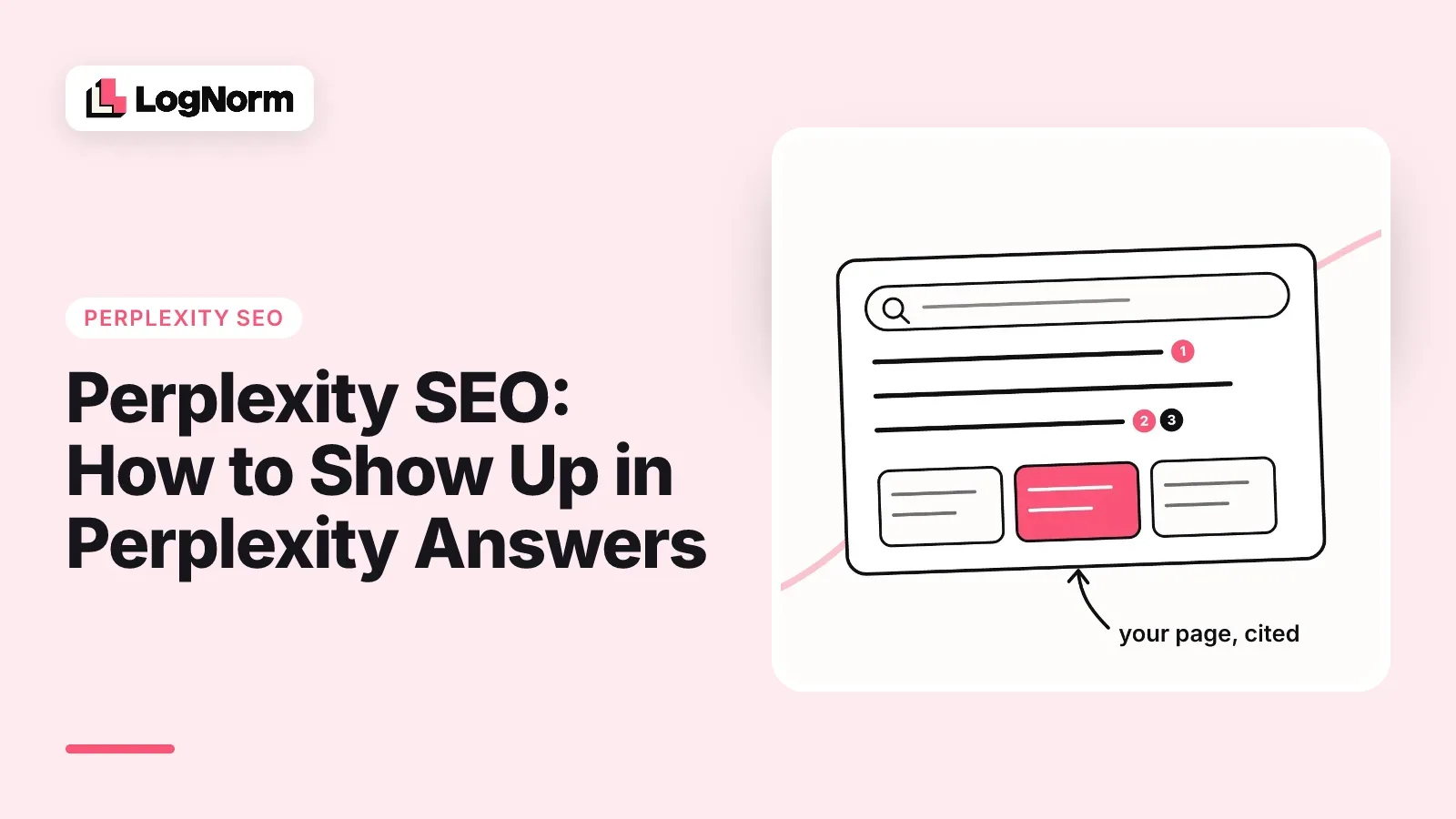
Perplexity SEO is the work of getting your pages fetched, chosen and cited as sources inside Perplexity's answers. Three things decide it: whether Perplexity's crawler can reach your pages, whether a passage on the page answers the question cleanly, and whether other sites Perplexity reads already mention you.
Most guides on this topic list ranking weights and percentages that trace back to no primary source. This one sticks to what Perplexity documents about its own crawlers, one verified study on citations, and steps you can check on your own site this week.
What Perplexity SEO is
Perplexity SEO is optimizing so that Perplexity quotes and links your page when it answers a question in your category. You are not trying to reach position one on a results page. You are trying to be one of the numbered sources under an answer.
That changes what wins. Perplexity writes an answer in prose and links the pages it drew on, so a single paragraph that answers the question precisely can earn a citation even if the rest of the page is ordinary.
It also means there are more seats at the table than on a Google results page. A Qwairy study of AI citation behaviour found that Perplexity generates an average of 21.87 citations per answer. You do not have to be the best source on the web. You have to be one of the useful ones.
If you already work on ChatGPT, most of the playbook carries over. Our guide on how to rank in ChatGPT covers the shared ground, and answer engine optimization explains the wider discipline. This article covers what is specific to Perplexity.
How Perplexity finds and cites sources
Perplexity reaches the web through two documented agents: PerplexityBot, which crawls sites so they can appear and be linked in Perplexity's search results, and Perplexity-User, which fetches a page when a person's question needs it. Both are described on Perplexity's crawler documentation, which we read on 9 October 2026.
| PerplexityBot | Perplexity-User | |
|---|---|---|
| What it does | Surfaces and links websites in Perplexity search results | Visits a page during a user's question to help answer it and may link it |
| Used to train AI foundation models | No, per Perplexity | No, per Perplexity |
| Respects robots.txt | Yes, Perplexity tells you to manage it there | Generally ignores robots.txt, since a user requested the fetch |
| User-agent token | PerplexityBot/1.0 |
Perplexity-User/1.0 |
| Published IP list | perplexity.com/perplexitybot.json | perplexity.com/perplexity-user.json |
Two practical conclusions follow. First, PerplexityBot is the one you control and the one that keeps you in Perplexity's search results, so it is the one to allow. Second, blocking PerplexityBot does not make your site invisible to Perplexity, because user-requested fetches can still happen. If your goal is to be cited, blocking it only takes you out of the search results PerplexityBot exists to feed.
What Perplexity does not publish is how it scores and orders the sources it finds. Posts that quote exact ranking weights, correlation scores or model names for Perplexity's reranker are not drawing on anything Perplexity has published. Treat them as hypotheses, not rules.
Step 1: Let PerplexityBot in
Allowing PerplexityBot takes a robots.txt rule, a firewall check and a rendering check. Perplexity's own docs recommend allowing PerplexityBot in robots.txt and permitting requests from its published IP ranges if you want to appear in its search results.
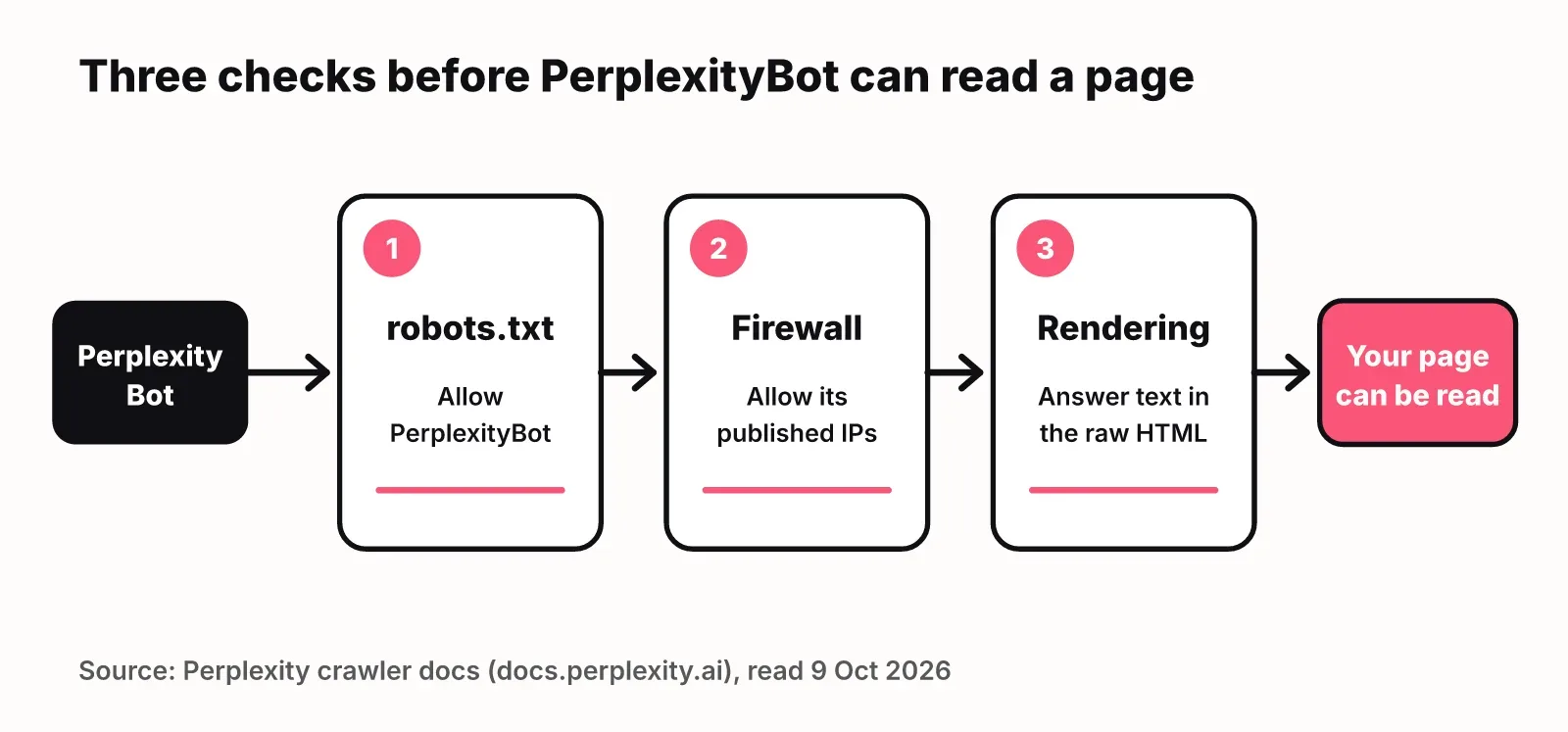
Start with robots.txt. Open yoursite.com/robots.txt and make sure nothing disallows PerplexityBot, either by name or through a catch-all User-agent: * block. An explicit rule makes your intent clear:
User-agent: PerplexityBot
Allow: /

Sitemap: https://yoursite.com/sitemap.xml
Then check the firewall. This is a common place for silent blocks. Bot protection on Cloudflare, AWS WAF or your host can challenge or drop PerplexityBot even when robots.txt welcomes it. Perplexity's docs walk through allow rules for Cloudflare WAF and AWS WAF that match the user agent and the published IP ranges, so you let the real bot through without trusting anything that merely claims the name.
Last, check what a fetch actually returns. If your page's main text only appears after client-side JavaScript runs, a crawler may get an empty shell. Request the page with JavaScript disabled, or view the raw HTML, and confirm the answer text is there. Server-rendered or pre-rendered HTML is the safe default.
Step 2: Write answer-first pages Perplexity can quote
An answer-first page puts a complete, quotable answer in the first sentence under each heading, then adds detail. Perplexity lifts passages, so every passage should make sense on its own.
Concretely:
- Phrase H2s the way people ask. "How much does X cost" beats "Pricing considerations".
- Answer in the first sentence below the heading, with the specific noun, number or recommendation.
- Keep one idea per paragraph, two or three sentences long, so a passage does not drag in an unrelated point.
- Put comparisons in tables. A table row is a clean, citable unit for "X vs Y" questions.
- Name your sources for any figure, and link them. A specific, sourced fact is easier to trust and quote than a general claim.
- Add a short FAQ for the follow-up questions buyers ask, each answered in one or two sentences.
A quick test: copy any paragraph from your page into a blank document. If it still answers something without the paragraph above it, it is quotable. If it starts with "This is why" or "As mentioned", rewrite it.
Product and pricing pages matter as much as blog posts here. When someone asks Perplexity what your product costs or which plan includes a feature, it needs a page where that answer is stated in plain text, not hidden in an image or a toggle.
Step 3: Keep pages fresh
Freshness for Perplexity means the facts on the page are current. A new date at the top does nothing on its own. Perplexity can fetch pages live while it answers a question, so a page with last year's prices or a deprecated feature list competes against pages that are right today.
A refresh routine that works for a small team:
- List the pages that answer time-sensitive questions: pricing, comparisons, "best X" lists, integrations, anything with a year in the title.
- Re-check every fact on those pages on a fixed cadence, monthly for fast-moving categories and quarterly for the rest.
- Change the content where it is out of date, then update the visible "updated" date and the sitemap
lastmodvalue to match. - Never bump a date without changing the page. It teaches readers and crawlers to ignore your dates.
If you need a way to decide which pages to refresh first, rank them the same way you rank any other work. Our guide to content strategy shows how to turn a keyword list into a ranked backlog.
Step 4: Get mentioned on the pages Perplexity already reads
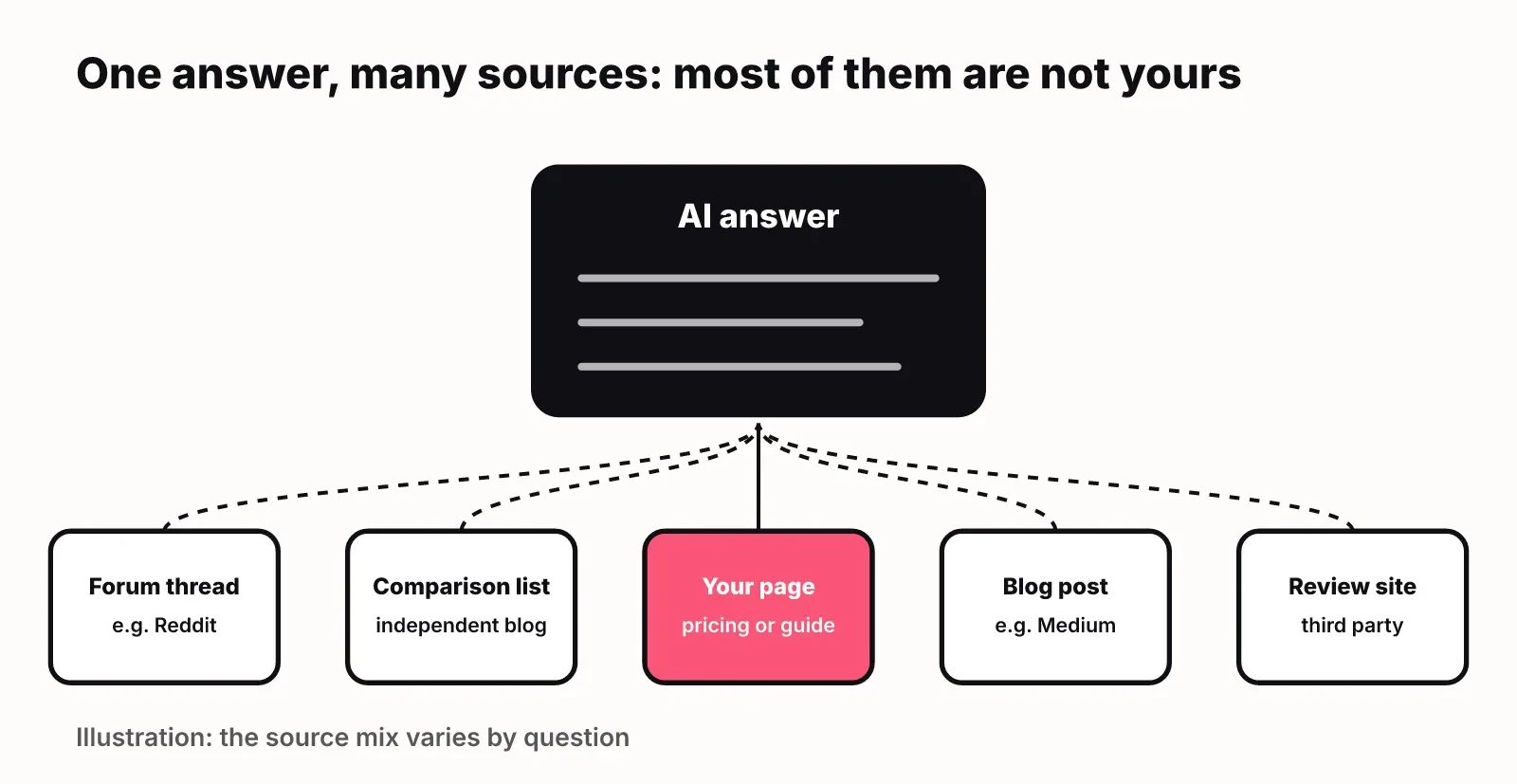
Your own site is only part of Perplexity SEO. Answers to category questions often cite third-party pages: comparison listicles, Reddit threads and Medium posts.
You can see this pattern in our own tracking. For the prompt "best affordable Profound alternatives for tracking brand visibility across AI search engines", the answers we recorded from ChatGPT, Gemini and Google AI Overviews in October 2026 cited Reddit, Medium, independent comparison blogs and vendor pricing pages.
How to work this channel honestly:
- Ask Perplexity the questions your buyers ask and note every source it cites.
- Sort those sources into ones you can influence (listicles that take submissions, community threads, review sites, partner pages) and ones you can't.
- Give the authors what they need: accurate pricing, a clear one-line description of who you are for, and a screenshot. Some list authors will update a page when you send correct details.
- Answer real questions in communities where you have genuine expertise, and disclose that you work on the product.
- Publish something others want to cite: original data, a free tool, or a clear explainer of a narrow topic.
Skip paid placements dressed up as reviews and fake community posts. They can be removed at any time, and they undermine the trust that makes a third-party mention worth having.
How to measure Perplexity visibility
Measuring Perplexity visibility means tracking two separate things: whether Perplexity mentions your brand in the answer, and whether it cites one of your pages as a source. A mention without a citation sends no clicks to your site. A citation without a mention may still send clicks but won't build your brand.
Three ways to measure it, from cheapest to most complete:
| Method | What it tells you | Limits |
|---|---|---|
| Manual prompt checks | Whether you are mentioned or cited for the 10 to 20 questions your buyers ask | Answers vary between runs, so check on a schedule and log results |
| Referral traffic in analytics | Visits from perplexity.ai and which landing pages they hit | Only counts clicks, not citations nobody clicked |
| Server logs | How often PerplexityBot and Perplexity-User fetch your pages, and which ones | Shows access, not whether a page was cited |
Logs are the underused one. A rise in Perplexity-User hits on a page tells you Perplexity is reaching for it while answering questions. Zero PerplexityBot hits after weeks often points back to a firewall block from Step 1.
Here is where LogNorm fits, and where it does not. LogNorm's GEO audit checks whether AI crawlers are allowed in your robots.txt and how answerable your pages are across the site. Its AI visibility tracking asks your buyers' prompts in ChatGPT, Gemini and Google AI Overviews and records mentions and citations separately. It does not track Perplexity answers today, so for Perplexity itself use the manual checks and logs above. The LogNorm LLM SEO tool page explains what it covers.
The pages that earn citations in one engine usually help in the others, because the same habits drive all of them. Our GEO vs SEO guide covers what changes and what stays the same.
FAQ
Does Perplexity use Google's results?
Perplexity does not document using Google's index. It documents its own crawler, PerplexityBot, which surfaces and links sites in Perplexity's search results. Good Google rankings may overlap with being cited, but you should not assume a Google ranking is required or sufficient.
What is Perplexity SEO rank tracking?
Perplexity SEO rank tracking means running a fixed set of prompts in Perplexity on a schedule and recording whether each answer mentions your brand and cites your pages. There is no single position to track, so record mentions and citations as separate rates over time.
How does Perplexity citation work differently from Google?
Google ranks whole pages in an ordered list. Perplexity writes one answer and attaches the sources it drew passages from, often many per answer. A single strong paragraph can earn a citation on Perplexity, while Google weighs the page and site as a whole.
Does blocking PerplexityBot stop Perplexity from reading my site?
Not entirely. Blocking PerplexityBot in robots.txt removes your pages from the crawler that feeds Perplexity's search results. Perplexity says its Perplexity-User agent generally ignores robots.txt because a person requested the fetch, so pages can still be read during a user's question.
How long does Perplexity SEO take to work?
Access fixes are the fastest step: once PerplexityBot can crawl your pages again, they can be picked up on its next visit. Earning mentions on third-party pages takes longer because it depends on other people updating their content. Check your prompts every few weeks rather than daily.