Content Brief Template: What Every SEO Brief Needs
A copyable content brief template for SEO articles: every field explained, a filled-in example, and how to automate the research while you keep the angle.


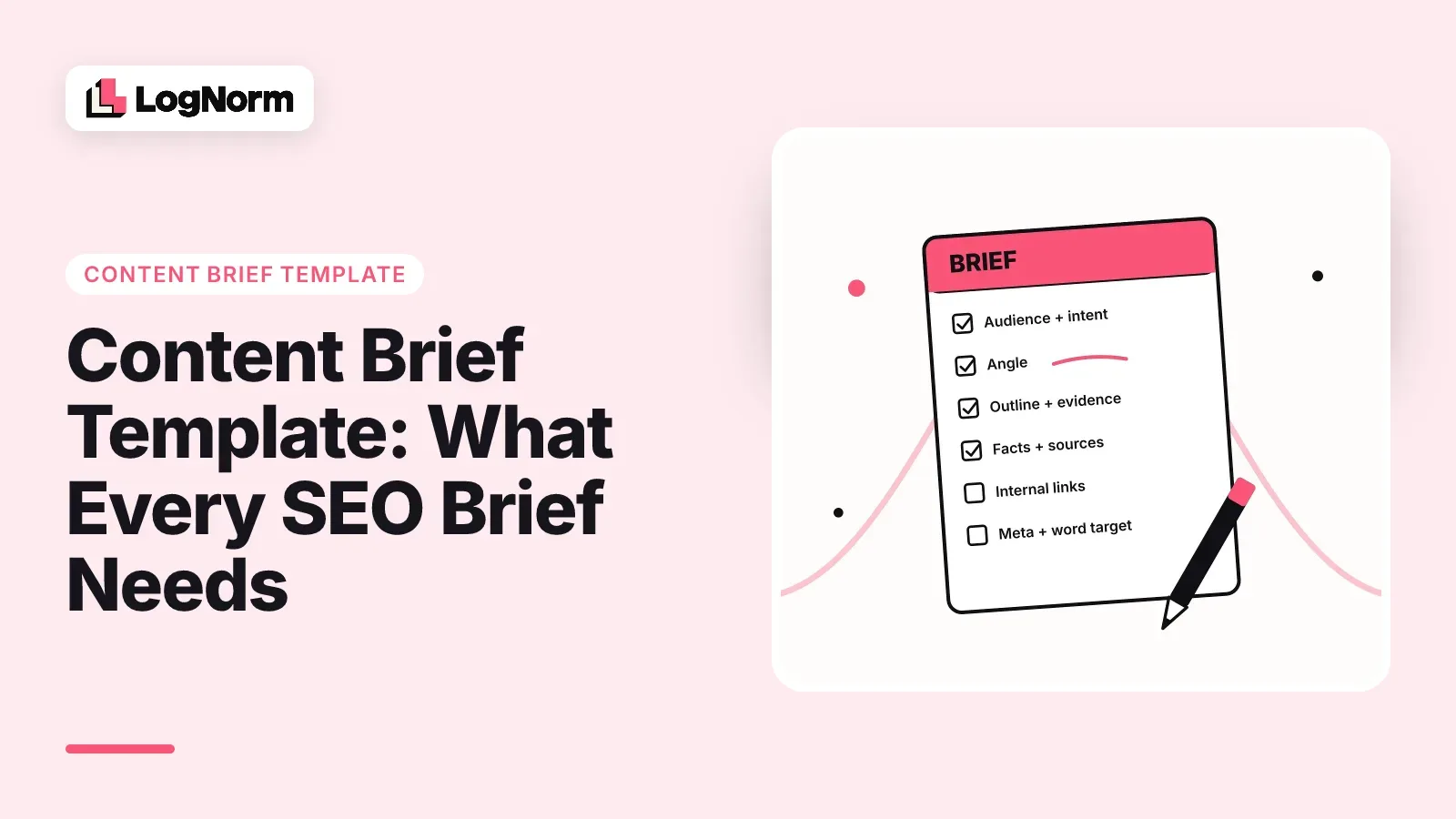
A content brief template is a reusable document that records every decision a writer needs before drafting an SEO article: who it is for, what the searcher wants, the angle, what each section proves, which facts to cite and where to link. Below is a template you can copy, a filled-in example (the actual brief behind this article), and a split of which half of the brief software can research for you and which half a person should keep.
If you hand a writer, a teammate or an AI agent only a keyword and a word count, you get back a draft that reads like the rest of page one. A good brief prevents that before a word is written.
What is a content brief template?
A content brief template is a fixed set of fields you fill in for every article, so the writer starts from decisions instead of guesses. It covers the reader, the search intent, the angle, an outline with the reason for each section, the facts and sources to use, internal links, a length target and the meta tags.
Most results for this search are about creative briefs, so separate the two early. A creative brief steers a campaign: a launch, a video, a brand refresh. A content brief steers one page written to answer one search query. It cares about intent, competing pages, questions people ask and evidence, which a creative brief rarely mentions.
The reason to use a template rather than a fresh document each time is review rounds. The IPA's 2025 BetterIdeas Project found that it typically takes around five rounds of creative development to reach a signed-off idea. A standard template is one of the cheapest ways to cut that friction. For SEO articles the same thing happens: most rewrites trace back to a decision nobody wrote down.
The content brief template (copy this)
Copy the block below into a doc, a Notion page or the ticket you hand to a writer. Every field is one decision. Leave none blank: if you cannot fill a field, you are not ready to brief the article.
CONTENT BRIEF

Working title:
Target keyword:            (one primary)
Secondary keywords:        (3 to 6 close variants)
Content type:              (how-to, template, comparison, listicle, explainer)

1. Audience
   Who reads this, what they already know, what they are trying to get done.

2. Search intent
   What the searcher wants from the page, in one or two sentences.
   What format page one rewards (template, list, guide, tool).

3. Angle
   The one idea this article argues or shows that others do not.

4. Differentiation
   What the top 5 ranking pages cover, and the gap this article fills.

5. Outline (5 to 9 sections)
   For each H2:
   - Heading:
   - Points to make:
   - Why this section exists:
   - Evidence: (SERP, keyword data, Search Console, AI answers, your docs, a fact)
   - Keywords to use naturally:
   - Fact ids:

6. Questions to answer
   From People Also Ask, AI answers and sales calls. These become the FAQ.

7. Must cover
   Non-negotiables: terms, examples, comparisons, disclaimers.

8. Facts with sources
   F1: claim, source URL
   F2: claim, source URL
   (No number goes in the draft unless it is listed here.)

9. Internal links
   URL, suggested anchor. Pages not to link.

10. Word target
    Median length of the ranking pages, and your target with a reason.

11. Meta
    Meta title (60 characters or fewer, keyword first):
    Meta description (140 to 155 characters):
    Slug:

12. Owner, reviewer, due date
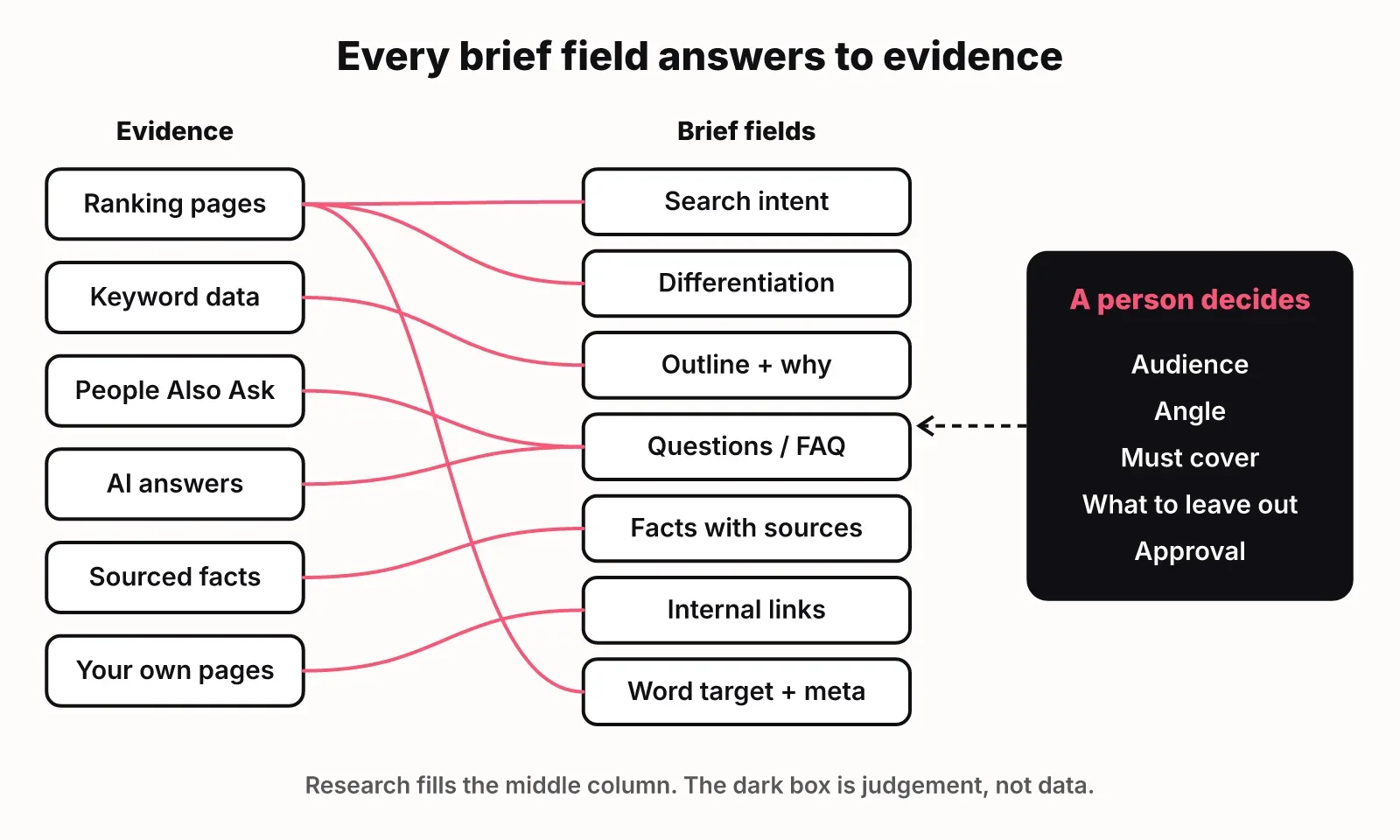
The table shows what each field decides and who should fill it. "Research" means a tool or an agent can gather it from data. "Person" means it needs judgement about your company and your reader.
| Field | What it decides | Filled by |
|---|---|---|
| Audience | Vocabulary, depth, examples | Person, checked against research |
| Search intent | Format and opening of the page | Research, confirmed by a person |
| Angle | Why the article deserves to exist | Person |
| Differentiation | What to add that page one lacks | Research gathers, person decides |
| Outline with evidence | Section order and what each proves | Both |
| Questions | The FAQ and answer-first openings | Research |
| Must cover | Hard requirements | Person |
| Facts with sources | Every number and quote allowed | Research, verified |
| Internal links | Where the article sends readers | Research suggests, person approves |
| Word target | Length budget | Research |
| Meta | Title, description, slug | Person, from research |
What each field is for
Each field exists to stop one specific kind of bad draft. Here is what goes wrong when a field is missing, and how to fill it well.
Audience and search intent
Audience tells the writer what to skip. A post for founders who commission articles does not need to explain what a keyword is. Write the audience as a person with a job to get done, not a demographic.
Search intent tells the writer what shape the page should take. Look at page one before you write this field. If every result is a template with an example, a long essay is the wrong shape for that query.
Angle and differentiation
The angle is the single idea the article argues or shows. Differentiation is the gap between your article and the top five results. These two fields are the only ones that make an article worth publishing, and they are the two most briefs leave out.
A test that works: read the angle out loud and ask whether a competitor could publish the same sentence. If they could, it is a topic, not an angle.
Google's guidance on AI-generated content says its ranking systems aim to reward original, high-quality content that demonstrates E-E-A-T: expertise, experience, authoritativeness and trustworthiness. The angle field is where your experience enters the article. Without it, a draft can only rearrange what already ranks.
Outline with the why and the evidence
Every section in the outline needs two things besides a heading: why the section exists, and what evidence backs it. "Why" stops padding: a section with no reason gets cut. "Evidence" names the source the writer should draw on, such as a ranking page's heading, a keyword's volume, a Search Console query, an AI answer or a page from your own docs.
This is the part that separates an SEO content brief from a list of headings. A writer who knows why a section exists writes a better first sentence for it.
Questions and must-cover
Questions come from People Also Ask, from how ChatGPT, Gemini and Google AI Overviews answer the query, and from your own sales and support conversations. They feed both the FAQ and the answer-first openings under each heading, which is what AI engines tend to quote.
Must-cover is for the things a reviewer would reject the draft over: a product name spelled a certain way, a comparison that has to appear, a claim you are not allowed to make.
Facts with sources
List every number, quote and study the writer may use, each with its source URL, and give each an id. Then make the rule explicit: no number appears in the draft unless it is on this list. This one field removes most of the fact-checking work at review time, and it is the field that matters most when an AI model writes the draft.
Internal links, word target and meta
Internal links should come from pages that exist and relate to the topic, with a suggested anchor. Add a "do not link" line for competitor domains you do not want to send traffic to.
For the word target, measure the ranking pages instead of guessing. For context, Orbit Media's 2026 survey puts the average blog post at 1,312 words, but the median for your query can be much higher or lower. Set your target near the median of what ranks, then adjust with a reason.
Meta goes in the brief, not after the draft, because writing a short title and a one-sentence description forces you to state the promise of the page before anyone writes it.
A filled-in example: the brief for this article
The most useful example is a real one, so here is the brief this article was written from, lightly shortened.
Working title:   Content Brief Template: What Every SEO Brief Needs
Target keyword:  content brief template
Secondary:       content brief, seo content brief, content brief generator
Content type:    template + how-to

Audience
  Startup founders, solo marketers and small growth teams who
  commission SEO articles from freelancers, teammates or AI agents
  and keep getting drafts that miss the point.

Search intent
  Informational, template flavoured. They want a copyable SEO brief,
  what each field is for, and one filled in. Secondary: how to
  automate brief research.

Angle
  A brief is a set of decisions, not a list of fields. Software
  gathers the research half; a person owns the angle.

Differentiation
  Page one is mostly creative brief articles and field lists. None
  ties each section to its evidence, none requires a source per
  fact, none shows a filled SEO brief.

Outline (excerpt)
  H2 What is a content brief template?
     Why: page one is full of creative briefs; define and separate.
     Evidence: SERP, fact F6 (IPA, ~5 rounds of development)
  H2 The content brief template (copy this)
     Why: the searcher came for the template; give it early.
     Evidence: SERP, ranking pages' field lists
  H2 How to automate content briefs without losing the angle
     Why: answers the AI prompt "how to build automated content
     briefs and plan ranking articles for search".
     Evidence: AI answers, company docs, facts F1, F3

Facts
  F2  Average blog post 1,312 words (Orbit Media)
  F4  Google rewards original content showing E-E-A-T
  F6  ~5 rounds of creative development to sign-off (IPA)

Word target
  Ranking median 2,963 words. Target ~2,300: the median is inflated
  by long creative-brief guides; a template plus one example needs less.

Meta
  Title: Content Brief Template: What Every SEO Brief Needs
  Slug:  content-brief-template
Notice what the example decides that a field list would not. It says why the article is shorter than the median. It names which section answers which question. It states the gap in page one in a sentence the writer can check.
Why most content briefs fail
Most content briefs fail because they record the keyword and skip the decisions. These are the five failures that show up most in review, each with the field that fixes it.
- The brief is a keyword and a word count. The writer has to guess the reader and the format. Fix: fill audience and search intent first.
- There is no angle, so the draft summarises page one. Fix: write the angle and differentiation before the outline.
- Numbers arrive without sources. Someone has to check every claim at review, or worse, nobody does. Fix: the facts list with ids and URLs.
- The outline has headings but no reasons. Sections get padded or reordered at random. Fix: a "why" and an "evidence" line under every heading.
- Nobody owns approval. The draft goes round in circles. Fix: name the owner and reviewer in the brief.
The scale problem behind this is real. The Content Marketing Institute's 2026 research found that nearly half (45%) of B2B marketers lack a scalable model for content creation. A brief template is the cheapest piece of that model to put in place.
How to automate content briefs without losing the angle
You can automate the research half of a content brief and keep a person on the angle. Software is good at gathering what is already public: what ranks, what people ask, which numbers have sources. It is bad at deciding what your company should say that nobody else has.
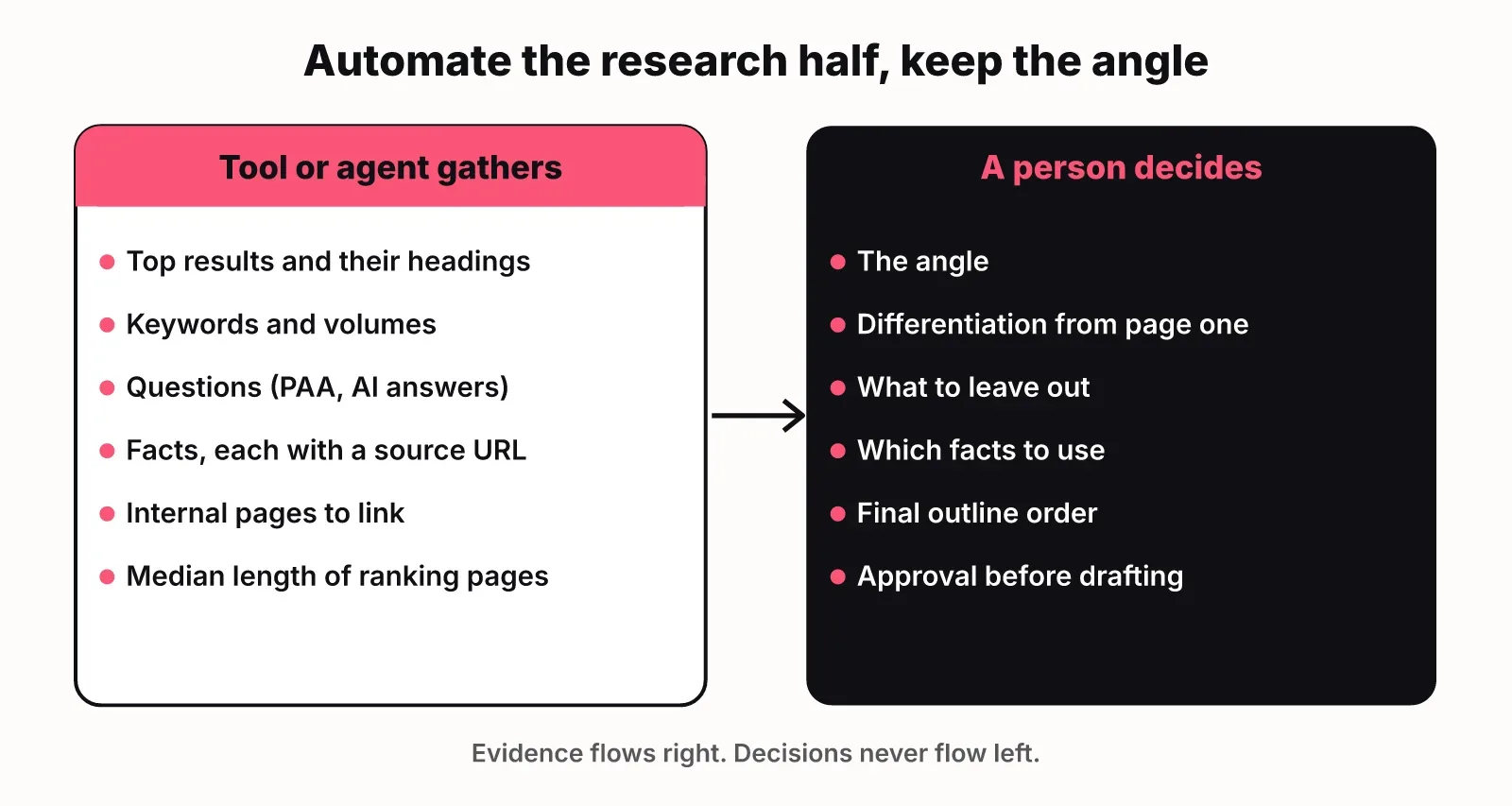
Here is the split that works.
| Brief field | Automate | What to check by hand |
|---|---|---|
| Top results and their headings | Yes, from a SERP pull | Whether they match your intent |
| Keyword set and volumes | Yes, from keyword data | Relevance to your product |
| Questions | Yes, from People Also Ask and AI answers | Drop off-topic ones |
| Facts with sources | Yes, with source URLs | Open each source |
| Internal pages to link | Yes, from your sitemap or crawl | Remove pages you would not send readers to |
| Median length | Yes | The reason for your target |
| Angle and differentiation | No | Write it yourself |
| What to leave out | No | Write it yourself |
| Approval | No | A named reviewer |
When people ask AI engines how to build automated content briefs, the answers point to the same building blocks: keyword data, a SERP analysis step and a language model in one repeatable workflow. Google's AI Overview names Ahrefs and Semrush for keyword research, and Surfer SEO and Frase also come up in the same answer. Those cover the gathering. If you are comparing content tools, we wrote up LogNorm vs Surfer SEO and LogNorm vs Frase.
Two rules keep an automated brief honest. First, the tool fills fields with evidence, never the angle. Second, any fact the tool collects must carry its source URL, so the writer (person or model) can only cite what is on the list. This matters more as teams use AI: CMI found the share of B2B marketers whose organisations lack AI usage guidelines dropped to 45%, from 61% the year before. A brief with a sourced facts list is a practical guideline in itself.
How LogNorm does it
LogNorm's Content Studio turns a planned move into a SERP-researched brief and a draft grounded in your Company Brain (your positioning, product docs, pricing and customer language), then runs a live quality scorecard with claim checks before anything is published. The brief in the example above is one of these: LogNorm gathered the research half, and the angle, differentiation and decisions were written on top of it. The docs on briefs and the editor show how each part appears in the app.
The design choice is the same one this article argues for. The research is gathered for you and the calls stay yours to make and review.
Plan the articles before you brief them
A brief serves one page, so it only works inside a plan that says which pages to write and in what order. Briefing articles one at a time from a keyword list produces pages that compete with each other.
Two pieces sit before the brief. The first is grouping keywords into pages and pages into topics, which our guide to topic clusters covers. The second is ranking those pages against each other so the brief you write this week is the one most likely to pay off, which is what SEO content strategy is about.
After the brief comes the writing itself. Our guide to SEO content writing covers answer-first sections and writing pages that AI engines quote, so this article does not repeat it. For the wider picture of where AI fits in search work, see AI SEO.
FAQ
What should a content brief include?
A content brief should include the audience, search intent, angle, differentiation from ranking pages, an outline with the reason and evidence for each section, questions to answer, must-cover items, facts with sources, internal links, a word target and the meta title, description and slug. Add an owner and a reviewer.
How long should a content brief be?
A content brief should be long enough that the writer makes no strategic decisions, which is usually one to two pages. The outline is the longest part. If your brief runs past three pages, you are probably writing the article inside it.
What is the difference between a creative brief and a content brief?
A creative brief steers a campaign or a piece of creative work across channels. A content brief steers one page written for one search query, so it adds search intent, competing pages, keyword targets, questions, sourced facts and internal links.
Who should approve a content brief?
The person who will review the draft should approve the brief. If the reviewer agrees with the angle and outline before writing starts, most rewrite rounds disappear.
Can AI write a content brief?
AI can gather most of a content brief: ranking pages, keywords, questions, sourced facts, internal links and a length target. A person should still write the angle and differentiation and approve the brief, because those depend on what your company knows that page one does not.
How do you plan ranking articles before briefing them?
Group keywords into topics with a hub and spokes, rank the resulting pages against each other by expected impact and effort, and brief the top ones first. Each brief then links to the hub and its sibling spokes.