AI tools for marketing: what to use for each growth job
A practical guide to AI tools for marketing, organised by job: research, writing, design, SEO and AI visibility, ads, email, analytics and support.


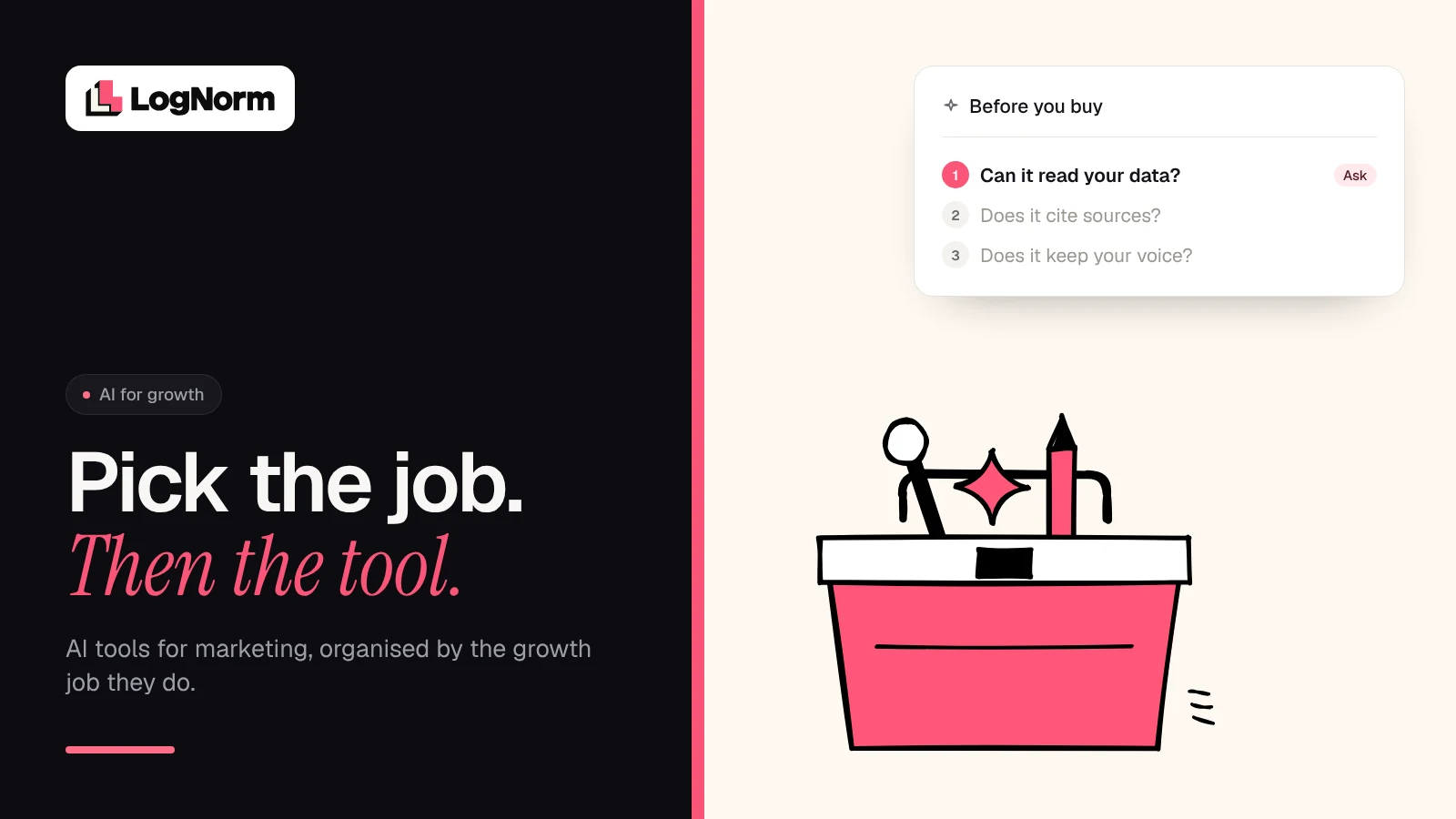
The best AI tools for marketing are the ones matched to a specific growth job: research, writing, design and video, SEO and AI search visibility, ads, email and CRM, analytics, and sales and support. Pick the job first, then choose a tool that can read your real data, keep your brand voice and let you check its claims. A short stack that covers your bottleneck beats a long list of subscriptions.
Most "best AI tools" lists rank products by hype. That is not how a small team buys software: you have one or two stuck jobs, a limited budget, and no time to babysit tools.
So this guide is organised by job. For each one, we cover what a good tool should do, a few well-known examples (described only by what their own sites say), and what to avoid. It is part of our wider guide to how startups use AI for marketing, which covers strategy. Here we stay on tooling.
Start with the job, not the tool
AI is already a normal part of marketing work. In McKinsey's 2026 State of AI survey of 1,719 respondents, "nearly nine in ten" reported regular use of AI in at least one business function, and revenue gains are most often attributed to AI in marketing and sales. The question is no longer whether to use AI. It is which jobs to hand over and how much to trust the output.
A job-first approach keeps the stack honest. List the growth jobs you do every week, mark the slowest one, and buy for that first.
Here is what a useful tool does for each job.
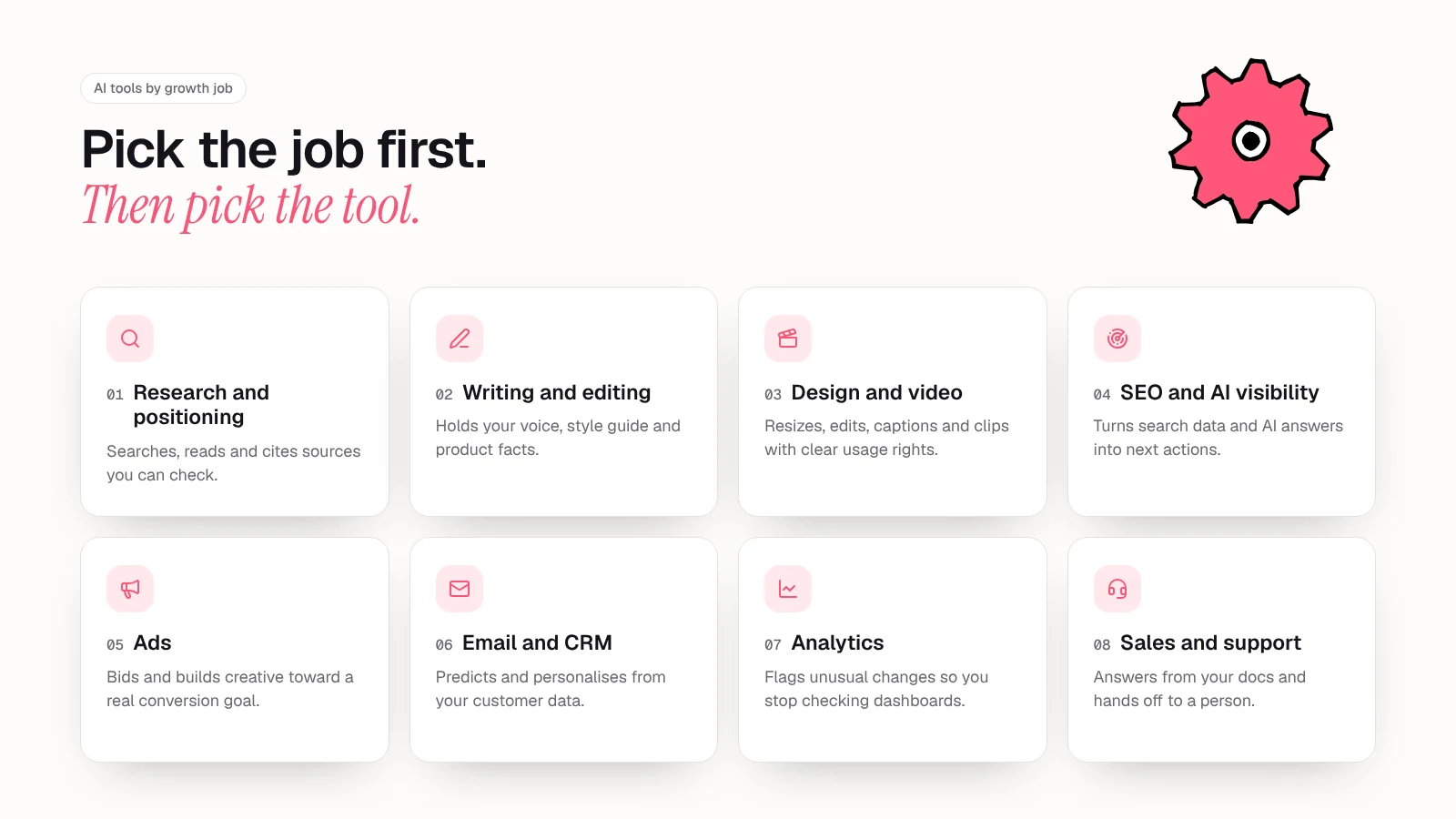
AI tools by growth job
The examples below are neutral and not ranked. Each one is described from the vendor's own page, and features change often, so check the current version before you buy.
Research and positioning
What to look for. Research tools should search widely, read the pages they find and show you where each claim came from. Citations matter more than polish, because positioning built on a wrong fact is expensive to unwind.
Examples. Perplexity's Deep Research mode "iteratively searches, reads documents, and reasons about what to do next," then synthesises the findings into a report you can export to PDF. ChatGPT's deep research works similarly: it is built to find, analyse and synthesise hundreds of online sources into a cited report.
What to avoid. Treating the report as the answer. OpenAI's own launch post says deep research "can sometimes hallucinate facts in responses or make incorrect inferences" and can struggle to tell authoritative sources from rumours. Use these tools for a first pass on competitors and customer language, then open the sources yourself before anything reaches your positioning doc.
Writing and editing
What to look for. The hard part of AI writing is not generating words. It is keeping your voice and your facts. Look for tools that can hold a style guide, brand tone and product knowledge, and apply them every time without you pasting the same prompt.
Examples. Grammarly offers Brand Tones and a Style Guide for business teams, alongside agents such as Proofreader and Reader Reactions. Jasper describes itself as "the agent workspace built for modern marketing teams," with Brand Voice, a Style Guide and a Knowledge Base that feed into every output. HubSpot's Content Agent is built to create blog posts, social content and landing pages in your brand voice inside the CRM.
What to avoid. Publishing drafts at volume without review. Google's guidance is direct: generating many pages "without adding value for users may violate Google's spam policy on scaled content abuse," and AI outputs may contain inaccuracies, so fact-check before publishing. That includes titles, meta descriptions and image alt text.
Design and video
What to look for. Speed on the boring parts: resizing, background clean-up, captions, cutting long recordings into clips. You also want clear rights to use what the tool generates in paid campaigns.
Examples. Canva's AI features include Magic Write, Magic Resize, a video generator and Style Match to "stay on-style in a single click". Adobe Firefly generates and edits images, video and audio, and Adobe says its own Firefly models are trained on licensed Adobe Stock content and public domain content, with Content Credentials attached to outputs. Descript lets you edit video by editing the transcript, remove filler words, clean audio with Studio Sound and turn long recordings into clips.
What to avoid. Generated visuals that look like everyone else's, and tools that are vague about training data or commercial use. If a design tool cannot tell you what its model was trained on, keep its output out of your ads.
SEO and AI search visibility
What to look for. Two things: real search data (impressions, clicks, positions, competitors) and a view of how AI assistants describe your brand. The best tools also tell you what to do next, not just what happened.
Examples. Google Search Console is the base layer: it shows impressions, clicks and position for your own site, straight from Google. Semrush's AI Visibility toolkit tracks brand mentions across ChatGPT, Google AI and other AI platforms and includes prompt tracking. Ahrefs Brand Radar tracks brand visibility in AI Overviews, Gemini, ChatGPT, Perplexity, Copilot and AI Mode, plus YouTube and Reddit. Tools like LogNorm pull site audits, Search Console, keywords, competitors and AI answers together and turn each signal into a ranked weekly backlog of moves instead of another dashboard.
What to avoid. Reports nobody acts on, and AI visibility measured with one-off prompts and no competitor baseline. Our guide on how to measure AI visibility covers a repeatable method.
Ads
What to look for. AI in ad platforms mostly works through bidding and creative assembly. Your job is to feed it clean conversion data, good assets and clear limits.
Examples. Google's Performance Max uses Google AI to serve ads across Search, YouTube, Display, Discover, Gmail and Maps from one campaign, optimising toward the conversion actions and optional ROAS or CPA target you set. Its generative tools combine your text, images and video into new creatives. Meta offers generative AI creative features in its ad tools and applies an AI label when those features significantly edit an image or video.
What to avoid. Optimising toward the wrong signal. If your conversion action is "visited pricing page" rather than a qualified signup, the algorithm will find you cheap visits. Fix tracking before you hand over the budget.
Email and CRM
What to look for. Predictions and personalisation based on your own customer data: who is likely to buy, who is drifting away, when to send. Generated copy is the least important part.
Examples. Klaviyo calculates predicted customer lifetime value, expected next order date and churn risk from purchase history, and can build segments and send times from those predictions. HubSpot's Nurture Agent is built to send each lead a personalised email "based on where they actually are," and its Data Agent answers questions from your CRM, calls and documents.
What to avoid. Turning on predictions before you have enough history. Klaviyo notes its predictions populate once there is sufficient purchase history, and a seed-stage list may not have it yet.
If your bottleneck is the handoffs between these steps rather than the copy, read our guide to AI marketing automation before buying another point tool.
Analytics
What to look for. Tools that flag what changed and why it matters, so you are not checking dashboards every morning.
Examples. Google Analytics 4 includes automated insights that detect unusual changes or emerging trends in your data, and custom insights (up to 50 per property) that can email you when a condition you set is met. The CRM and email tools above add predictive views on top of the same customer data.
What to avoid. Asking a chat assistant to "analyse" an export with no definitions. If the tool does not know which events count as a signup or which channel names you use, its summary will sound right and be wrong.
Sales and support
What to look for. Agents that answer from your own help docs and product data, hand off to a person cleanly, and price in a way you can predict.
Examples. Intercom's Fin is a customer agent that works across voice, chat, email, Slack, social and other channels, with outcome-based pricing, so "you should only pay for Fin when it delivers value." HubSpot's Customer Agent resolves inquiries across channels, and its Prospecting Agent monitors buying signals and starts personalised outreach.
What to avoid. Launching an agent on thin documentation. A support agent is only as good as the help centre behind it. Fill the gaps first, then measure how many conversations it resolves without a human.
For a closer look at how agents differ from assistants and where they fit, see our guide to AI agents for marketing.
Quick comparison: jobs, tools and traps
| Growth job | What the tool should do | Example tools | Main trap |
|---|---|---|---|
| Research and positioning | Search, read and cite sources | Perplexity Deep Research, ChatGPT deep research | Trusting uncited or misread claims |
| Writing and editing | Hold your voice, style and product facts | Grammarly, Jasper, HubSpot Content Agent | Publishing at volume without review |
| Design and video | Resize, edit, caption, clip | Canva, Adobe Firefly, Descript | Unclear rights, generic visuals |
| SEO and AI visibility | Combine search data and AI answers into actions | Search Console, Semrush, Ahrefs Brand Radar, LogNorm | Reports with no next step |
| Ads | Bid and assemble creative toward your goal | Google Performance Max, Meta's generative ad tools | Optimising to the wrong conversion |
| Email and CRM | Predict and personalise from customer data | Klaviyo, HubSpot | Predictions without enough history |
| Analytics | Flag changes and anomalies | Google Analytics 4 insights | Summaries without your definitions |
| Sales and support | Answer from your docs, hand off cleanly | Intercom Fin, HubSpot agents | Thin docs behind the agent |
How to choose: a six-point selection checklist
Features look similar across vendors. These six questions separate a tool that will earn its place from one that will sit unused after the trial.
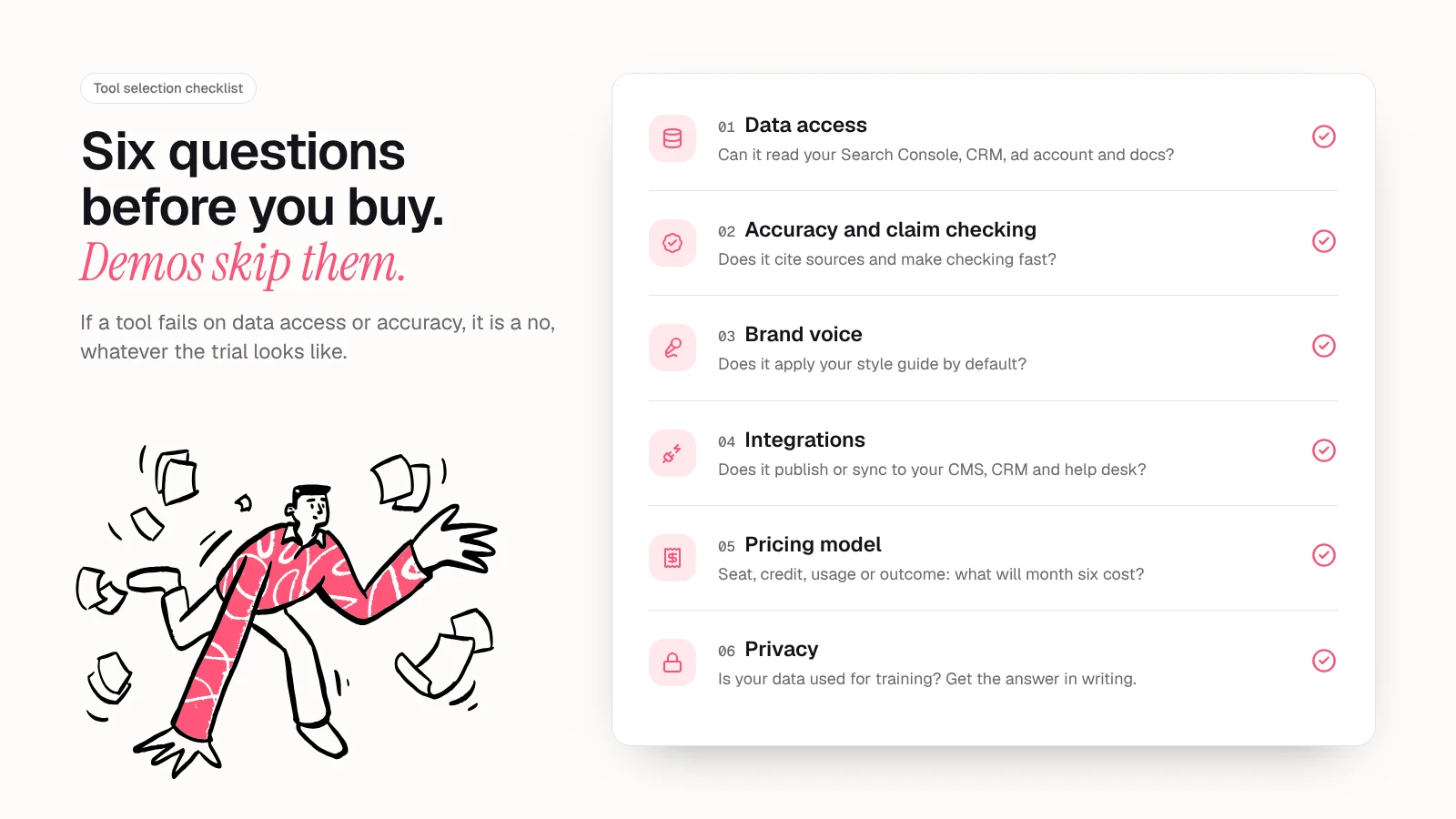
- Data access. Can the tool read the data the job needs: your Search Console, CRM, ad account, help docs? A writing tool that cannot see your product facts will invent them.
- Accuracy and claim checking. Does it cite sources, show its working or flag unverified claims? Both OpenAI and Google say AI output can contain errors, so the tool should make checking fast, not optional.
- Brand voice. Can it store your style guide and tone and apply them by default? If every output needs a rewrite, you have not saved time.
- Integrations. Does it publish or sync to where the work lives: your CMS, CRM, ad platform, help desk? Copy and paste between tabs is where AI time savings disappear.
- Pricing model. Is it per seat, per credit, per usage or per outcome? Map the price to your expected volume for the next six months, not the trial month. Outcome-based pricing, as Fin uses, is easier to tie to value but harder to forecast.
- Privacy. Will your data be used to train models? OpenAI states that by default it does not use business data from its enterprise offerings for training. Ask every vendor for the same answer in writing, especially for tools that touch customer records.
A tool that fails on data access or accuracy is a no, whatever the demo looks like.
How to roll out AI tools without tool sprawl
Buying is easy. Weekly use is the hard part.
- Pick one bottleneck job. Choose the job that is slowest or most often skipped, not the one with the most exciting demo.
- Write down the baseline. Note how long the job takes today and what "good" output looks like, so you can tell whether the tool helps.
- Trial two options on real work. Use your own data and a real deliverable. Run the checklist above on both.
- Set a review step. Decide who checks facts, voice and claims before anything ships. AI output should never skip this.
- Measure for a month. Compare time spent and output quality against the baseline. Keep the tool only if it wins clearly.
- Then add the next job. Once one tool is part of the routine, move to the next bottleneck. Revisit the whole stack every quarter and cancel what nobody opens.
Over time the jobs connect: research feeds content, content feeds search and AI visibility, and results feed the next round of research. Our AI for marketing guide covers how to plan that loop as a strategy.
FAQ
What are the best AI tools for marketing?
There is no single best tool, because each one is built for a different job. Start with the job that is slowing you down most, such as research, content, SEO or email, and compare two tools for that job on your own data. Well-known options include Perplexity and ChatGPT for research, Canva and Descript for design and video, and Klaviyo or HubSpot for email and CRM.
Are there free AI tools for digital marketing?
Yes. Many tools have free tiers or free plans, and Perplexity's Deep Research is available to non-subscribers with a daily limit. Google Search Console and Google Analytics 4 provide the search and site data most AI marketing tools depend on. Check what each free plan limits before building a workflow around it.
Can AI tools replace a marketing team?
No. AI tools speed up research, drafting and reporting, but they still make factual errors and cannot own positioning or judgement. The practical model is one person who decides and reviews, with AI handling the repetitive steps.
Is AI-generated content bad for SEO?
Not by itself. Google's guidance says the problem is generating many pages without adding value for users, which can violate its scaled content abuse policy. Content that is accurate, reviewed and useful is judged like any other content.
How many AI marketing tools does a startup need?
Usually fewer than you think. Start with one tool for your biggest bottleneck, prove it saves time, then add the next.
Sources
- McKinsey: The state of AI in 2026: On the road to ROI (August 2026)
- Perplexity: Introducing Perplexity Deep Research (February 2025)
- OpenAI: Introducing deep research (February 2025)
- Grammarly: AI at Grammarly (October 2026)
- Jasper: Put AI agents to work for marketing (October 2026)
- HubSpot: Run, build, and manage your AI agents | Agent Hub (October 2026)
- Google Search Central: Google Search's guidance on using generative AI content on your website (October 2026)
- Canva: Magic Studio AI features (October 2026)
- Adobe: Adobe Firefly (October 2026)
- Descript: Descript (October 2026)
- Google: Google Search Console (October 2026)
- Semrush: Semrush AI Visibility (October 2026)
- Ahrefs: Brand Radar (October 2026)
- Google Ads Help: About Performance Max campaigns (October 2026)
- Meta: Expanding GenAI transparency for Meta's ads products (February 2025)
- Klaviyo: Predictive analytics for ecommerce (October 2026)
- Google Analytics Help: Analytics Insights (October 2026)
- Intercom: Fin (October 2026)
- OpenAI: Enterprise privacy at OpenAI (October 2026)