AI marketing automation: workflows that pay off for small teams
AI marketing automation adds AI steps to classic workflows. Seven workflows a small team can build, with privacy basics and a simple way to measure payback.


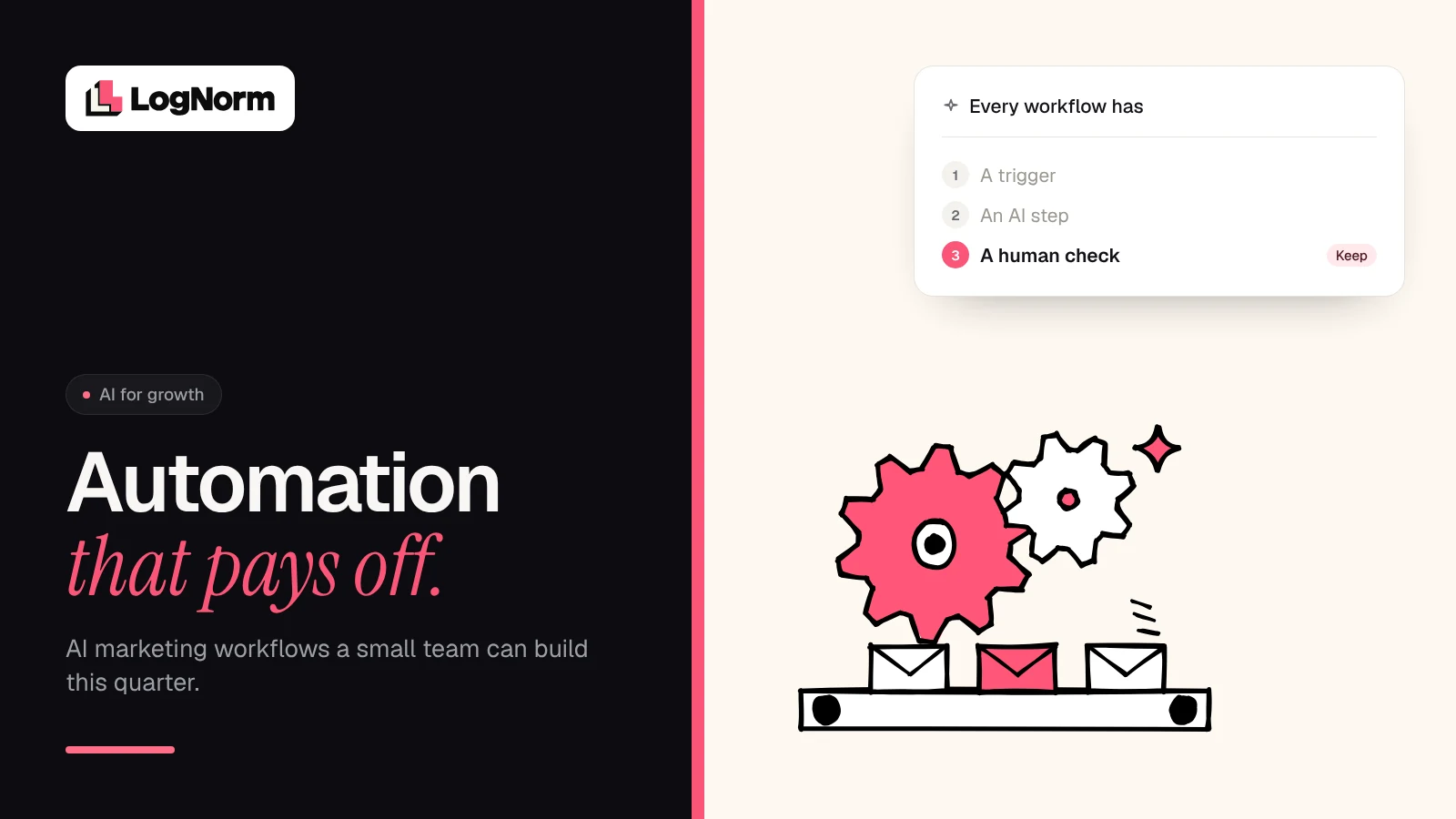
AI marketing automation is classic marketing automation with an AI step inside the workflow. A trigger still starts the flow, but instead of only following fixed if-then rules, a model classifies, personalises, summarises, drafts or scores along the way, and a person checks the output before anything important goes out. For a small team, the payoff comes from a handful of narrow workflows that save hours every week, not from automating everything.
This guide is part of our wider look at how startups use AI for marketing. Here we stay practical: what changes when you add AI to a workflow, seven workflows worth building, the privacy rules that still apply, and how to tell whether any of it paid for itself.
What AI changes in marketing automation
Rules-based automation is good at moving data and bad at reading it. It can send email three on day five. It cannot tell whether a signup is a student or a 200-person company. AI fills that gap, and almost every useful AI step is one of five jobs:
| AI step | What it does | Rules-based version | Example |
|---|---|---|---|
| Classify | Puts free text or records into categories | Keyword match, dropdown field | Tag a demo request as agency, startup or enterprise |
| Personalise | Adapts a message to the person's context | Merge fields like first name | Rewrite an onboarding email around the use case they gave |
| Summarise | Compresses long input into the few points that matter | None | Turn 40 reviews into three themes and two quotes |
| Draft | Produces a first version for a human to edit | Static templates | Draft five social posts from a published article |
| Score | Ranks items by fit or priority | Points per field | Rank leads by fit against your ideal customer profile |
Using AI and getting value from it are different things. McKinsey's state of AI survey of 1,719 respondents, fielded in May and June 2026, found that "nearly nine in ten respondents report regular use of AI in at least one business function", and that revenue gains are most often attributed to AI in marketing and sales. Yet only 37 percent attributed at least some EBIT impact to AI use. Adoption is common. Payback is not automatic.
The anatomy of an AI workflow
Every workflow in this guide has the same four parts. If you cannot name all four, do not build it yet.
- Trigger. A concrete event: a form submission, a new review, a Monday 8am schedule, a page losing clicks.
- AI step. One of the five jobs above, with a tight prompt, a fixed output format (a label, a score, a short draft) and only the data it needs.
- Human check. A person approves, edits or spot-checks the output. The check is lighter for internal outputs and stricter for anything a customer sees.
- Action. The workflow writes back to a system: updates the CRM, sends the email, posts to Slack, opens a task.
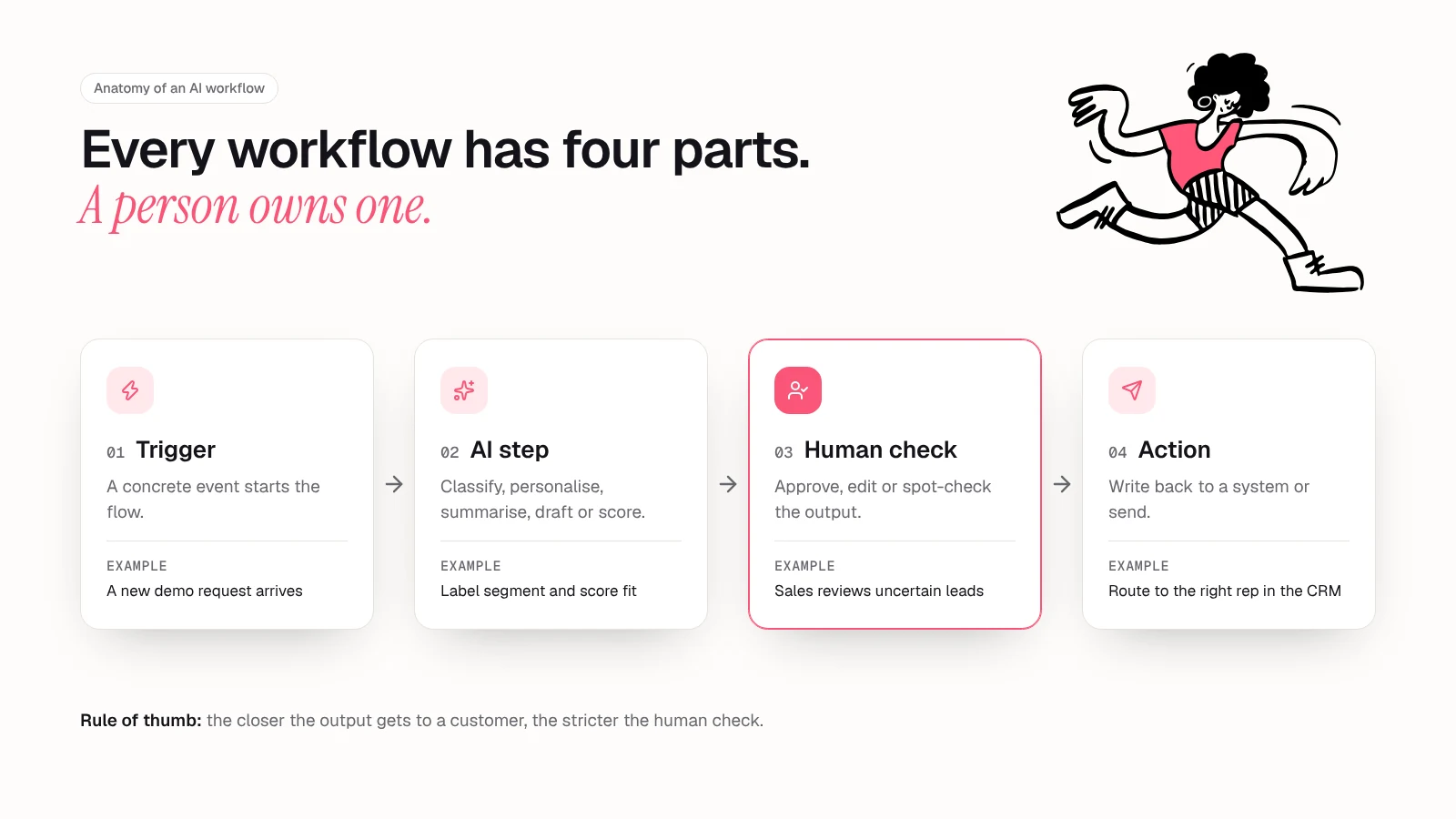
The human check is the part teams most want to skip. A good rule: the closer the output gets to a customer, a price or a decision about a person, the more of it a human should see.
Seven AI marketing automation workflows for small teams
Each one can be built with a general automation tool, a model API and your existing CRM, email and analytics tools.
1. Lead enrichment and routing
- Trigger: a new demo request or signup with a work email.
- AI step: classify the company (segment, rough size, likely use case) from the form answers and the company's website, then score fit against your ideal customer profile.
- Human check: sales reviews any lead the model marks as uncertain, and spot-checks a sample of the rest each week.
- Outcome: high-fit leads reach the right person in minutes, and low-fit leads go to a nurture sequence instead of a sales call.
2. Onboarding emails personalised by use case
- Trigger: a user completes signup and answers "what are you here to do?"
- AI step: classify the answer into one of your three to five core use cases, then pick and lightly personalise the matching onboarding sequence.
- Human check: you write and approve the base emails for each track. The model picks the track and adjusts an opening line, nothing more.
- Outcome: new users see the setup steps that matter for their job, rather than a generic tour.
3. Content repurposing
- Trigger: a blog post, webinar or podcast episode is published.
- AI step: draft a newsletter section, three to five social posts and a short summary for sales, each in a fixed format.
- Human check: the author edits for voice and accuracy, and removes any claim the source does not support.
- Outcome: one piece of work reaches three or four channels without three or four extra writing sessions.
Google's position on AI-assisted content is clear: "Appropriate use of AI or automation is not against our guidelines", as long as it is not used to generate content primarily to manipulate search rankings. Repurposing your own expertise fits that.
4. Weekly performance digest
- Trigger: a schedule, such as Monday at 8am.
- AI step: pull last week's numbers from analytics, Search Console, your CRM and ad accounts, then summarise what moved, by how much, and the two or three likely reasons.
- Human check: whoever owns growth reads it before it goes to the wider team and corrects any wrong explanation.
- Outcome: a one-screen update that replaces dashboard checking.
Ask the model to separate facts from guesses. For which numbers to include, see our guide to SEO KPIs that predict growth.
5. Review and mention monitoring
- Trigger: a new review, community post, support ticket or social mention that names your brand or a competitor.
- AI step: classify sentiment and topic (pricing, a bug, a feature request, a competitor comparison), then summarise the week's mentions into themes with example quotes.
- Human check: public replies are written or approved by a person. The model triages, it does not speak for you.
- Outcome: urgent issues reach the right person the same day, plus a weekly list of what customers are saying.
6. SEO refresh alerts
- Trigger: a page loses clicks or average position over a set window compared with the one before it.
- AI step: summarise what changed (which queries dropped, which competitor pages now rank, whether the content is out of date) and draft a short refresh brief.
- Human check: the content owner decides whether to refresh, merge or leave the page, and edits the brief.
- Outcome: a short weekly list of pages to update instead of a quarterly audit nobody finishes.
Search Console's Performance report gives you the inputs: clicks, impressions, click-through rate and average position. The hard part is deciding which drop matters most against everything else on your list. Tools like LogNorm pull site audits, Search Console, keywords, competitors and AI answers together and turn each signal into a ranked "Move" on a weekly backlog, so a refresh alert competes with your other work rather than sitting in its own dashboard.
7. Call and feedback mining for messaging
- Trigger: a sales or customer call transcript, or a batch of survey answers, lands in a shared folder.
- AI step: extract customers' exact phrases for their problem, the alternatives they mentioned and their objections, into a running messaging document.
- Human check: a marketer reviews the additions weekly and promotes the strongest phrases into copy tests.
- Outcome: copy written in customers' own words.
Which workflow to build first
Pick by effort and by the kind of payback you need. Time-saving workflows are quick to prove. Conversion workflows can be worth more but take longer to measure.
| Workflow | Effort to build | Payback type | Customer-facing? |
|---|---|---|---|
| Weekly performance digest | Low | Time saved | No |
| Content repurposing | Low | Time saved | Yes, after edit |
| Review and mention monitoring | Low to medium | Faster response | Human-written replies |
| SEO refresh alerts | Medium | Traffic retained | No |
| Lead enrichment and routing | Medium | Speed to lead | No |
| Call and feedback mining | Medium | Better messaging | No |
| Personalised onboarding | Medium to high | Activation, conversion | Yes |
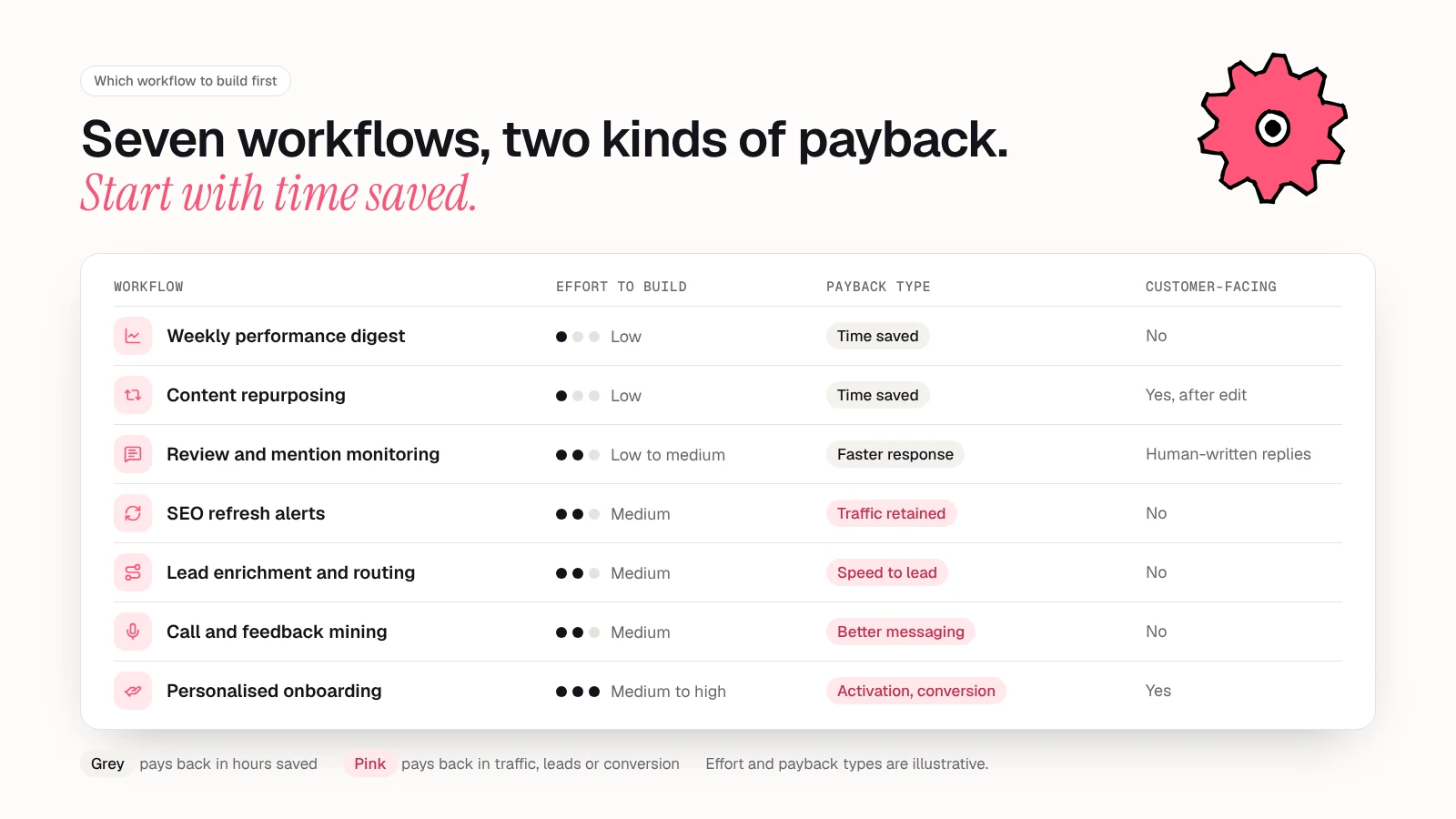
A sensible order for a small team: start with the weekly digest, add one customer-facing workflow such as onboarding once you trust your prompts, then add routing or SEO alerts as volume grows.
Tools, and when a workflow becomes an agent
You do not need a dedicated platform to start. Most of these workflows run on an automation tool that connects your apps, a model API or the AI features in tools you already use, and your systems of record. Our roundup of AI tools for marketing compares options by job rather than by brand.
When choosing AI marketing automation tools, check integrations, whether you can see and edit the prompt, whether outputs are logged, and how your data is handled.
A workflow follows a fixed path you designed. An agent decides its own next steps toward a goal, which suits open-ended work but needs more guardrails. Start with workflows, and read our guide to AI agents for marketing when a task genuinely needs that flexibility.
Data, privacy and consent basics
Adding AI does not change the rules on whose data you can use and how you can contact people. This is a summary, not legal advice.
Email consent still applies. In the US, the FTC's CAN-SPAM guide says "the law makes no exception for business-to-business email", requires a working opt-out, and says you must honour opt-out requests within 10 business days. Each violating email can draw penalties of up to $53,088. In the UK, the ICO's electronic mail marketing guidance says you must not email marketing to individuals unless they have specifically consented, or they are existing customers who bought or negotiated to buy a similar product (the "soft opt-in"). Corporate bodies are treated differently, but sole traders and some partnerships count as individuals. Personalising an email with AI does not make an unconsented email acceptable.
Watch fully automated decisions about people. Under UK GDPR Article 22, as the ICO explains, people have rights around decisions "based solely on automated processing, including profiling" that have legal or similarly significant effects. The ICO's examples include automatic refusal of an online credit application and e-recruiting without human intervention. Routing a lead to a nurture sequence is far from that, but the closer a workflow gets to decisions like these, the less optional the human check becomes. The ICO's broader guidance on AI and data protection covers lawfulness, fairness and transparency in more depth.
Know where your data goes. Check how each model provider treats the data you send. OpenAI, for example, states for its business products and API that "we do not train our models on your data by default". Terms differ by provider and plan.
Three habits cover most small-team risk:
- Send the model only the fields it needs. Lead scoring rarely needs a phone number.
- Keep a log of inputs and outputs for customer-facing workflows, so you can explain what happened.
- Update your privacy notice if you use AI to profile or personalise for customers.
How to measure payback
Measure payback per workflow, not for "AI" as a whole. There are two kinds, and they need different maths.
Time saved. Before you build, time the manual version for two weeks. After launch, track the time still spent on the task, including the human check. Then:
- Hours saved per month = (manual hours per run minus remaining hours per run) × runs per month
- Monthly value = hours saved × a loaded hourly cost for the person doing it
- Payback = setup cost ÷ (monthly value minus monthly tool and model cost) If the human check takes almost as long as the manual task, narrow the task.
Conversion change. For workflows like personalised onboarding or faster lead routing, compare against a holdout. Send a share of new users or leads through the old flow for a few weeks and compare activation, reply or meeting rates between the two groups. Decide the metric and test length up front. Without enough volume for a fair test, compare before and after launch and accept that other changes may explain the difference.
Review each workflow monthly: hours saved, conversion change, errors caught in human checks and running cost. Retire the ones that do not earn their place. For how these workflows fit into a wider AI plan, go back to our AI for marketing guide for startups.
FAQ
What is AI marketing automation?
It is the use of AI models inside marketing workflows for steps fixed rules cannot handle, such as classifying leads, personalising messages and drafting content. A person checks the output before it reaches customers.
How is AI in marketing automation different from traditional marketing automation?
Traditional automation follows if-then rules on structured data. AI adds judgement on unstructured inputs such as free-text answers, reviews and call transcripts. Because AI output can be wrong, it needs a human check that rules-based flows usually do not.
What are the best AI marketing automation tools for a small team?
Start with what you already pay for: an automation tool, the AI features in your CRM and email platform, and a model API for custom steps. Judge tools on integrations, prompt visibility, logging and data handling, not feature count.
Is AI-powered marketing automation GDPR compliant?
It can be, but compliance depends on how you use it, not on the tool. You still need a lawful basis, consent where required, clear privacy notices and human involvement in decisions with significant effects on people.
Which marketing tasks should not be automated with AI?
Avoid fully automating anything that speaks for your brand in public, sets prices or discounts, or makes significant decisions about individuals. Use AI to triage and draft in those areas, and keep a person responsible for the final call.
Sources
- McKinsey: The state of AI in 2026: On the road to ROI (August 2026)
- Google Search Central Blog: Google Search's guidance about AI-generated content (February 2023)
- Google Search Console Help: Performance report (Search results): Overview and basic setup (October 2026)
- FTC: CAN-SPAM Act: A Compliance Guide for Business (October 2026)
- ICO: Electronic mail marketing (November 2024)
- ICO: Rights related to automated decision making including profiling (August 2026)
- ICO: Guidance on AI and data protection (March 2023)
- OpenAI: Enterprise privacy at OpenAI (January 2026)