Claude Code vs Codex: Which Agent Runs Your Growth Work Better?
Claude Code vs Codex on marketing tasks: MCP login, skill installs, parallel sub-agents and fixing SEO and GEO issues in a repo, with a fair verdict.


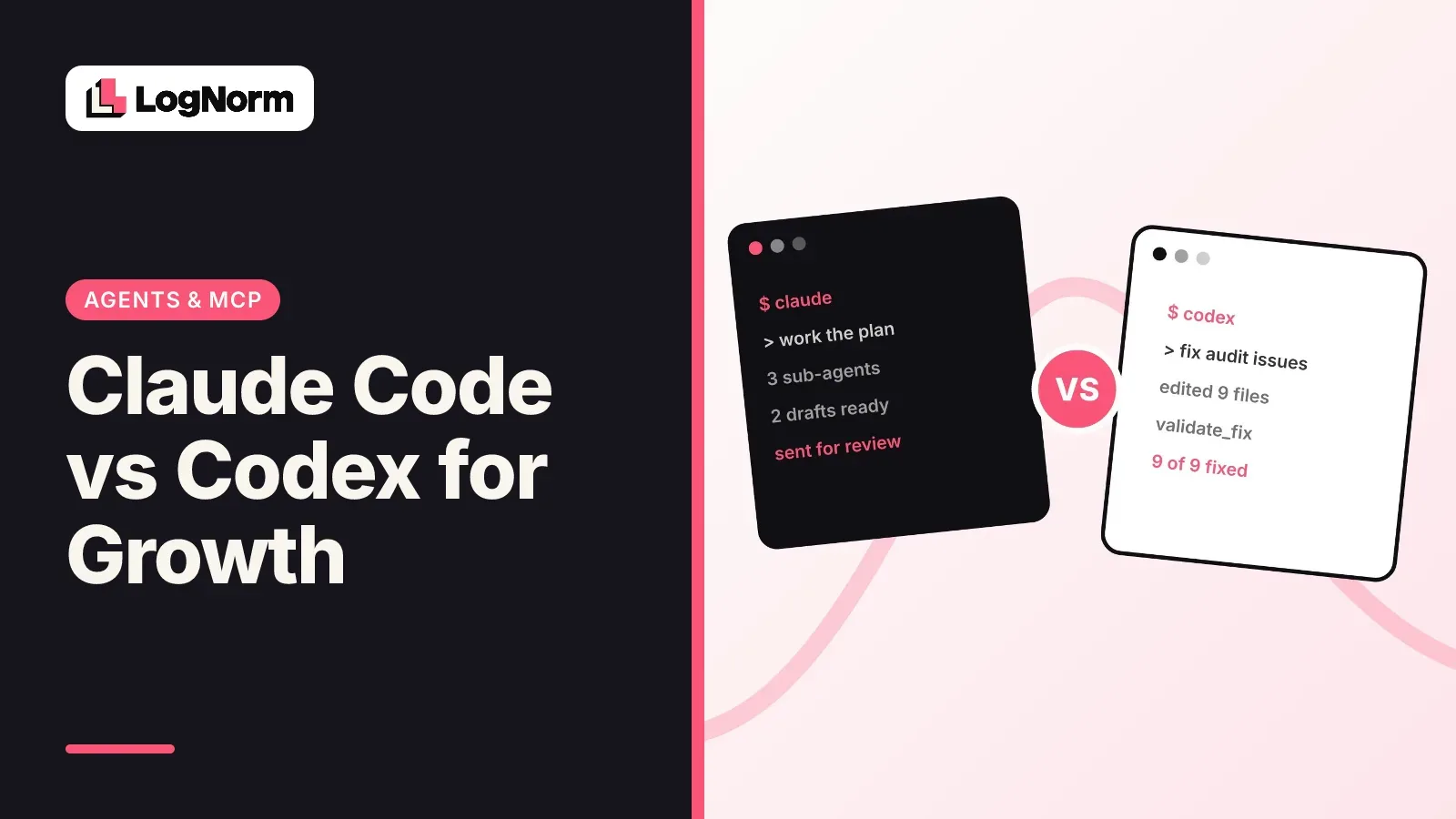
Claude Code and Codex are close enough on raw coding that most comparisons end in a benchmark table. For marketing work, the gaps show up somewhere else: how you log in to your data sources, where skills live, how the agent splits research, and how safely it fixes your live site.
This comparison tests both on those four jobs. LogNorm works with both agents in the same way, so there's no favourite here. The aim is to tell you which one fits your team.
Claude Code vs Codex: the verdict for growth work
Use the agent that comes with the plan you already pay for, unless one of two needs decides it for you. Pick Codex if your team wants to start and check agent work from many places, including a phone or the ChatGPT app. Pick Claude Code if you want fine control over what the agent does at each step through hooks.
For the four marketing jobs below, both can do every one of them. The differences are in setup friction, how delegation is triggered and how you add guardrails. That makes this a fit decision more than a quality one.
Where each agent runs
Codex runs in more places, and that matters when non-engineers on the team want to follow the work. Per the Codex changelog, you can reach it through six surfaces: the CLI, the IDE extension (VS Code, Cursor, Windsurf, JetBrains), Codex Cloud for hosted sandboxed runs, the ChatGPT app sidebar, the mobile app and a Chrome extension.
Claude Code started in the terminal and has spread out. It also runs in VS Code, JetBrains, a desktop app, the web at claude.ai/code and mobile with push notifications.
One more difference: Codex is open source under Apache-2.0, shipped as a Rust binary. If your company needs to read or audit the agent's own code before letting it near the marketing site, that settles it.
For growth teams the practical question is who will watch the work. A founder who reviews drafts from a phone between meetings can do that with either. A marketer who lives in ChatGPT will find Codex closer to hand.
MCP login: two commands vs one menu
Both agents log in to a remote MCP server with OAuth, so you never paste an API key. The difference is that Codex splits setup and login into two CLI commands, while Claude Code adds the server from the CLI and logs in from a menu inside the session.
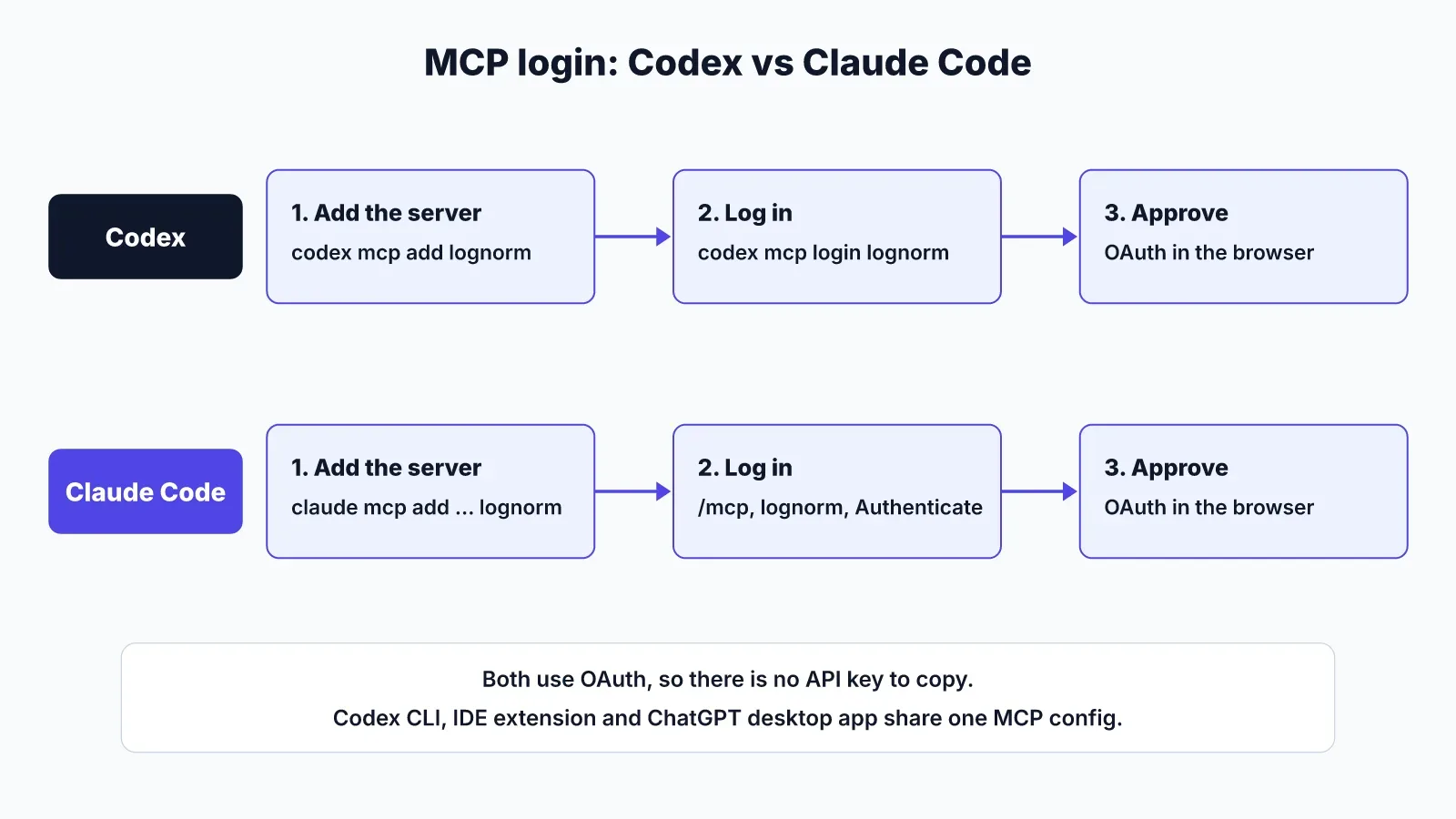
With LogNorm as the example:
- Codex: run
codex mcp add lognorm --url https://lognorm.com/api/mcp, thencodex mcp login lognorm. A browser opens and you approve access. - Claude Code: run
claude mcp add --transport http --scope user lognorm https://lognorm.com/api/mcp, then type/mcp, choose lognorm and Authenticate.
Codex's MCP docs list support for stdio servers and Streamable HTTP servers, with bearer tokens or OAuth (including Dynamic Client Registration). The Codex CLI, the IDE extension and the ChatGPT desktop app share one MCP configuration on the same machine, so you log in once.
Codex also reads the instructions field an MCP server returns when it connects and treats it as server-wide guidance. For a growth tool, that's how the server tells the agent its rules, such as "claim a move before you work on it."
If you'd rather skip the commands, paste "Connect to LogNorm: follow https://lognorm.com/connect.md" into either agent. The connect page has the same steps for both.
How skills install
Skills install the same way in both agents: you drop a folder with a SKILL.md file into the right directory. Only the path differs. Claude Code reads personal skills from ~/.claude/skills. Codex reads them from ~/.agents/skills.
Both build on the open Agent Skills standard, and both use progressive disclosure. The agent sees each skill's name and description first and only loads the full instructions when it decides the skill fits the task.
Codex documents a budget for that first list: at most 2% of the model's context window, or 8,000 characters when the window size is unknown. If you install many skills, Codex shortens descriptions first and may leave some out with a warning. So write tight descriptions. "Use when refreshing a blog post that lost clicks" beats a paragraph.
Claude Code's skills docs add a project location, .claude/skills/ inside the repo, that you can commit so the whole team gets the same playbooks. A skill can also run inside a sub-agent, which keeps a long research skill from filling your main session.
To install LogNorm's skill, download https://lognorm.com/api/agents/skill.zip and unzip it into ~/.claude/skills or ~/.agents/skills. If you use both agents, install it in both places.
Parallel sub-agents for research
Both agents run sub-agents in parallel, but Codex waits to be asked while Claude Code will also delegate on its own. In Codex, sub-agent workflows are on by default in current releases, and the agent delegates when you ask or when your AGENTS.md or a skill tells it to. In the CLI you switch between running agent threads with /agent.
That explicit trigger is a feature for marketing work. You can write "split this into three sub-agents: one per competitor" into a research skill, and Codex will follow it whenever the skill applies.
Claude Code ships built-in sub-agents, lets you define custom ones and can run them in the foreground or background. For marketing research, a useful setup is a research sub-agent that has your MCP tools but no permission to edit files.
Whichever you use, budget for it. OpenAI's docs note that sub-agent workflows use more tokens than a single agent, because each sub-agent does its own model and tool work. Save fan-out for research that is truly parallel, such as reading ten ranking pages, not for a single title tag.
Fixing SEO and GEO issues in a repo
The fix loop is identical in both agents when LogNorm is connected: claim the move, make the change, open a pull request, then ask LogNorm to re-check the live page. What differs is how you add checks around the edit.
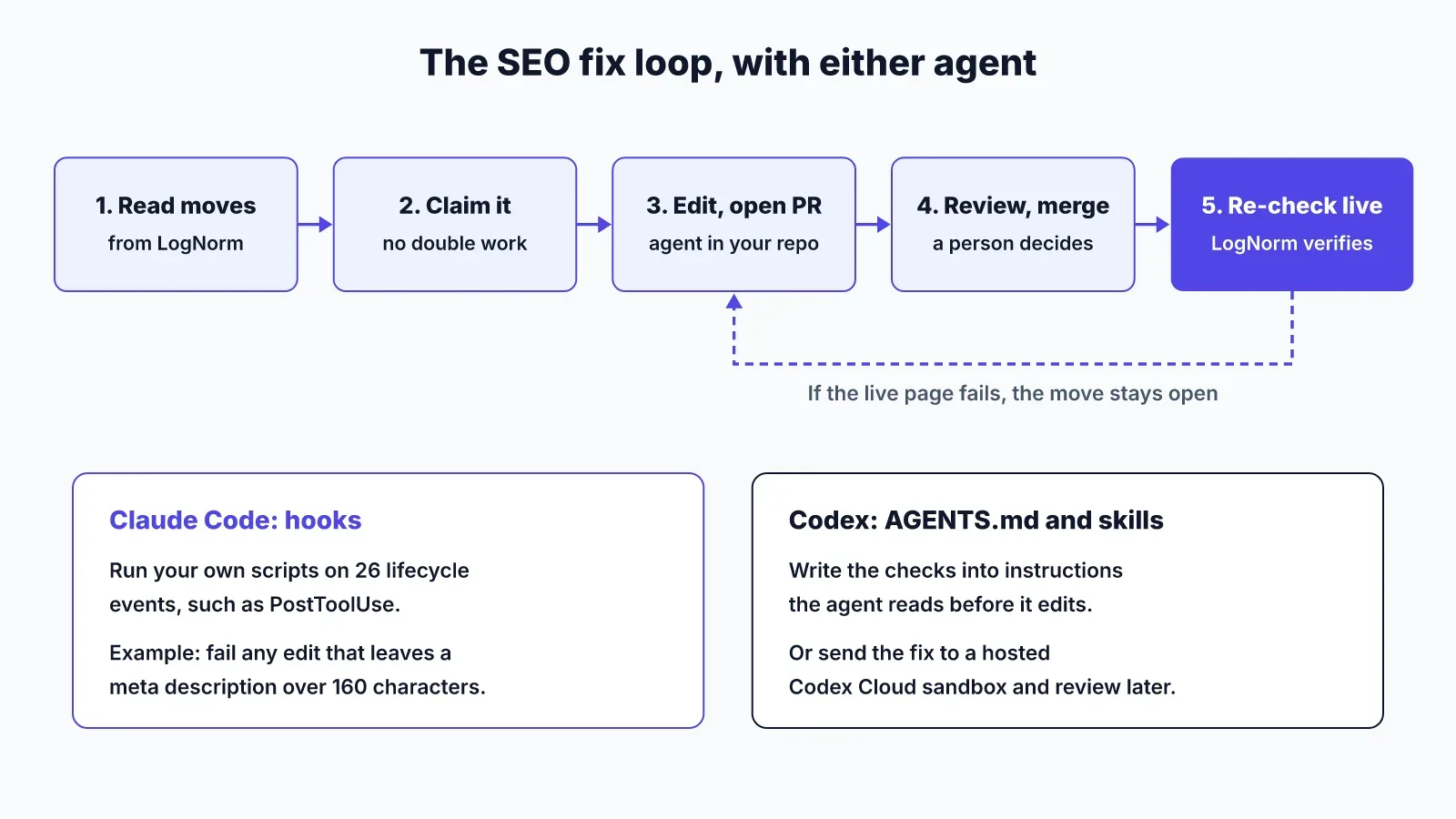
Here's the loop for a typical move, "12 blog posts are missing meta descriptions":
- Ask the agent for this week's fix moves. It reads them from LogNorm with the evidence attached.
- The agent claims the move, so no other agent picks it up.
- It finds the 12 files, writes descriptions from each post's first paragraph and opens a pull request.
- You review and merge.
- After deploy, the agent asks LogNorm to re-check the fix on the live site, and the move closes only if the pages pass.
Claude Code's edge is hooks. You can intercept 26 lifecycle events, such as PreToolUse and PostToolUse, with your own shell scripts. A PostToolUse hook can run a quick check after every file edit, for example failing if a meta description runs over 160 characters.
Codex leans on the instructions you give it in AGENTS.md and skills, and on its sandboxed cloud runs when you want the work done away from your laptop. For a team that wants to fire off five fixes and review five pull requests later, that model works well.
GEO fixes follow the same loop. Making an answer quotable for AI assistants or opening a page to AI crawlers is still a code or content change with a check at the end. If GEO is new to you, read answer engine optimization first.
Guardrails that matter for marketing work
The guardrails that protect your site mostly sit in the MCP server, not the agent, so they are the same whichever agent you pick. With LogNorm, the agent joins as a named teammate, at editor or contributor level and never above the person who connected it.
What that means in practice:
- It cannot publish content. People approve and publish.
- It cannot change billing, members, integrations or AI keys, or permanently delete anything.
- Each permission (work on moves, write drafts, re-check fixes, add to the Company Brain, run research) can be switched off.
- Third-party page text is screened before the agent sees it.
- It leaves the workspace after 1, 7 or 30 idle days, your choice.
Sign-in tokens last an hour and refresh tokens rotate. The agents docs list every permission.
Which one to pick
Pick by your plan first, then by where the team works. The list below sets out the common cases.
- Your team already pays for ChatGPT and reviews work on many devices: Codex.
- You want an agent whose code you can audit: Codex.
- You want scripted checks on every edit: Claude Code, using hooks.
- You already use Claude for writing and want the same model drafting posts: Claude Code.
- Half the team uses each: connect both to one workspace. Claims stop two agents working the same move.
Using Cursor as well, or instead? The Claude Code vs Cursor comparison covers that pair, with a focus on editor review and shared skill folders. For the full terminal workflow, see Claude Code for marketing.
FAQ
Is Codex cheaper than Claude Code?
It depends on the plan you already have, and prices change often, so check each vendor's pricing page on the day you decide. With LogNorm, neither choice adds AI cost: the agent's own Claude or Codex plan does the thinking, and briefs and drafts it writes cost no LogNorm credits.
Can Claude Code and Codex work on the same LogNorm workspace?
Yes. Each joins as its own named teammate, and a claim on a move stops the other agent from working on it at the same time.
Do skills written for Claude Code work in Codex?
Yes, if they follow the Agent Skills format. Copy the folder from ~/.claude/skills to ~/.agents/skills. Check any tool names inside the instructions, since each agent names its built-in tools differently.
Does either agent need an AI key for LogNorm?
No. LogNorm's own processes, such as audits, ranking and re-checks, run on LogNorm, and your agent's plan covers its thinking.