Best AEO and GEO Tools: Answer Engine Optimization Platforms Compared
The best AEO and GEO tools sorted by the job they do: AI crawler access, llms.txt, structured data, answer-first content and tracking, plus what they cost.


AEO tools help your pages get read, quoted and named in AI answers from ChatGPT, Gemini, Perplexity and Google AI Overviews. Most products sold under that label only measure whether you show up. The useful ones also tell you what to change on your site and check that the change worked.
This guide sorts the best AEO and GEO tools by the job they do, so you can buy for the gap you actually have. If you only want a tracker, our guide to AI visibility tools covers that category in depth. Here the focus is optimization: crawler access, llms.txt, structured data, answer-first content and earning citations, with tracking as the part that tells you whether any of it worked.
What AEO tools do, and why AEO and GEO tools are the same category
An AEO tool is software that measures and improves how often answer engines use your content and recommend your brand. "AEO" (answer engine optimization) and "GEO" (generative engine optimization) describe the same job, so AEO tools and GEO tools compete in one market and you can compare them directly.
If you want the background first, read what answer engine optimization is and our practical guide to GEO. The short version: an answer engine fetches a few pages, lifts statements from them and writes one answer. You want your pages to be the ones it fetches, and your brand to be the one it names.
Every tool in this category does some mix of two things:
- Measuring: running your buyers' prompts in AI products and recording who gets mentioned and which pages get cited.
- Optimizing: finding what stops engines from reading, trusting or quoting your pages, then helping you fix it.
Most products in the top search results lead with measuring. That is useful, but a chart of your share of voice does not tell you which file to edit. When you compare answer engine optimization tools, ask each vendor which half it does and how much of the other half is left to you.
The five jobs an answer engine optimization tool should cover
A complete AEO workflow has five jobs: let AI crawlers in, give engines a map of your site, make pages quotable, earn citations, then verify and measure. A tool earns its price by doing one of these well or by connecting several of them.
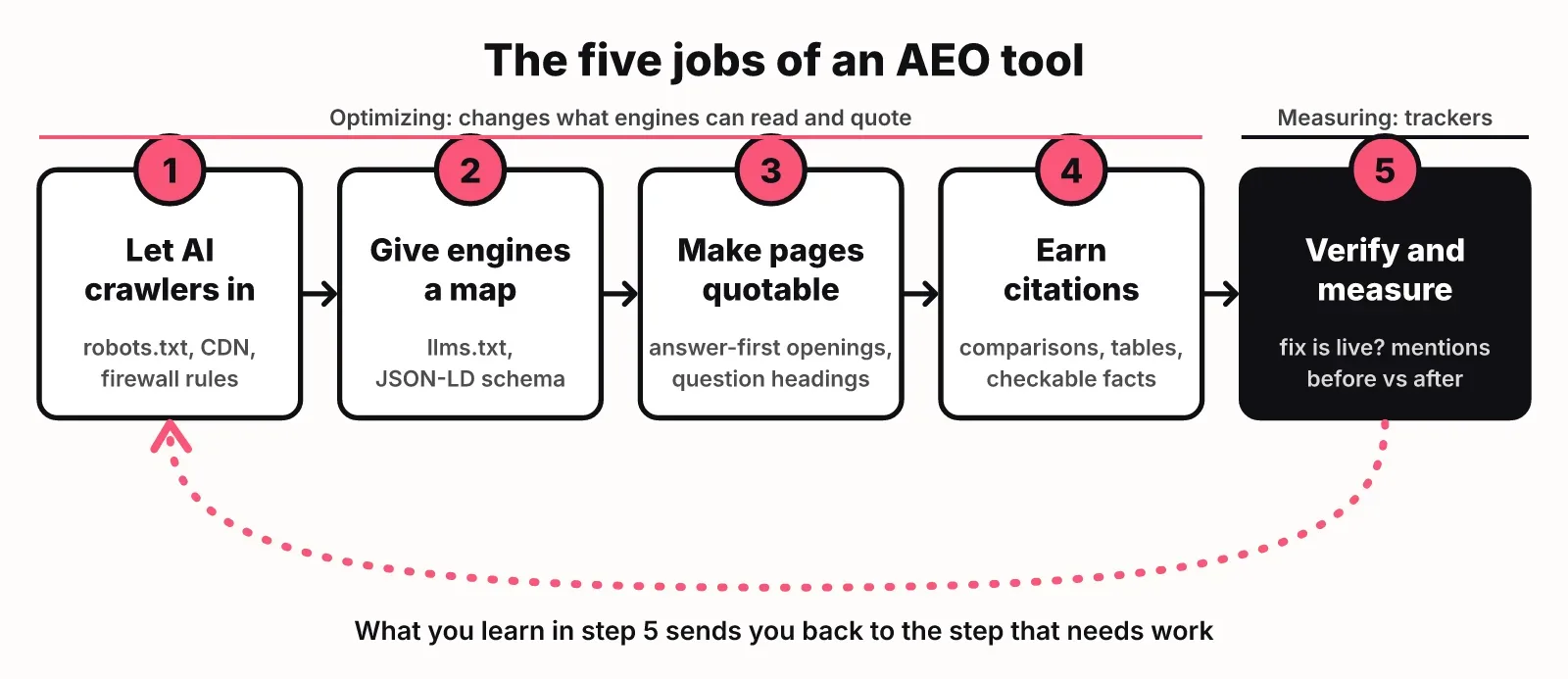
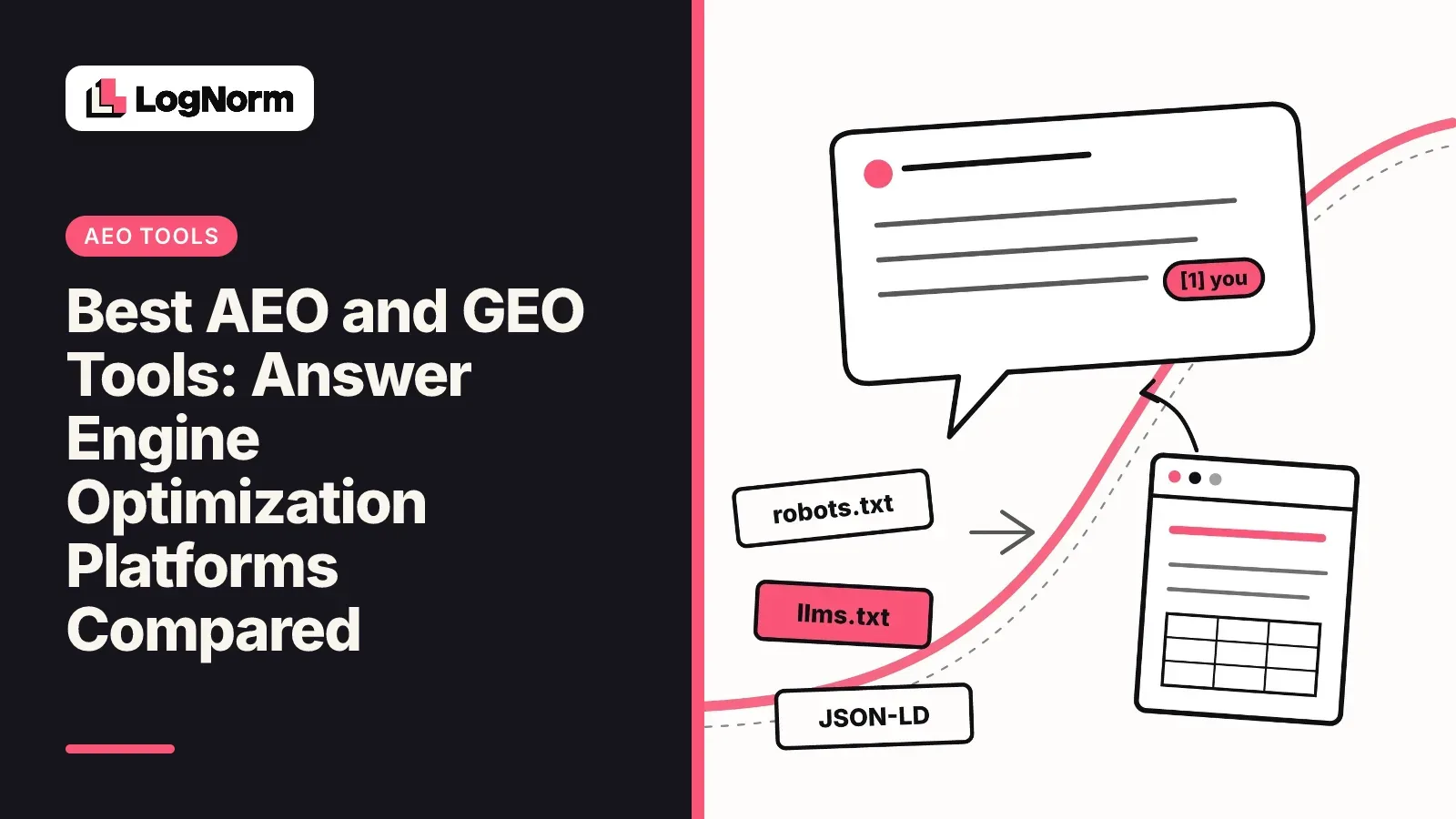
- Let AI crawlers in. Engines can only cite pages their crawlers can fetch. Check robots.txt rules for answer crawlers such as OAI-SearchBot, Claude-SearchBot and PerplexityBot, and check that your CDN or firewall does not return a challenge page to them while browsers get the real page.
- Give engines a map. An llms.txt file at your site root is an emerging convention: a markdown index of your key pages for AI assistants and agents. Valid JSON-LD structured data tells engines what each page is, whether that is an organization, a product or an FAQ.
- Make pages quotable. Open each page and each section with a direct answer, use real buyer questions as headings, and include self-contained statements an engine can lift without the paragraph around them.
- Earn citations. The Princeton GEO benchmark measured quotations, statistics and cited sources as the strongest visibility levers, and a 768,000-citation study found comparison-shaped content taking up to 70% of AI citations (Search Engine Journal). Comparison pages with tables and pages full of checkable facts are what engines reach for.
- Verify and measure. Check that each fix is live, then track the prompts it was meant to change and compare answers before and after.
Jobs one and two are technical and quick to check. Job three is editorial and slow. Job four depends on what other sites say about you. Job five is where trackers live. Most teams over-invest in five and skip one and two, which is backwards: a blocked crawler makes everything downstream pointless.
Best AEO and GEO tools compared by job
The best AEO tool for you depends on which of the five jobs you are missing. Trackers such as Profound, Peec AI and OtterlyAI dominate the reviews and are what ChatGPT, Gemini and Google AI Overviews recommend when asked. SEO suites have added AI features, and a smaller group of tools works on content structure or site readiness.
| Tool | Main job | Help with optimization | Best for |
|---|---|---|---|
| Profound | Tracking AI answers, mentions and citations | Reporting and analysis; fixes happen elsewhere | Enterprise teams that need reporting across engines |
| Peec AI | Tracking mentions, citations and competitor share of voice | Shows where competitors win; fixes are manual | Teams that need real-time and international monitoring |
| OtterlyAI | Tracking brand mentions and prompts | Light; mainly monitoring | Small budgets that need multi-engine monitoring |
| Scrunch AI | Tracking plus content optimization | Content recommendations | Enterprise teams optimizing content at scale |
| AthenaHQ | Tracking and competitor intelligence | Competitive insight | Teams focused on how rivals show up |
| SE Ranking | AI visibility tracking inside an SEO suite | Benchmarks against competitors; API and MCP access | Teams already using SE Ranking for SEO |
| Semrush and Ahrefs | AI search features inside SEO suites | Pairs AI visibility with backlink and keyword data | Teams already paying for one of them |
| HubSpot AEO Grader | A quick read on how AI describes your brand | A starting point, not a workflow | A first look before you buy anything |
| Frase | Structuring pages around answers | Answer structure for new pages | Writers producing answer-first pages |
| AlsoAsked | Finding the questions people ask | Question research for headings and FAQs | Planning what to answer |
| Writesonic GEO | Content-first GEO | Writing and rewriting for AI answers | Teams that want content output first |
| LogNorm | Audit of AI-readiness, tracking and fix verification | Generates fix files and validates fixes on the live site | Startups that want one ranked list of what to fix next |
A few notes on reading this table.
The trackers are good at the measuring half and thin on the rest. Reviewers in the top results describe Profound as the enterprise reporting choice, OtterlyAI as the budget monitoring choice and Peec AI as strong for real-time and international monitoring. None of them will rewrite your robots.txt for you.
SEO suites are the cheapest path if you already pay for one. Semrush, Ahrefs and SE Ranking now monitor AI search presence and brand mentions, and SE Ranking exposes its AI data through an API and an MCP server. Their AI features sit next to keyword and backlink data you already use, which helps when a citation problem is really an authority problem.
Content tools cover job three. Frase helps structure a page around answers and AlsoAsked shows which questions to answer. Neither checks whether AI crawlers can reach the page.
LogNorm is our product, so weigh this accordingly. It covers jobs one, two and five in one place: LogNorm's SEO and GEO audit checks 14 AI crawlers in robots.txt and at your CDN, rates your llms.txt, scores every content page for answerability and entity clarity, and generates fix files such as llms.txt, a robots.txt AI section and JSON-LD. It then validates a fix on the affected pages without a full re-audit. Its tracking covers ChatGPT, Gemini and Google AI Overviews, so if Perplexity matters most to you, pair it with a tracker that covers Perplexity.
Why tracking alone rarely moves your AI visibility
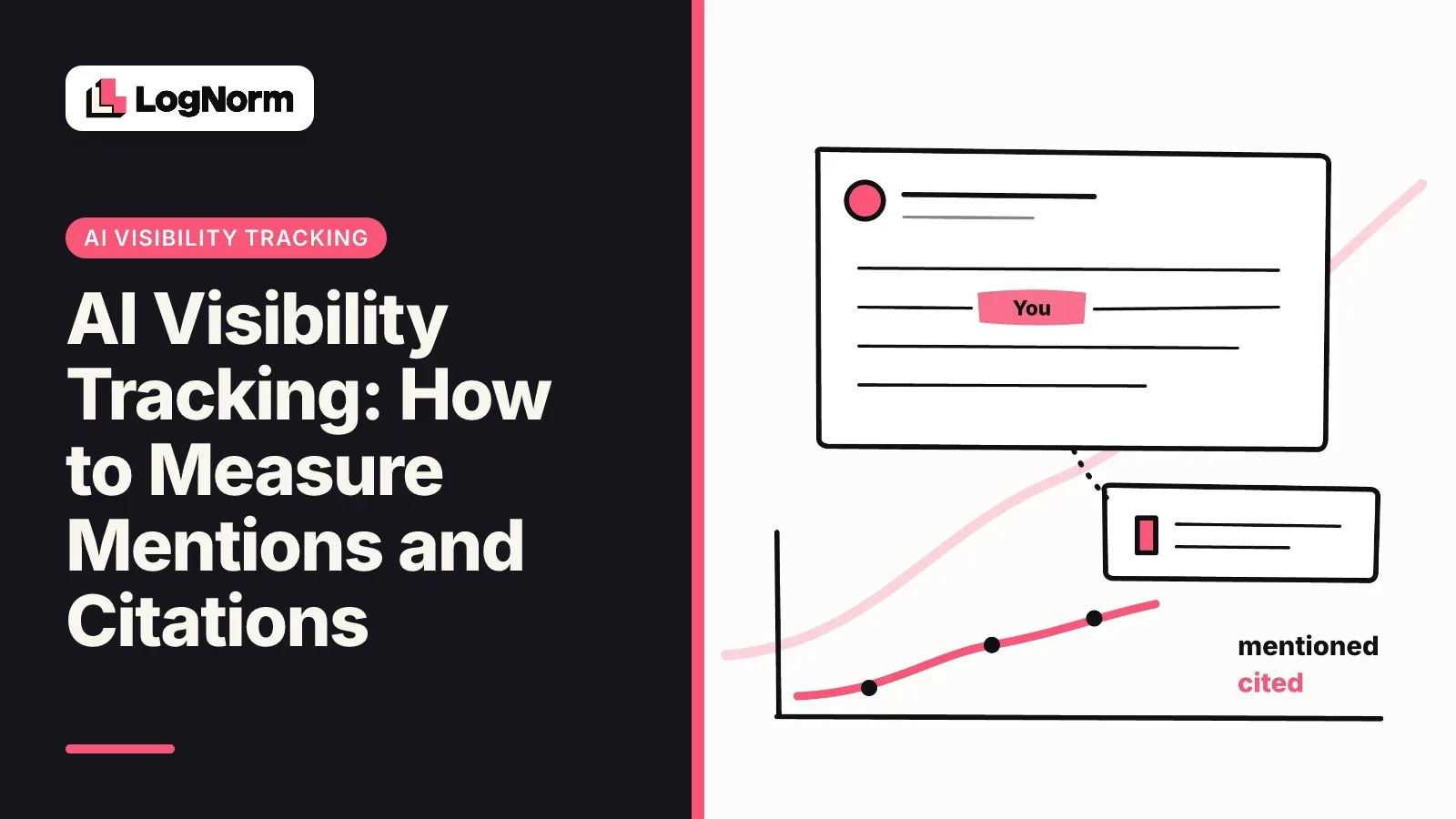
A tracker tells you where you stand in AI answers, but it cannot tell you which page or file to change. Mention and citation are independent, so every answer falls into one of four cases, and each case needs a different fix.
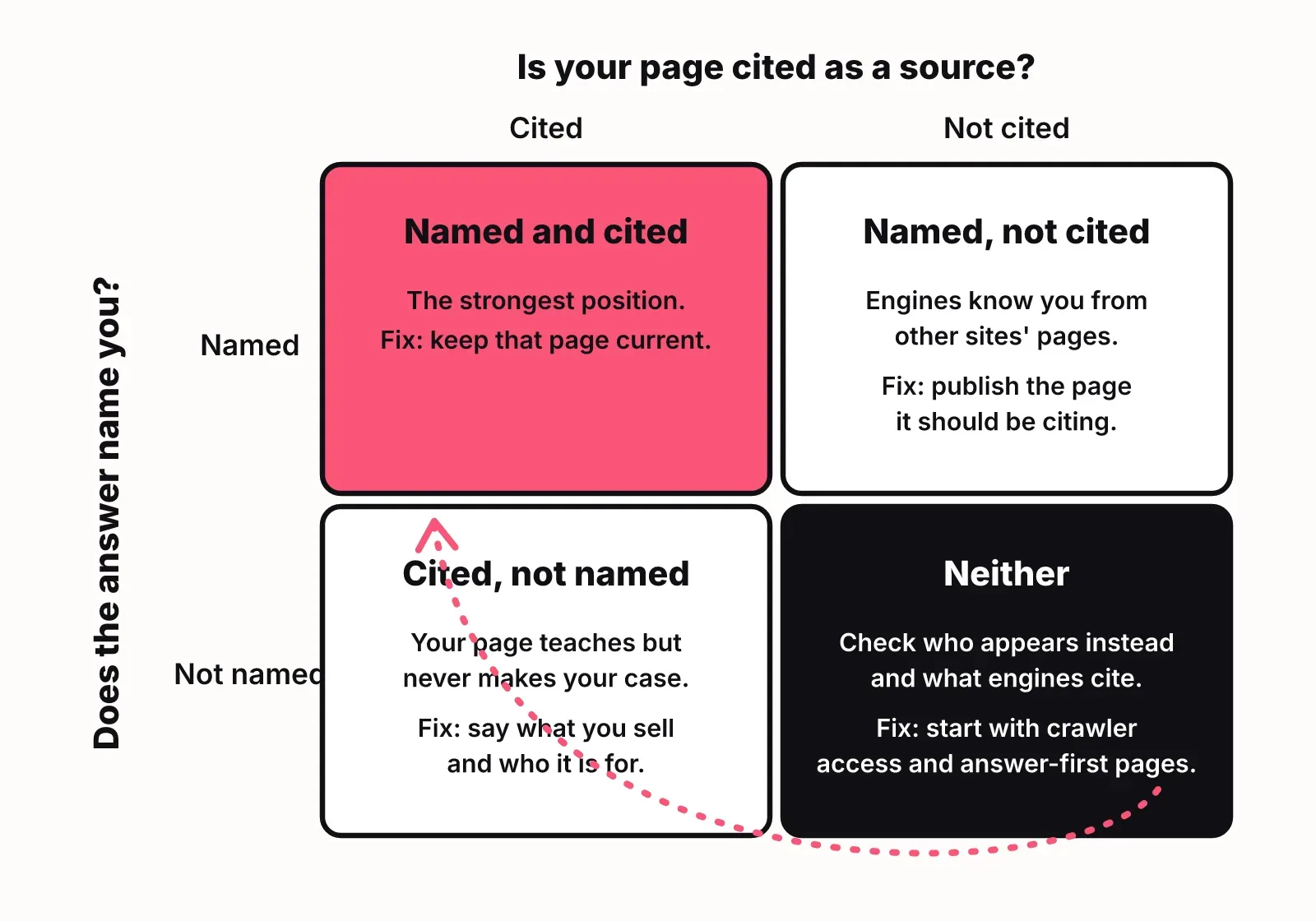
- Mentioned and cited: the answer names you and uses your page as a source. Keep that page current.
- Mentioned, not cited: the engine knows you from other sites, so what it says about you is out of your hands. Publish the page it should be citing.
- Cited, not mentioned: your page informs the answer without earning you the recommendation. The page teaches but never makes the case for your product.
- Neither: look at who appears instead and which pages the engine cited for them.
A tracker can show you which case you are in. Moving from one case to another takes the optimization work from the previous sections: unblock a crawler, add a comparison table, rewrite an opening so it answers the question in one sentence.
That is why the useful question for any GEO tool is what happens after the chart. If the answer is "your team works it out", budget time for an audit and for writing. If you want a dedicated tracker anyway, our guide to AI visibility tools compares them on that job alone.
How much AEO and GEO tools cost
AEO and GEO tools typically cost from about $20 to $500 or more per month for self-serve software, with enterprise contracts above that. That range is what ChatGPT, Gemini and Google AI Overviews answered when we asked them how much these tools cost. Treat it as a rough guide, not a quote.
Price is driven by four things:
- How many prompts you track. This is the main unit most trackers charge for.
- How many engines you cover, since each engine is a separate run of every prompt.
- How many countries or languages you check, because answers differ by location.
- Seats, workspaces and client sites, which matter most for agencies.
Prices in this category change often, so check each vendor's current pricing page before you decide. A practical rule for a small team: spend less on prompt volume than you think. Twenty to fifty well-chosen buyer prompts across the engines your customers use will tell you more than five hundred generic ones.
Affordable Profound alternatives for small teams
The affordable Profound alternatives that AI engines recommend most often are OtterlyAI and Peec AI, with SE Ranking, Semrush and Ahrefs as options when you already pay for the suite. For a startup, the better move is usually a low-cost tracker plus a tool that fixes your site, rather than one enterprise platform.
Profound is built for enterprise reporting. If you are a founder or a two-person growth team, you need to know whether ChatGPT and Google AI Overviews recommend you for a handful of buyer prompts, and what to change if they do not. That is a smaller job than enterprise reporting.
Three setups that work on a small budget:
- An SEO suite you already pay for, with its AI visibility feature switched on, plus a free check of your robots.txt and llms.txt.
- OtterlyAI or Peec AI for tracking, plus a content tool such as Frase for answer-first pages.
- One tool that audits AI-readiness, tracks answers and verifies fixes, so the work and the measurement stay connected. LogNorm is built for this setup.
How to choose an AEO tool
Choose an AEO tool by checking five things: which engines it reads, whether it reads them the way users see them, whether it shows cited sources, whether it helps you fix what it finds, and whether it fits your workflow.
- Engines and countries. Make sure it covers the engines your buyers use, in the country they search from. Answers vary by both.
- Real answers. Community discussions summarised in Google's AI Overview for "aeo tools" agree that good tools show the answers users actually see in the product, not raw API output, and run each prompt more than once.
- Cited sources. You need to see which domains each engine cites for your prompts, because those are the pages to beat or the sites to get onto.
- Fixes and verification. Ask whether it finds problems on your own site, such as blocked crawlers, missing JSON-LD or pages with no direct answer, and whether it can confirm a fix is live. You can see how the GEO audit scores a site as one example of what that checklist looks like.
- Workflow fit. If your team works with AI coding agents, check for an API or MCP server. In LogNorm you can connect Claude Code, Codex or Cursor as teammates that pick up fixes directly.
If a tool only passes the first three, it is a tracker. That is fine, as long as you know who will do the rest. Most of the work still looks like good SEO, and it helps to know what changes from SEO and what stays the same.
FAQ
What is an AEO tool?
An AEO tool is software that measures and improves how AI answer engines use and recommend your brand. It runs buyer prompts in products such as ChatGPT and Google AI Overviews, records mentions and citations, and, in the better tools, finds and fixes what stops engines from reading or quoting your pages.
How are AEO tools different from traditional SEO platforms?
SEO platforms track rankings in a list of links; AEO tools track whether you are named and cited inside a written answer. The optimization overlaps heavily, since crawlability, structured data and clear answers help both. AEO adds AI crawler rules, llms.txt and checks on whether a page can be quoted on its own.
Can small businesses and solo creators benefit from AEO tools?
Yes. A small site has fewer pages to fix, so the basics can be done quickly. Start with the free checks: confirm AI crawlers are allowed, publish an llms.txt and rewrite your key pages to answer first. Add a low-cost tracker for a few buyer prompts once those basics are done.
Can I measure ROI from answer engine optimization?
You can measure it as a change in mentions and citations for the prompts a piece of work targeted, compared before and after it shipped. Revenue attribution is harder, because AI answers often send no click. Track the prompts closest to a buying decision, and expect engines to take days to weeks to pick up a new page.
Can I access AEO data programmatically or integrate it into my own tools?
Some tools offer this. SE Ranking provides an API and an MCP server for its AI visibility data, and LogNorm exposes its data and actions to AI agents over MCP. Ask each vendor whether the API includes raw answers and cited sources or only summary scores.
Which AI platforms do AEO tools analyze?
Most AEO tools cover ChatGPT and Google AI Overviews, and many add Perplexity, Gemini and Google AI Mode. Coverage varies by plan, so check which engines are included at the price you are quoting, not just on the feature page.