SEO Optimization Tips: 20 That Still Work in 2026
20 SEO optimization tips backed by Google's own documentation, grouped by indexing, on-page, content, links, speed and AI answers, each with a quick check.


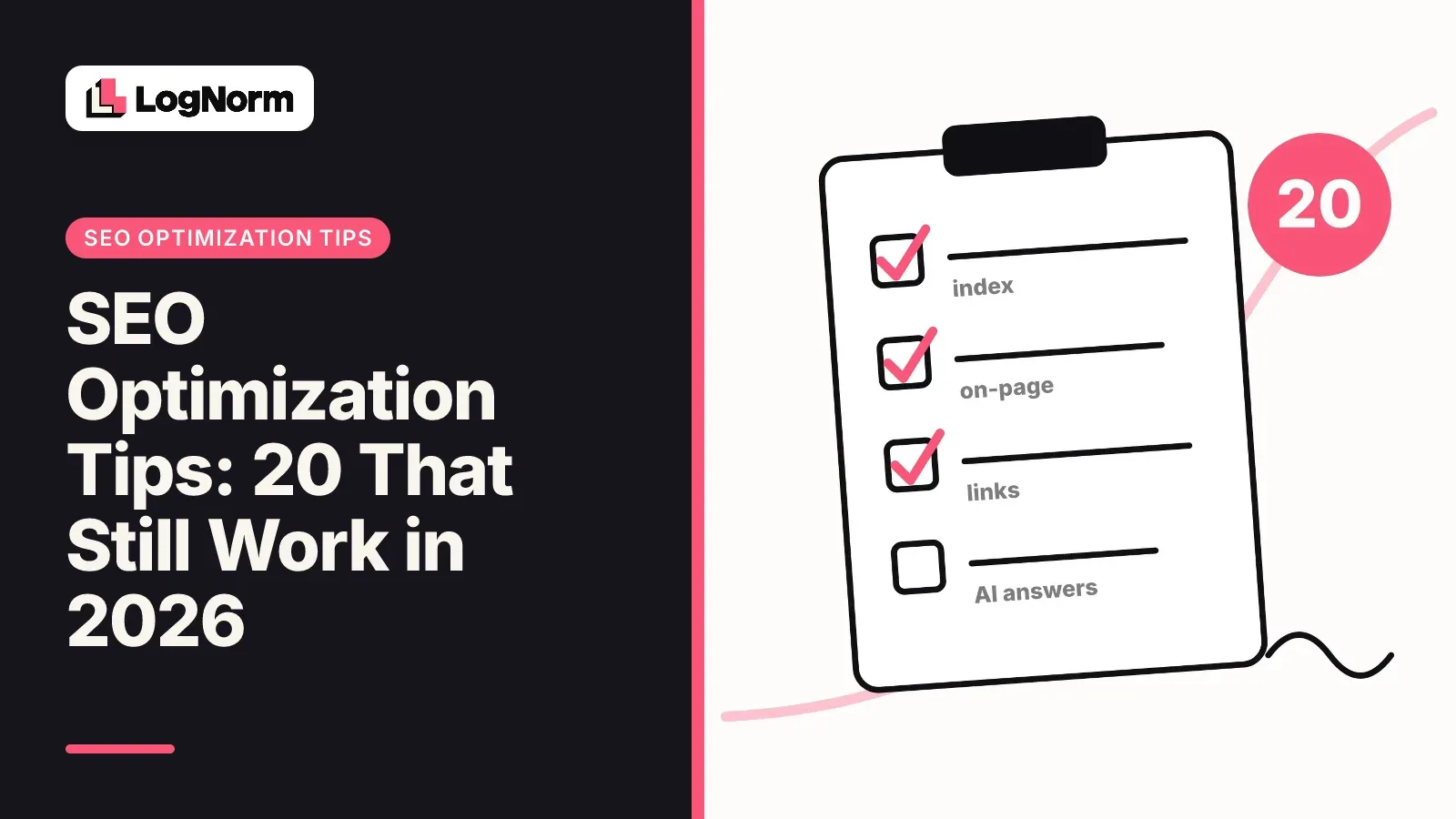
The SEO optimization tips that still work in 2026 are the ones Google documents itself: get your pages indexed, give each one a unique title and description, write for people rather than a word count, link your own pages to each other, keep the site fast on mobile, and stay eligible for snippets so AI Overviews can cite you. This guide lists 20 of them, grouped by job and ordered by dependency, and every tip ends with a one-line way to check it on your own site.
Every tip below links to the Google Search Central page it comes from. Folklore that Google has contradicted in writing (the meta keywords tag, a "best" word count, robots.txt for hiding pages) sits in its own section at the end so you can stop spending time on it.
Indexing tips: make sure Google can find and keep your pages
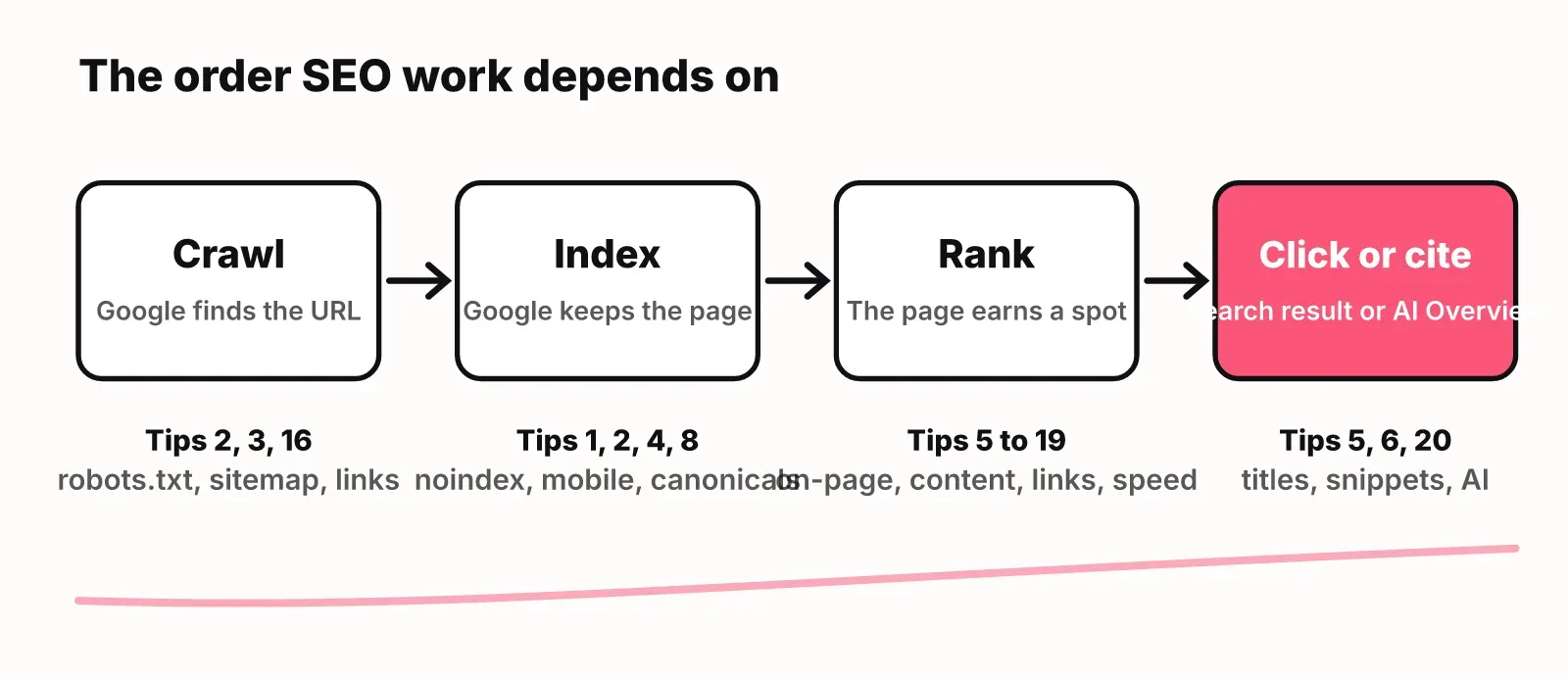
Indexing comes first because a page that is not in Google's index cannot rank, cannot show a snippet and cannot be cited in an AI Overview. Fix this group before you touch anything else.
1. Confirm your important pages are indexed
Google's SEO Starter Guide suggests the quickest test: search Google for your site with the site: operator and see what comes back. For a precise answer on one URL, use the URL Inspection tool in Search Console, which Google says helps you "monitor and optimize how your website performs on Google Search."
How to check: search site:yourdomain.com, then paste your five most important URLs into URL Inspection.
2. Use noindex, not robots.txt, to keep a page out of Google
Google states that robots.txt "is not a mechanism for keeping a web page out of Google," and that a disallowed page "can still be indexed if linked to from other sites" (robots.txt introduction). To keep a page out, block indexing with noindex or put it behind a password. Our guide on when to use noindex and how to check it covers the cases where startups get this wrong, such as staging sites and thin tag pages.
How to check: run your domain through the free robots.txt checker and confirm no page you want ranked is disallowed.
3. Submit a sitemap if your site is large, new or media-heavy
Google says a sitemap helps when your site is large, when it is new with few external links, or when it has a lot of video, images or news content (sitemaps overview). A site of "about 500 pages or fewer" that is comprehensively linked might not need one. If your site is young and few other sites link to it yet, you are in the first group, so submit one.
How to check: open Sitemaps in Search Console and confirm your sitemap shows a status of success and a count of discovered pages.
4. Serve the same content on mobile as on desktop
"Google uses the mobile version of a site's content, crawled with the smartphone agent, for indexing and ranking" (mobile-first indexing). If your mobile layout hides a pricing table or an FAQ, Google indexes the version without it. Google also asks that titles, meta descriptions and structured data match across both versions. Accordions and tabs are fine; deleted content is not.
How to check: open your key pages on a phone and compare the visible text, headings and FAQ against desktop.
On-page tips: titles, descriptions, URLs and duplicates
On-page work is the cheapest SEO you can do, because each fix is a small edit that changes how your result looks in Google. These five tips come from Google's own pages on title links, snippets and the Starter Guide.
5. Write a unique, descriptive title for every page
Google asks for "distinct text that describes the content of the page in the title element for each page on your site" and warns against vague titles like "Home" and repeated boilerplate (title links). There is no fixed character limit: Google says the title link "is truncated in Google Search results as needed, typically to fit the device width." Put the words that matter first so truncation cuts the least useful part. A dedicated guide to title tag length is in review on this blog and goes deeper on how truncation works.
How to check: paste a URL into the free title and meta checker, then search for duplicate titles across your site.
6. Write a unique meta description, and expect Google to rewrite it
"Snippets are primarily created from the page content itself. However, Google sometimes uses the meta description HTML element if it might give users a more accurate description" (snippets). Write a specific summary for each page that includes concrete details, such as price, date or author, and never reuse one description across pages. If clicks are low for a page that ranks well, the description is a fair first suspect; our upcoming guide on click-through rate (CTR) covers how to diagnose that.
How to check: in Search Console's Performance report, sort pages by impressions and look for high impressions with a low CTR.
7. Use descriptive URLs
Google recommends including "words in the URL that may be useful for users," so /pets/cats.html beats a random ID (SEO Starter Guide). Keep slugs short and readable. Do not change the slug of a page that already ranks unless you redirect the old URL.
How to check: read your blog and product URLs out loud. If a person cannot guess the topic, rename future slugs.
8. Consolidate duplicate pages with a redirect or a canonical
When several pages carry the same information, Google suggests "setting up a redirect from non-preferred URLs" or using the rel="canonical" link element (SEO Starter Guide). Redirects are the stronger choice when the duplicate has no reason to exist; a canonical fits when both URLs must stay live, such as a filtered product listing.
How to check: in URL Inspection, compare the "user-declared canonical" with the "Google-selected canonical" for your key pages.
9. Give images alt text and place them near relevant text
Google recommends "images that are sharp and clear" placed "near text that's relevant to the image," with good alt text (SEO Starter Guide). When an image is a link, Google uses its alt attribute as the anchor text (link best practices), so a linked logo with empty alt text tells Google nothing.
How to check: run the page through the free SEO checker and fix every image it flags without alt text.
Content tips: write for people and show who wrote it
Google's ranking systems "are designed to prioritize helpful, reliable information that's created to benefit people, and not content that's created to manipulate search engine rankings" (creating helpful content). Every tip in this group is a way of passing that test.
10. Answer Who, How and Why on every article
Google's helpful content guide asks you to make it clear who wrote the content, how it was produced, and why it exists, with the answer to "why" being to help people. In practice: a named author with a short bio, a note on how you tested or researched, and a page that starts by answering the question it targets. E-E-A-T is not itself a ranking factor, but Google says "using a mix of factors that can identify content with good E-E-A-T is useful."
How to check: open your three most visited articles and confirm each shows an author, a date and a first paragraph that answers the title.
11. Stop writing to a word count
Google's own self-assessment asks: "Are you writing to a particular word count because you've heard or read that Google has a preferred word count? (No, we don't.)" (creating helpful content). Write until the question is answered fully, then stop. Long pages win only when the topic needs the length.
How to check: for each draft, cut every paragraph that restates an earlier one and see whether anything is lost.
12. Update content for real, not just the date
Google lists "changing the date of pages to make them seem fresh when the content has not substantially changed" as a warning sign. When traffic to an older page slides, rewrite the outdated parts, add what the current results cover and then change the date. Our upcoming guide on content decay walks through spotting those pages in Search Console.
How to check: compare the last 3 months with the previous period in Search Console's Performance report and list pages with falling clicks.
13. Do not mass-produce pages with AI
Google's spam policies define scaled content abuse to include "using generative AI tools or other similar tools to generate many pages without adding value for users" (spam policies). AI drafting is fine; publishing hundreds of near-identical pages is the problem. Each page needs something specific to it: data, an example, a decision.
How to check: pick five pages from any templated set and ask whether a reader would learn something on each that the others do not say.
14. Use keywords naturally and never stuff them
Google says "excessively repeating the same words over and over (even in variations) is tiring for users, and keyword stuffing is against Google's spam policies" (SEO Starter Guide). Use the words your buyers search for in the title, the opening and a heading or two, and then write normally.
How to check: read the page aloud. If a phrase sounds forced, rewrite it.
Link tips: internal links first, never bought links
Internal links are the link work you fully control, so start there. Google's link best practices put it plainly: "Every page you care about should have a link from at least one other page on your site."
15. Link every important page from at least one other page
New articles are the usual orphans: published, listed in the sitemap, linked from nowhere. Add two or three links to each new page from older, related pages that already get traffic. A full guide to internal linking strategy for small sites is in draft on this blog.
How to check: for each new page, search your site for its topic and confirm at least one older page links to it.
16. Use crawlable links with descriptive anchor text
"Google can only crawl your link if it's an <a> HTML element with an href attribute," so buttons that change pages with JavaScript alone are invisible to it. Google also asks for anchor text that is "specific enough to make sense by itself," so drop "click here" and "read more."
How to check: right-click a navigation item and choose Inspect. If you do not see an <a> tag with an href, Google may not follow it.
17. Mark paid links and never buy links for rankings
Google's spam policies name "buying or selling links for ranking purposes" as link spam, including "exchanging money for links, or posts that contain links." When you do have paid or user-generated links, mark them with rel="sponsored", rel="ugc" or rel="nofollow".
How to check: list every sponsored post or partner page that links to you, and confirm the link carries a sponsored or nofollow attribute.
Speed and page experience tips
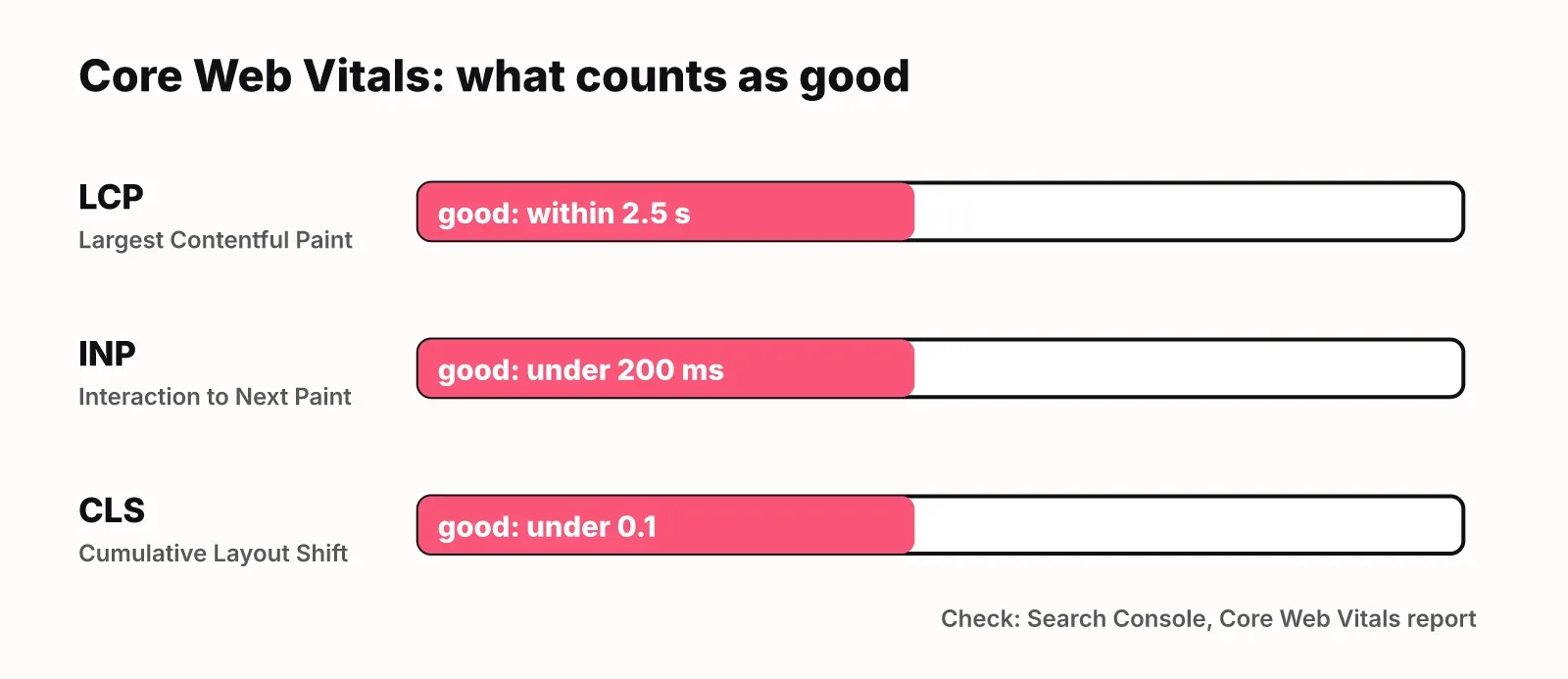
Google recommends good Core Web Vitals "for success with Search," and the thresholds are specific: Largest Contentful Paint within 2.5 seconds, Interaction to Next Paint under 200 milliseconds and Cumulative Layout Shift under 0.1 (Core Web Vitals). Good scores do not guarantee top rankings; they remove a reason to lose.
18. Hit the "good" Core Web Vitals thresholds
Common causes on startup sites are a heavy hero image (slow LCP), third-party scripts that block interaction (slow INP) and images or embeds without fixed dimensions (layout shift). Fix the worst template first, because one template usually covers dozens of pages.
How to check: open the Core Web Vitals report in Search Console and work on the URL group with the most "poor" URLs.
19. Add structured data in JSON-LD and test it
Google recommends JSON-LD for structured data and points to the Rich Results Test for validation (intro to structured data). Required properties make a page eligible for rich results; they do not guarantee them. Add Article, Organization, Product or FAQ markup only where it matches what is visible on the page.
How to check: build the markup with the free schema generator, then paste the live URL into the Rich Results Test.
AI answer tips: AI Overviews and chatbots
For Google's AI features, "there are no additional requirements to appear in AI Overviews or AI Mode, nor other special optimizations necessary." A page must be "indexed and eligible to be shown in Google Search with a snippet" (AI features and your website). That means tips 1 to 19 are your AI Overviews work.
20. Stay indexed and snippet-eligible, and skip the gimmicks for Google
Google states: "You don't need to create new machine readable files, AI text files, or markup to appear in these features." Snippet controls (nosnippet, data-nosnippet, max-snippet) and noindex also limit what AI features can show, so check that no template applies them by accident. Traffic from AI features is counted inside the "Web" search type in Search Console's Performance report, not in a separate report.
Google's guidance covers Google only. ChatGPT, Gemini and Perplexity answer from their own retrieval, so track what they say about your category directly. A separate guide to llms.txt is in review on this blog. For the Google side, see our guide to getting cited in Google AI Overviews.
How to check: confirm your key pages show a normal snippet when you search for them, and search your templates for nosnippet and max-snippet.
SEO myths Google has already answered
These five habits still fill tip lists, and Google's documentation contradicts each one.
| Myth | What Google says | Source |
|---|---|---|
| Fill in the meta keywords tag | "Google Search doesn't use the keywords meta tag." | SEO Starter Guide |
| Articles need 2,000+ words | Google has no preferred word count: "No, we don't." | Creating helpful content |
| Titles must be under N characters | Title links are "truncated in Google Search results as needed, typically to fit the device width." | Title links |
| Block a page in robots.txt to hide it | robots.txt "is not a mechanism for keeping a web page out of Google." | robots.txt intro |
| You need an AI text file for AI Overviews | "You don't need to create new machine readable files, AI text files, or markup." | AI features |
How to run all 20 checks in order
Work through the groups in the order of this article, because each one depends on the one before it. Indexing problems hide every other result, and speed work on a page nobody can find is wasted.
| Job | Tips | Where to check | Free tool |
|---|---|---|---|
| Indexing | 1 to 4 | URL Inspection, Page indexing, Sitemaps | robots.txt checker |
| On-page | 5 to 9 | Performance report (CTR), URL Inspection | Title and meta checker |
| Content | 10 to 14 | Performance report (falling pages) | Reading the page aloud |
| Links | 15 to 17 | Your own site search, browser Inspect | SEO checker |
| Speed and markup | 18 to 19 | Core Web Vitals report, Rich Results Test | Schema generator |
| AI answers | 20 | A normal search for each key page | Your template source |
Doing this by hand works for a 30-page site. Past that, LogNorm's site and GEO audit crawls every page, checks the SEO issues it can verify, scores how answerable your pages are for AI engines and turns each finding into a ranked move. When you or a coding agent ships a fix, LogNorm re-checks it on the live site without a full re-audit. If you connect Search Console, it also raises striking-distance, CTR and decay moves, and it measures each shipped move at 28 and 90 days so you can see which tips paid off on your site.
FAQ
How long do SEO changes take to show results?
Google says some changes "might take effect in a few hours, others could take several months," and that "in general, you likely want to wait a few weeks" before judging a change. Compare clicks and impressions for the changed pages over a full month, not a few days.
Do I need a sitemap?
You need one if your site is large, new with few external links, or heavy on video, images or news. A site of about 500 pages or fewer that links every important page internally might not need one, but submitting a sitemap is quick and harmless, so most startups should.
Do I need llms.txt or special markup to appear in AI Overviews?
No. Google states that you do not need new machine-readable files, AI text files or markup to appear in AI Overviews or AI Mode. The page needs to be indexed and eligible for a normal snippet. Other AI products set their own rules, so treat any such file as optional for them.
Is E-E-A-T a ranking factor?
Not directly. Google says E-E-A-T "itself isn't a specific ranking factor," but its systems use a mix of signals that identify content with good experience, expertise, authoritativeness and trust. Showing a named author, how you researched the page and why it exists is the practical way to send those signals.
How long should a title tag be?
Google sets no fixed limit and truncates titles to fit the device width. Write a descriptive, unique title with the most important words first, so a cut costs you the least.
Does word count matter for SEO?
No. Google says directly that it has no preferred word count. A page should be as long as it takes to answer the searcher's question fully and no longer.