Noindex: When to Use It and How to Check It
Noindex keeps a page out of Google. Learn meta tag vs X-Robots-Tag, when to pick it over robots.txt or canonical, and how to check any page for it.


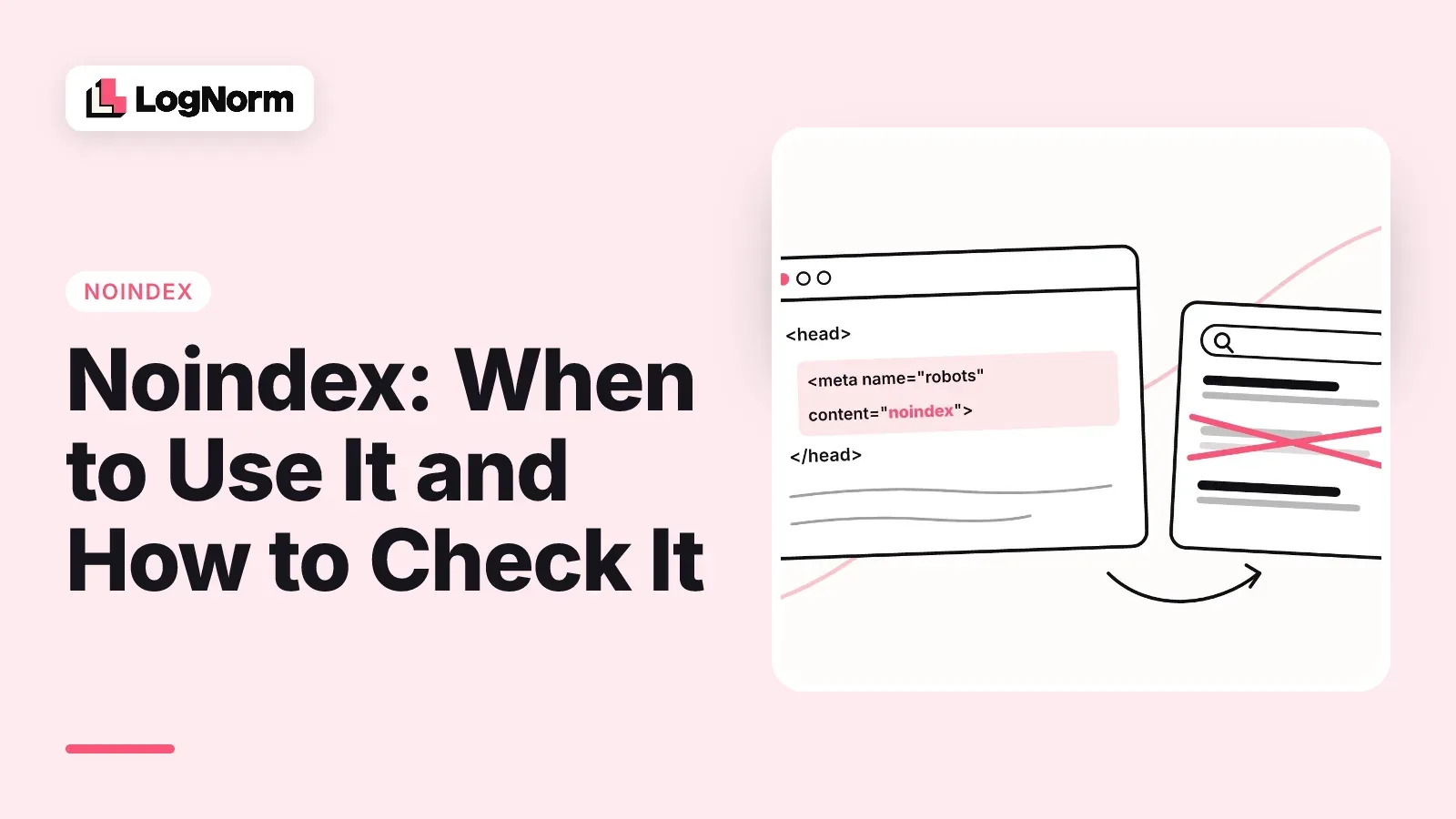
Noindex is a rule that tells Google not to show a page in search results. You send it in a robots meta tag or in an X-Robots-Tag HTTP header, and Google has to crawl the page to see it. That last part is where most noindex problems start.
This guide covers what noindex does, which of the two methods to use, when another tool fits better, the mistakes that quietly break it, and how to check any page. Every rule about Google's behaviour below links to Google's own documentation.
What noindex does
Noindex removes a page from Google's search results. In Google's words, "when Googlebot crawls that page and extracts the tag or header, Google will drop that page entirely from Google Search results" (Google Search Central: Block Search indexing with noindex).
It does not block access. Anyone with the link can still open the page, and other sites can still link to it. Noindex only controls whether the page appears in search.
It is also a minority setting. The HTTP Archive's Web Almanac 2025 found the noindex directive on 3.5% of desktop sites and 2.4% of mobile sites. A year earlier the 2024 edition counted it on 4.7% of desktop and 3.9% of mobile sites. Because so few sites use it, an accidental noindex rarely gets looked for, and it can sit unnoticed.
Meta robots tag vs X-Robots-Tag header
Both methods do the same thing, and Google says so directly: "They have the same effect" (Google Search Central). Pick based on what you are blocking and who controls the code.
The meta tag goes in the page's <head>:
<meta name="robots" content="noindex">The header is sent by your server with the response:
HTTP/1.1 200 OK
X-Robots-Tag: noindex| Robots meta tag | X-Robots-Tag header | |
|---|---|---|
| Where it lives | In the HTML <head> |
In the HTTP response headers |
| Works for | HTML pages only | Any file: HTML, PDFs, images, video |
| Who usually sets it | CMS, SEO plugin, page template | Server config, CDN, hosting platform |
| Visible in page source | Yes | No, you have to inspect the headers |
| Best for | Single pages you edit in a CMS | Non-HTML files and whole directories |
Google's robots meta tag documentation notes the header is the way to apply rules to non-HTML resources such as PDFs, where a meta tag is not possible.
The header has a cost: you cannot see it by viewing source. A CDN rule or a hosting platform setting can add X-Robots-Tag: noindex to pages nobody meant to hide, and the HTML will look clean.
You can also aim a rule at one crawler by replacing robots with a user agent name. Google supports googlebot for text results and googlebot-news for news results (Google Search Central). Get the name exactly right. The Web Almanac 2024 found 0.01% of sites providing a noindex rule for the invalid crawler name "Google", a rule no Google crawler is addressed by.
When to use noindex, and when to use something else
Use noindex for pages that should exist for visitors but should not rank. Typical examples are internal site search results, thank-you and confirmation pages, thin tag or filter archives, and login or account screens.
For other goals, a different tool does the job better:
| Your goal | Right tool | Why not noindex |
|---|---|---|
| Keep a page out of search, but let people use it | Noindex | It is the right tool |
| Keep private or confidential content hidden | Password protection | Noindex hides it from search, not from anyone with the URL |
| Tell Google which of several duplicate URLs to show | rel="canonical" |
Google does not recommend noindex for this |
| Reduce crawling of low-value URLs | robots.txt disallow | Disallow controls crawling, not indexing |
| Remove a page for good | Delete it (404 or 410) | Removal is the surest option |
Google is explicit on each point. For confidential content, "you need to password protect it" (Google Search Central: Control what you share). The same page calls removing content "the best way to ensure that it won't appear in Google Search."
On duplicates, Google says it does not recommend "using noindex to prevent selection of a canonical page within a single site, because it will completely block the page from Search" (Google Search Central: Consolidate duplicate URLs). A canonical tag lets Google merge the signals instead.
On robots.txt, Google calls it "not a mechanism for keeping a web page out of Google" (Google Search Central: robots.txt introduction). It manages crawler load. A disallowed URL can still be indexed if other pages link to it, and the URL and anchor text can show in results without the page's content.
Common noindex mistakes
The five mistakes below each hide the rule from Google or hide it from you.
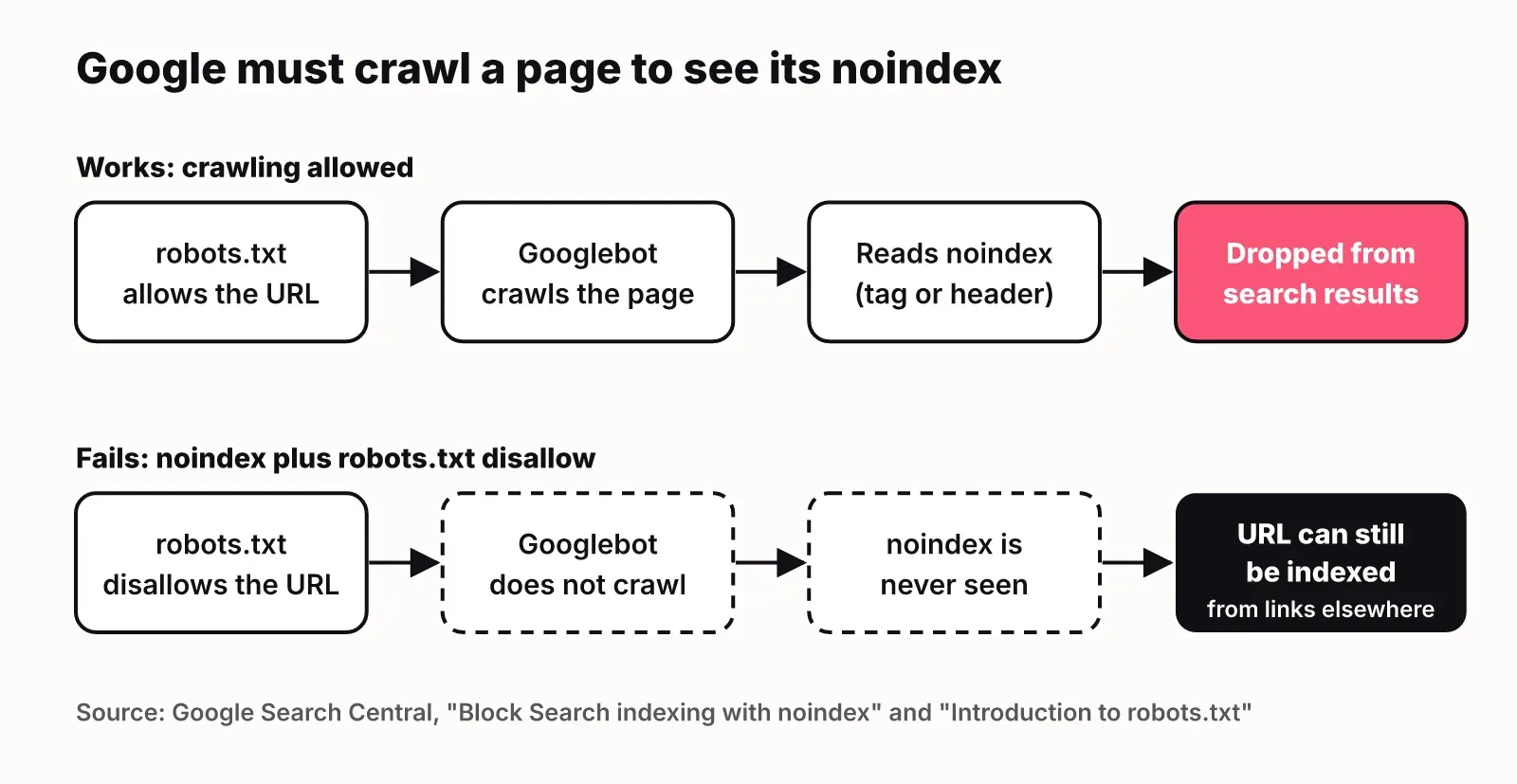
- Noindex plus a robots.txt disallow. Google states that for noindex to work, "the page or resource must not be blocked by a robots.txt file," because a blocked crawler "will never see the noindex rule" (Google Search Central). If you want a page out of the index, allow crawling until Google has seen the noindex.
- Staging sites protected only by noindex or disallow. A noindex keeps a staging site out of results only while every page carries it, and a disallow does not stop indexing at all. Put staging behind a password, as Google advises for anything that should stay private. Then check the reverse risk: a launch that copies the staging configuration can ship the noindex to production.
- Noindexed URLs in your sitemap. A sitemap should list the URLs "that you want to see in Google's search results" (Google Search Central: Build a sitemap). Listing a noindexed page sends Google two opposite signals. Remove it from the sitemap, or remove the noindex.
- Removing noindex with JavaScript. Google warns that when it sees noindex it "may skip rendering and JavaScript execution," so a script that strips the tag later "may not work as expected" (Google Search Central: JavaScript SEO basics). If a page should be indexed, keep noindex out of the original HTML.
- Noindex used to pick a canonical. As above, it removes the page from Search instead of consolidating it. Use
rel="canonical".
Template-level mistakes are the expensive ones. A noindex added to a blog template or a CDN rule applies to every page that uses it, so a single change can drop a whole section from search.
How to check if a page is noindexed
The quickest reliable check is the URL Inspection tool in Google Search Console, because it shows what Google itself received. Work through these steps:
- Inspect the URL in Search Console. The "Indexing allowed?" field shows whether the page explicitly disallows indexing (Search Console Help: URL Inspection tool).
- Click "Test live URL" to check the current version. The default view is Google's last indexed copy, which may predate your fix.
- In the live test result, open "View tested page" to see the HTML and the HTTP response headers Googlebot got. This is how you catch a header-only noindex.
- Open the Page indexing report to see every URL Google excluded for a noindex across the site. Google describes that status as a page where "it encountered a 'noindex' directive and therefore did not index it" (Search Console Help: Page indexing report). The block-indexing guide points to the same two tools for debugging.
- Check the headers yourself with
curl -I https://example.com/pageand look for anX-Robots-Tagline. View source only shows the meta tag.
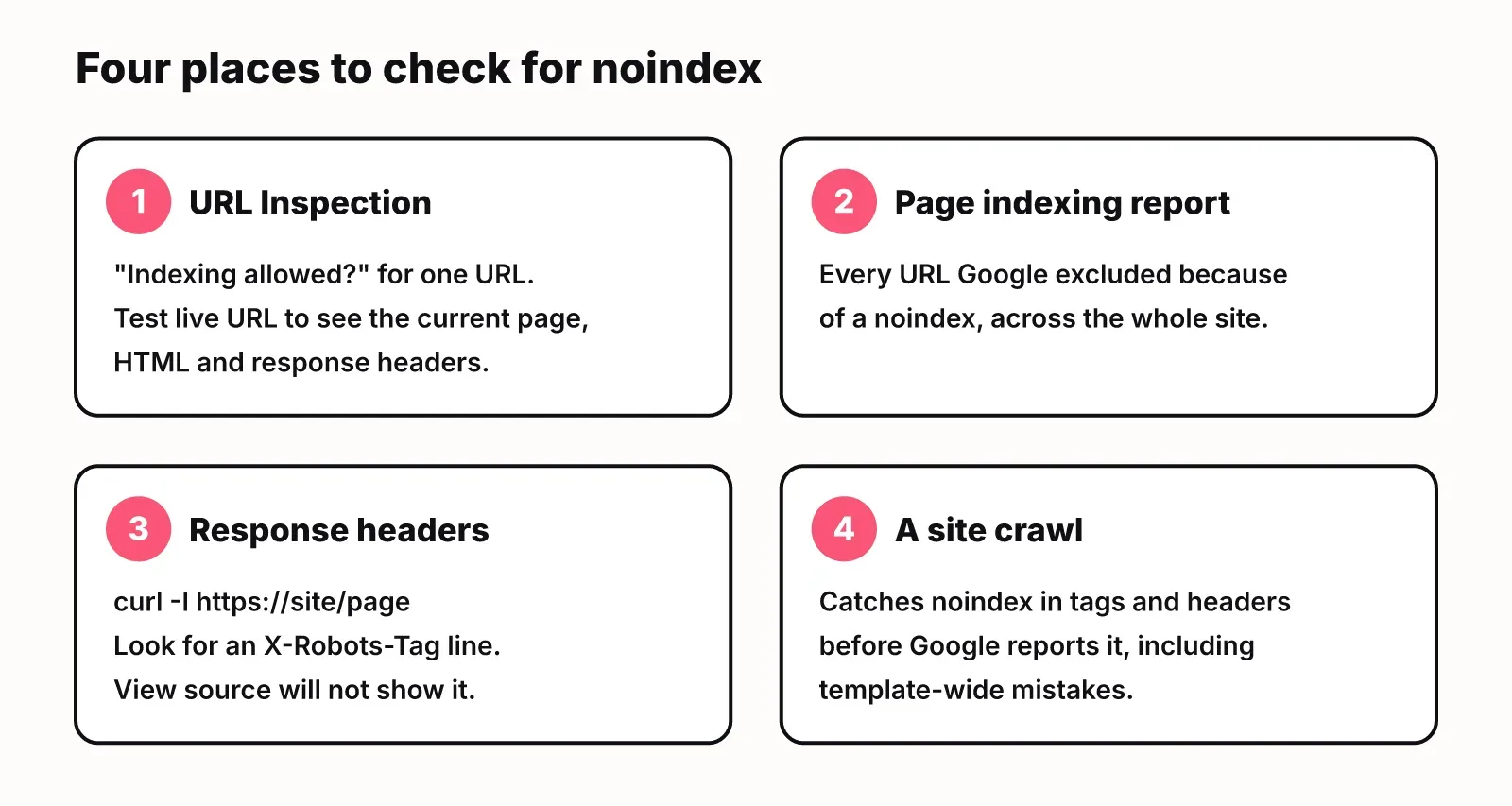
Search Console tells you about pages Google has already crawled. To catch a noindex before Google does, crawl the site. LogNorm's free SEO checker crawls up to 25 pages and flags pages blocked from indexing along with its other checks, with no sign-up. LogNorm's full site audit goes further on the header case: it reports whether a noindex comes from the meta tag, the X-Robots-Tag header or both. For header-only noindex it also asks whether Google has the page indexed, since the header can depend on who requests the page. Confirmed issues land in your ranked weekly plan next to the rest of your growth work.
Noindex and soft 404s in single-page apps
Noindex is one of Google's two recommended fixes for soft 404s in client-rendered apps. A soft 404 is a page that shows a "not found" message but returns a 200 status code, which is common in single-page apps where the server answers every route with the same shell.
Google's JavaScript SEO basics offers two options. Redirect with JavaScript to a URL where the server returns a real 404, such as /not-found. Or add <meta name="robots" content="noindex"> to error pages with JavaScript.
Note the asymmetry with mistake 4 above. Adding noindex with JavaScript is a documented pattern. Removing it with JavaScript is the one that can fail, because Google may stop at the noindex and never run your script.
FAQ
What is the difference between disallow and noindex?
Disallow, in robots.txt, stops crawlers from fetching a URL. Noindex tells Google not to show a URL in results. A disallowed URL can still be indexed from links elsewhere, and a disallow stops Google from seeing any noindex on that page. To keep a page out of results, allow crawling and use noindex.
Can I use noindex and nofollow together?
Yes. <meta name="robots" content="noindex, nofollow"> tells Google not to index the page and not to follow its links. Google defines nofollow as "Do not follow the links on this page" (Google Search Central). Most of the time noindex alone is enough, since you usually still want Google to discover the pages it links to.
How do I noindex a page in WordPress or another CMS?
Most CMSs and SEO plugins have a per-page setting that adds the robots meta tag for you. Menus differ between platforms and versions, so whichever setting you use, confirm the result with URL Inspection and "Test live URL" rather than trusting the toggle.
Does noindex affect rankings of other pages?
Google documents noindex as a rule for the page or resource that carries it. The real risk to other pages is scope: a noindex in a shared template, plugin default or CDN rule applies to every page it touches. After any template or config change, recheck the Page indexing report.
How long does it take for a noindexed page to drop out of Google?
It drops out after Googlebot next crawls the page and reads the rule, so timing depends on how often Google visits that URL. For an important page, the "Request indexing" button in URL Inspection asks Google to recrawl it.
Does noindex stop AI crawlers?
Google's documentation covers Google's crawlers and warns that "some search engines might interpret the noindex rule differently." Do not assume other crawlers treat it the way Googlebot does. If AI answers matter to you, check which AI crawlers can reach your pages separately, for example with a GEO audit.
How can I audit technical SEO issues that stop crawlers from indexing content?
Start with three checks: the Page indexing report for noindex and robots.txt exclusions, your robots.txt for disallow rules on pages you want found, and response headers for X-Robots-Tag. A site crawl can catch all three before Google reports them.