Rank Tracking: How to Track Keyword Positions That Matter
Rank tracking explained: what positions measure, why Search Console and trackers disagree, which keywords to track, how often, and how to pick a tool.


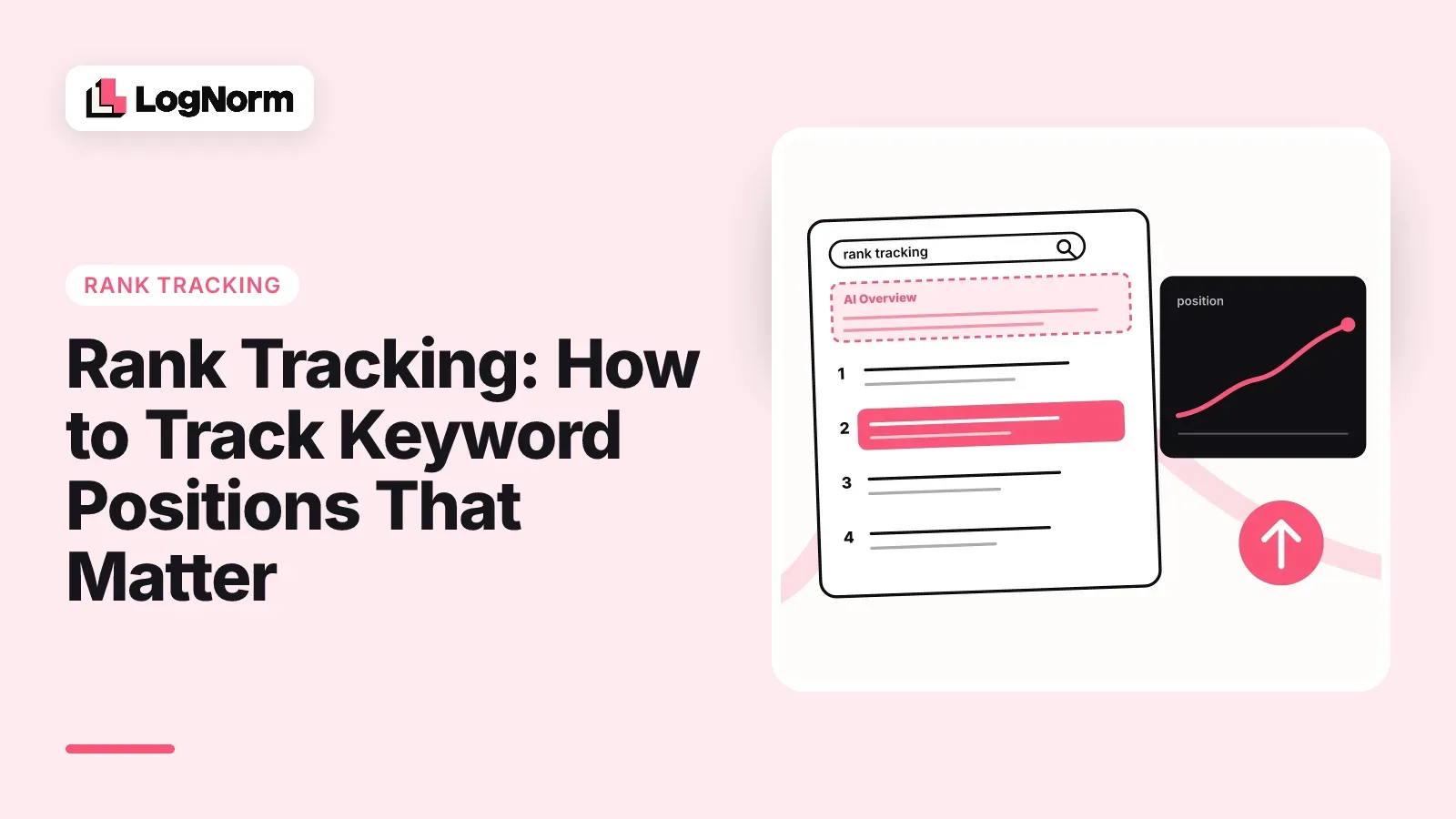
Rank tracking is the practice of recording where your pages appear in Google for a set of keywords, checked the same way over time, so you can see what moved and why. The position number is useful, but only if you know what it leaves out. This guide covers what a ranking measures, why Search Console and rank trackers disagree, which keywords deserve tracking, how often to check, how to choose a tool, and why AI answers now belong in the same report.
What rank tracking measures
Rank tracking measures the position of your page for one keyword on one Google results page, in a fixed country, language and device, at one moment. Repeat that check on a schedule and you get a trend line for every keyword you care about.
That trend line answers three practical questions. Did a page drop after a site change or a Google update? Did the work you shipped (a rewrite, new internal links, a better title) move the page? Which keywords sit just outside page one, where a small push could pay off?
A single position is a sample, not a fact about the whole internet. Two people searching the same phrase in different cities, on different devices, can see different results. Good rank tracking controls those variables so this week's number is comparable with last week's.
What a ranking can't tell you
A ranking tells you your order among organic results, not how visible you are or how many clicks you get. Four things sit between the number and the traffic.
- Personalisation. Google adjusts results using signals like location and search history, so your own browser is the worst place to check rankings.
- Location and language. A page can rank third in the United States and nowhere in Germany. A tracker needs a set market to mean anything.
- Device. Mobile and desktop results differ in layout and sometimes in order.
- SERP features. Ads, AI Overviews, People also ask boxes, videos and local packs can sit above result number one.
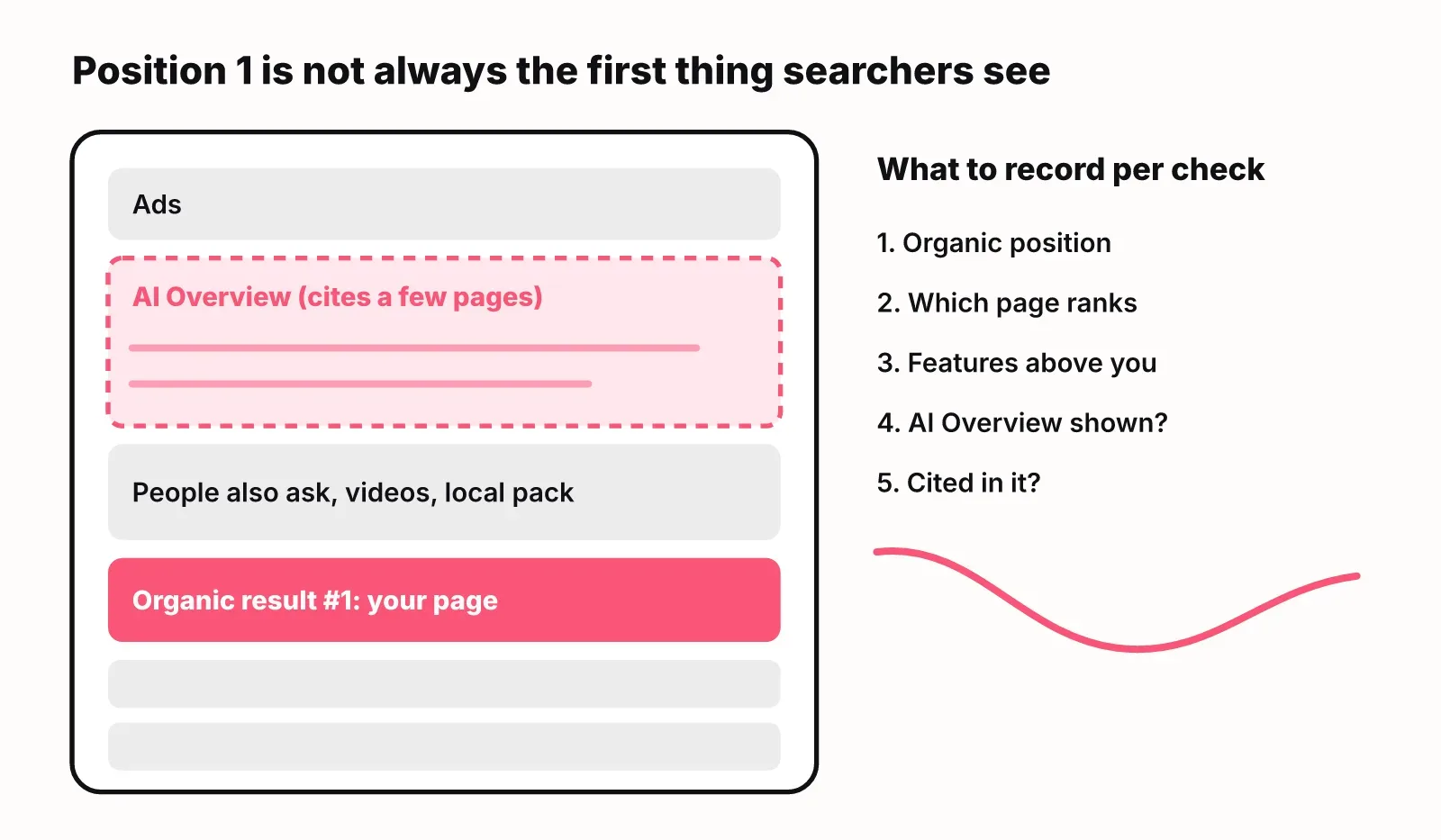
AI Overviews are the biggest change. According to First Page Sage, an AI-generated answer (either an AI Overview or a full AI Mode response) now appears on 81.6% of U.S. queries, up from 23.4% in September 2025. And Advanced Web Ranking found that AI Overviews cut position 1 organic CTR by 52%, from 20.02% to 9.69%, on Google US desktop (July 2026).
So the same "position 1" can be worth half the clicks it used to be. Record more than the number each time you check: which of your pages ranks, which features appear above it, whether an AI Overview showed, and whether your page is cited in it.
Search Console average position vs rank tracker positions
Search Console and a rank tracker report different numbers because they measure different things. Search Console averages your highest position across every real impression your site earned. A rank tracker runs one controlled search from a set location and device and records where you appear.
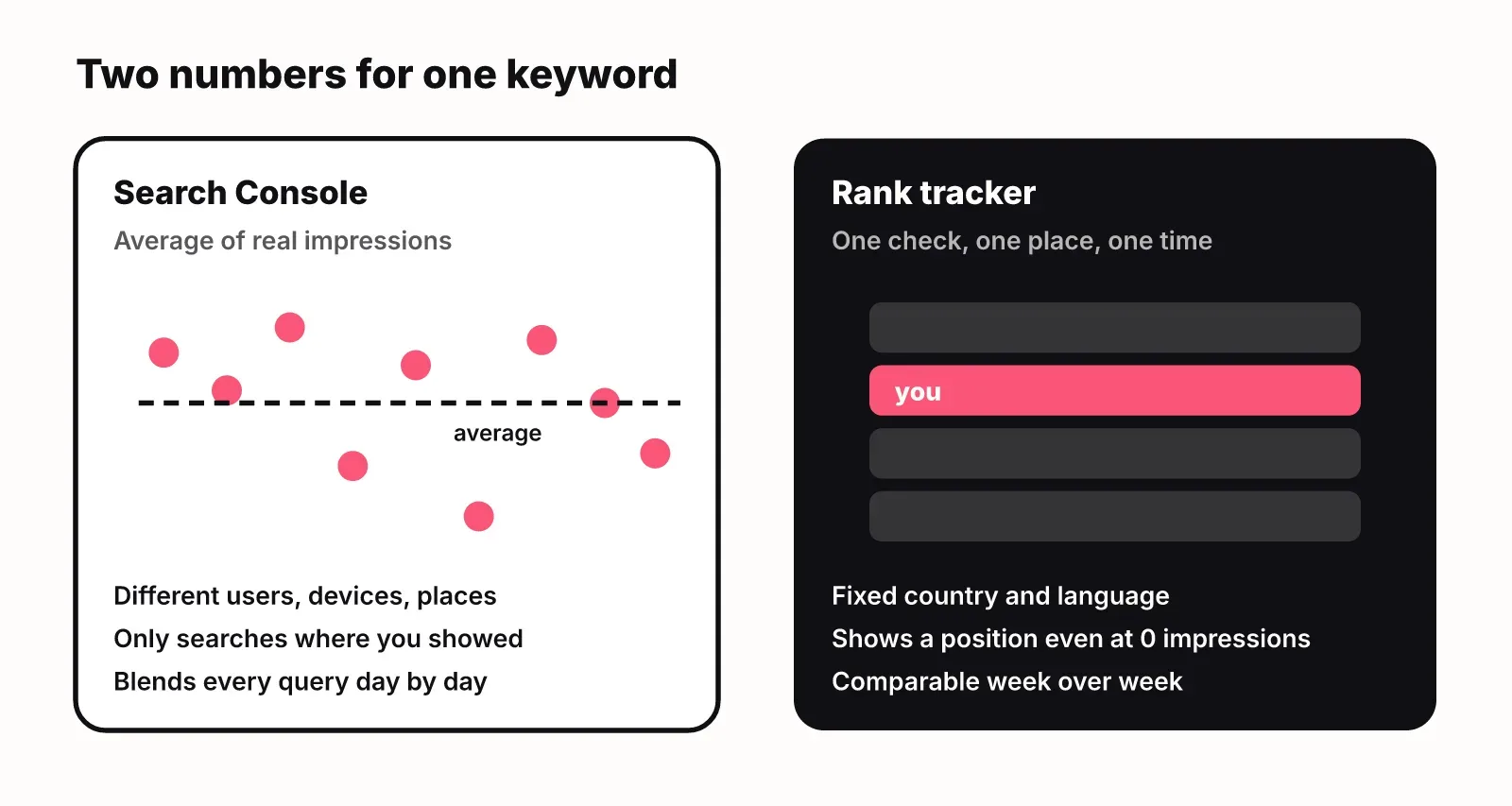
That difference explains most disagreements:
- Search Console only counts searches where you were shown. A keyword where you rank 60th but nobody scrolls that far may show few or no impressions at all.
- Search Console blends users in many places and on many devices into one average. A tracker reports one market and one device.
- Search Console groups by the exact query people typed. A tracker checks the exact keyword you chose, which may not match any real query word for word.
Use each for what it does well. Search Console tells you what you actually earned: clicks, impressions, the page that showed and its average position. A tracker gives you a stable trend line and a position for keywords you target but don't yet appear for, which Search Console can't show. When the two disagree, don't pick a winner. Check the tracker's market and device first, then look at which page Search Console says is ranking.
Which keywords to track
Track keywords that are tied to a page and a decision. If a ranking change wouldn't make you do anything, it doesn't need a daily line on a chart.
A useful list for a small site has four buckets:
- Money keywords: the searches buyers use when they compare products in your category or look for what you sell.
- Striking-distance keywords: terms where you rank roughly 4 to 20, where a refresh or more internal links can move you onto the top of page one.
- Target keywords you don't rank for yet: the pages you plan to write or are writing now. Only a tracker shows these, since you have no impressions yet.
- Brand keywords: your name and your name plus "pricing", "reviews" or "alternatives", where other sites can outrank you on your own name.
Keep the list small enough that someone reads it every week. A hundred well-chosen keywords mapped to pages beats a thousand nobody opens. When you add a keyword, note which page should rank for it. If a different page shows up, that is a cannibalisation signal worth fixing.
How often to check rankings
Weekly checks are enough for most startup sites. Rankings move every day, and most of that movement is noise that reverses itself within a week.
Check daily in three situations: during a site migration or redesign, after you publish or overhaul an important page, and for a few high-value keywords where a drop costs real money. Outside those windows, read the change over 7 and 28 days rather than reacting to a single day. A page that slid from 4 to 9 over four weeks is a real problem. A page that dipped from 4 to 7 on Tuesday and came back on Thursday is not.
How to choose a rank tracking tool
Choose a rank tracking tool by the markets, keywords and decisions you have, not by the length of its feature list. Start with Google Search Console, which is free and shows what you actually earned. Add a dedicated tracker when you need positions for keywords without impressions, a fixed market, or competitor positions on the same keywords.
These are the criteria that separate tools in practice:
| Criterion | What to check | Why it matters |
|---|---|---|
| Market and language | Country, language and city-level options | Rankings differ by place; one wrong market makes every number wrong |
| Device | Separate mobile and desktop checks | Layout and order can differ between them |
| Check frequency | Daily, weekly or on demand | Daily for launches and migrations, weekly for everything else |
| Depth | How far down the results it looks (top 10, top 100) | Striking-distance and new pages often sit beyond page one |
| Ranking URL | Which of your pages ranked each time | Catches cannibalisation and wrong-page rankings |
| SERP features | Whether it records AI Overviews, snippets and other features | Position 1 under an AI Overview earns far fewer clicks |
| History and exports | How long history is kept, CSV or API access | You need months of data to see trends after changes |
| Search Console integration | Real clicks and impressions next to tracked positions | Connects the position to traffic you can count |
| Competitor tracking | Positions of named competitors on your keywords | Shows who is winning the searches you want |
| AI answer tracking | ChatGPT, Gemini and AI Overview mentions and citations | Buyers read AI answers before they click a result |
| Cost model | Per keyword, per check or per seat | Daily checks on a large list get expensive fast |
Two choices decide most of the price: how many keywords you track and how often you check them. Weekly checks on a focused list cost a fraction of daily checks on everything. Agencies need multi-client reporting and white-label exports; a startup tracking its own site usually doesn't.
All-in-one SEO platforms bundle tracking with keyword research, audits and backlinks, which helps if you use those parts. A standalone tracker is often more precise and cheaper if positions are all you need. For a broader look at the stack, see our guide to choosing SEO tools.
Track AI answers alongside rankings
AI answers now sit between your ranking and the click, so a complete rank report shows both. A buyer who asks ChatGPT or Gemini which tool to use, or reads the AI Overview above Google's results, may decide without opening a single organic result.
Tracking AI answers works differently from tracking positions. There is often no numbered list, so you record two separate facts per answer: whether the answer mentions your brand, and whether it cites one of your pages as a source. Run the same prompts on each engine from your market's country on a schedule, and keep the sources each answer used. Those sources are the pages you need to be on or to beat.
Read your Google rankings and your AI answers side by side. A keyword where you rank first but the AI Overview cites three competitors is a different problem from one where you rank eighth and get cited anyway. Our guides on how to get cited in Google AI Overviews and how to rank in ChatGPT cover what to change once you see the gap. For a dedicated tool, see LogNorm's LLM rank tracker.
How LogNorm tracks rankings
LogNorm tracks every keyword you mark as targeted from two sources, as described in the Keywords docs.
- Search Console, daily: for targeted keywords that exactly match a query you get impressions for, LogNorm shows position, clicks, impressions and the page that earned them, with 90 days of history. This needs Google Search Console connected.
- A weekly Google check: your top-100 position for every targeted keyword, including ones where you don't appear yet. It runs automatically when the last check is 7 or more days old, and Check rankings now runs it immediately.
The Tracking table shows position, change over 7 and 28 days, a 90-day position line, clicks and impressions over 28 days, monthly searches and the ranking page. You can filter by Moved up, Dropped, Striking distance, Top 10 and Not ranking. Each website has one market (country and language), and the weekly check uses it.
For AI answers, LogNorm's AI visibility asks your prompts in ChatGPT, Gemini and Google AI Overviews from your market's country and records mentions and citations separately. When a Google search returns no AI Overview, it records that instead of counting you as absent. Ranking drops, striking-distance keywords and AI answer gaps then become moves in one ranked weekly plan, next to competitor analysis and audit findings.
FAQ
What features do you need in a rank tracking tool?
You need a fixed market and device per check, enough depth to see positions beyond page one, the ranking URL for each check, and history you can export. Detection of AI Overviews and other SERP features matters more each year, because they change how many clicks a position earns.
What is the best rank tracking tool?
The best tool is the one that covers your markets and keywords at a check frequency you can afford. Start with Google Search Console, which is free. Add a tracker when you need positions for keywords you don't appear for yet, consistent checks in one market, or competitor positions.
How often should you check keyword rankings?
Weekly suits most small sites. Switch to daily during a migration, after publishing or overhauling an important page, or for a handful of keywords where a drop costs real revenue. Judge movement over 7 and 28 days, not single days.
Why does location matter in rank tracking?
Google shows different results in different countries, languages and often cities. A ranking checked from the wrong location tells you little about what your buyers see, so set the tracker to the market where your customers search.
Do mobile rankings matter as much as desktop?
Yes, if your buyers search on phones. Mobile and desktop results can differ in layout and order, so track the device your audience uses most. For many B2B products that is still desktop during the workday, so check your own Search Console device report before deciding.
Why is my Search Console position different from my rank tracker?
Search Console averages your highest position across real impressions from many places and devices. A tracker records one controlled check in one market. Both can be right at the same time; compare the market, device and ranking page before assuming either is wrong.
Does competitor tracking help?
Tracking competitors on your own keywords shows who is taking the searches you want and when they gained ground. Use it to pick which pages to write or refresh, not as a scoreboard.
Are all-in-one SEO platforms better than standalone rank trackers?
All-in-one platforms are better if you use their keyword research, audit and backlink features too. A standalone tracker is usually the better buy if all you need is accurate positions.