What Is a Pillar Page? Examples and a Simple Structure
A pillar page covers a broad topic on one URL and links to deeper spoke pages. See the structure, three types, live examples and mistakes to avoid.


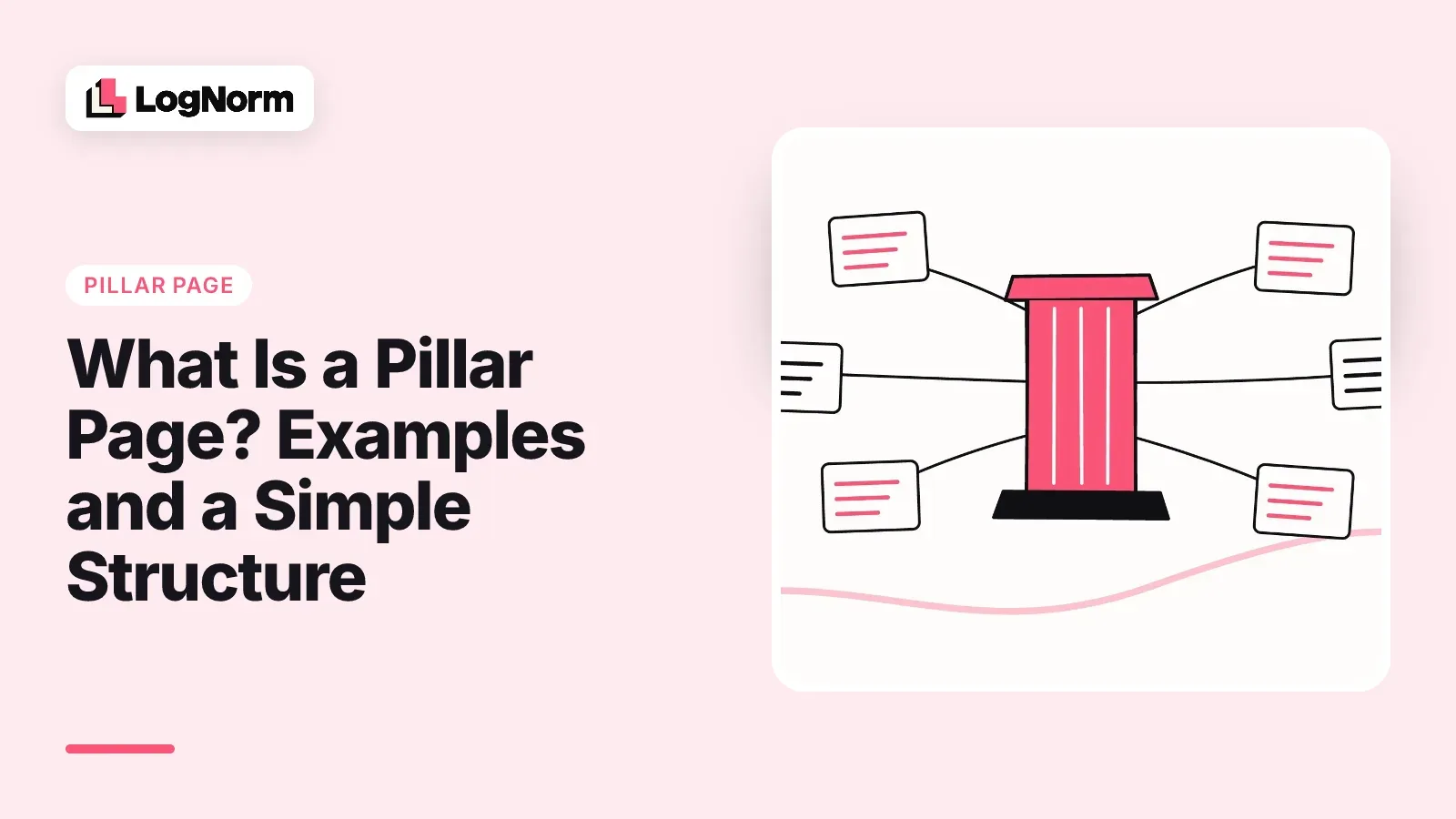
A pillar page is a single page that covers a broad topic from end to end and links out to deeper pages, called spokes or cluster pages, for each subtopic. The pillar targets the broad search ("email marketing"), the spokes target the specific questions ("email subject line length"), and every spoke links back to the pillar.
This guide covers the definition, a section-by-section structure you can copy, the main types of pillar page, three examples we opened and checked on 9 October 2026, and the mistakes that turn a pillar into an overlong blog post.
What is a pillar page?
A pillar page is the hub of a group of related pages: it gives a reader the full picture of one broad topic and sends them to a dedicated page whenever they need depth on a subtopic. Think of it as the table of contents for everything your site knows about that topic, written so it is useful on its own. A pillar on "email marketing", for example, would give list building, subject lines, deliverability, welcome emails and email metrics a short section each, and each section would link to a full guide on that subtopic.
Three things make a page a pillar rather than just a long article:
- It targets a broad keyword that has many narrower questions underneath it.
- It covers each of those subtopics briefly and links to a separate page that covers it in full.
- Those subtopic pages link back to it, so links run both ways.
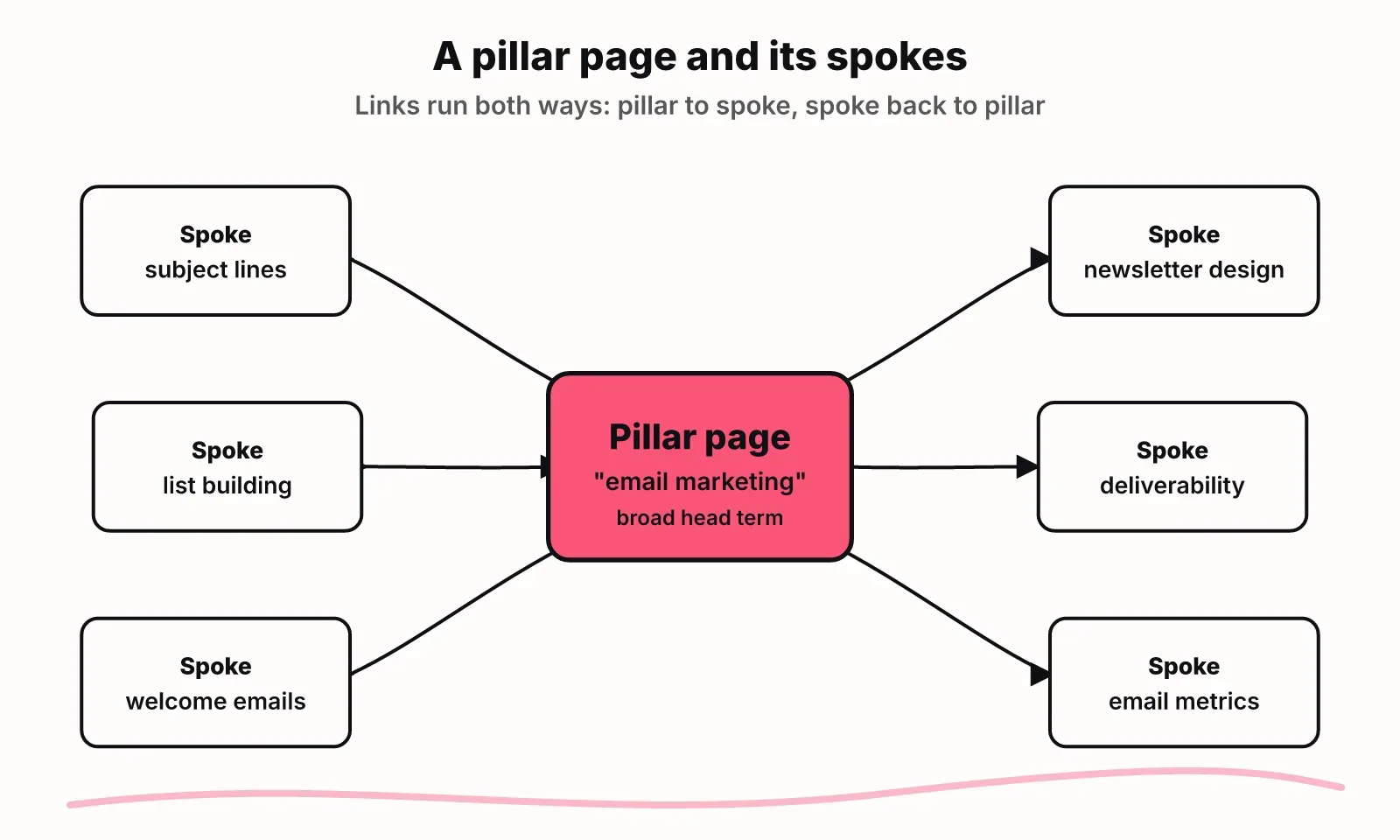
The pillar is one page inside a topic cluster. Deciding which topics deserve a cluster is a planning job, covered in our guide to topic clusters. Deciding which keywords belong on the same page is a grouping job, covered in keyword clustering. This article is about building the pillar page itself.
Pillar page vs a long blog post vs a landing page
A pillar page goes wide and hands depth to other pages; a long blog post goes deep on one question; a landing page asks the reader to act. They are easy to confuse because all three can be long, but they do different jobs.
| Pillar page | Long blog post | Landing page | |
|---|---|---|---|
| Job | Map a whole topic and route readers | Answer one question fully | Convert a visitor |
| Target keyword | Broad head term | Specific, often long-tail | Commercial or branded term |
| Depth per subtopic | A few paragraphs, then a link | As deep as the question needs | Only what supports the offer |
| Internal links | Many, to every spoke, and back from each | A handful of related links | Few, to keep focus |
| When it changes | Every time a spoke is added or retired | When the answer goes stale | When the offer changes |
| Main call to action | Read the next spoke | Related article or product | Sign up, buy, book |
The practical test: if you removed every link from the page, would it still be complete? A long blog post would. A pillar page would feel like a summary, because by design part of its value sits in the spokes.
A pillar can still sell. Add one call to action near the end that fits the topic. It should not be the main reason the page exists, because the people searching the broad head term want to learn, not buy.
The structure of a good pillar page
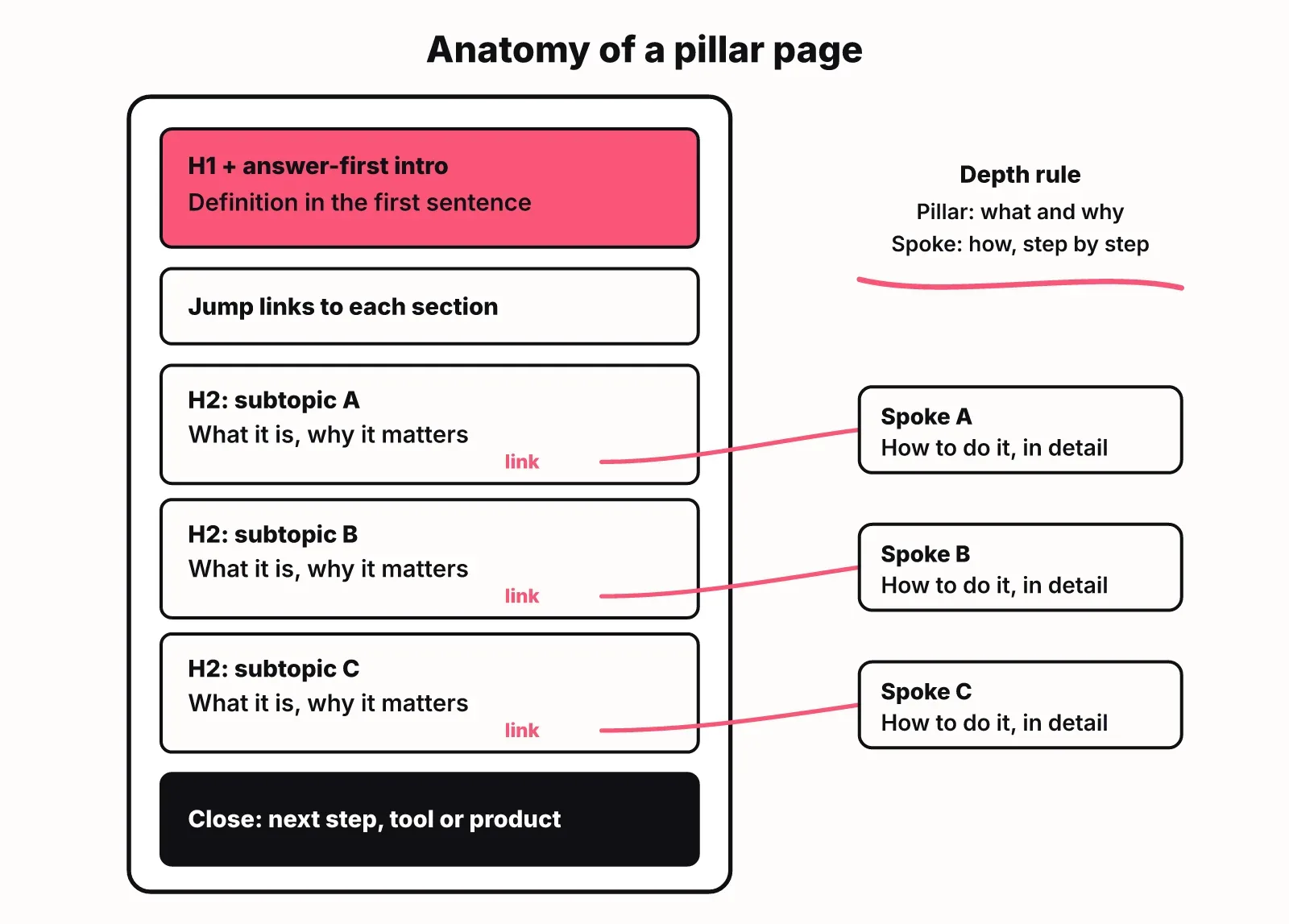
A good pillar page has an answer-first introduction, a jump menu, one section per subtopic that summarises and links to its spoke, and a short close that points to next steps. Here is the template we use.
1. Answer-first introduction
The first two or three sentences define the topic and say who the page is for. Make that first sentence one that works out of context, because it is the sentence most likely to be quoted in a search snippet or an AI answer. Skip the story about why the topic matters.
2. Jump links
A short list of the subtopics, each linking to its section. Readers who arrive for one subtopic go straight there.
3. One section per subtopic
Each H2 matches a spoke. Open it with a one or two sentence answer to the core question. Follow with two to four short paragraphs covering what it is and why it matters, then a clear link to the spoke: "Read the full guide to cold email subject lines."
4. A table or diagram where readers compare
If the subtopics are options (tools, methods, channels), one comparison table on the pillar saves readers from opening five tabs.
5. A close that moves the reader forward
Link to the next logical spoke, a free tool or your product. Do not restate the page.
How deep the pillar goes versus its spokes
Depth is the hardest call on a pillar. Our rule: the pillar answers "what is it and why does it matter" for each subtopic; the spoke answers "how do I do it, in detail." If a section on the pillar starts listing steps, settings or long examples, that material belongs on the spoke. If a spoke has nothing to add beyond the pillar section, merge it into the pillar and drop the spoke.
That rule also keeps the pillar from competing with its own spokes in search. The pillar wins the broad term, each spoke wins its specific question, and neither page tries to rank for the other's query.
Types of pillar pages
There are three common types of pillar page: the guide pillar, the resource pillar and the hybrid. The difference is how much content lives on the pillar itself versus on the pages it links to.
| Type | What is on the page | Best for | Trade-off |
|---|---|---|---|
| Guide pillar (often called 10x content) | A long, self-contained guide with every subtopic covered in some depth | Competitive head terms where readers want one complete resource | Expensive to write and keep current; can overlap its own spokes |
| Resource pillar | A short intro and a curated list of links, grouped by subtopic, with a line on each | Topics where you already have many articles | Thin on its own, so it ranks less well for the head term |
| Hybrid | A summary section per subtopic plus a link to the spoke | Most startups building their first clusters | Needs the depth rule above to stay balanced |
Our recommendation for a startup with fewer than a dozen articles on a topic is the hybrid. A resource pillar has too little of its own to say until you have a large library. A guide pillar takes far longer to write and duplicates the spokes you plan to publish anyway.
Pillar page examples, checked live
Here are three pillar pages we opened on 9 October 2026, one of each type, with what each one does well.
HubSpot, Instagram Marketing (guide pillar). One long page that walks from why to market on Instagram through building a strategy, setting up a business account, the types of posts, photo editing and writing captions. Each section is substantial on its own. It shows the strength of a guide pillar: a reader can stay on one URL for the whole topic. It also shows the cost, because a page that long needs regular updates to stay accurate.
Zapier, The ultimate guide to remote work (resource pillar). A short introduction, then the topic split into seven categories, from collaboration and managing remote teams to productivity, home office and tools. Each category has a one-paragraph description and the articles that cover it. The page itself is short; its value is the organisation. This works because Zapier has a deep library of remote work articles to route readers into.
Google, SEO Starter Guide (hybrid). The guide covers each SEO basic in a few paragraphs (how Search works, organising your site, links, title links, images, video) and repeatedly hands off to deeper documentation, such as its documentation on how Google discovers and crawls pages or its guide for ecommerce sites. It follows the depth rule closely: what and why on the page, how in the linked docs.
What to copy from all three: each page names its topic in plain words in the H1, every section maps to one subtopic, and you can tell from the headings alone what the topic covers.
How to build your first pillar page
You build a pillar page by starting from a cluster of keywords, mapping each subtopic to a spoke, writing the pillar sections and then wiring the links both ways. In practice:
- Pick a topic with at least five subtopics that each deserve their own page. Fewer than that and a single long article is usually the better format.
- List the subtopics from your keyword research. Each keyword group that needs its own page becomes a spoke; the broadest query becomes the pillar's target. If you plan in LogNorm, keyword research and topic clusters groups keywords into hubs and spokes, one cluster per page, so this list already exists.
- Map spokes you already have and mark the gaps. A pillar can go live before every spoke exists; write the section anyway and add the link when the spoke ships.
- Write the pillar with the structure above: answer-first intro, one section per subtopic, the depth rule applied to each.
- Link from every spoke back to the pillar, with anchor text that names the broad topic. Then link spokes to each other where a reader would naturally move between them.
- Check the technical basics: a title tag and meta description led by the head keyword, and structured data for the article. Our free schema generator builds the JSON-LD.
- Set a review date. Each time you publish or retire a spoke, update the pillar section that points to it.
- Measure it as a cluster. In Google Search Console, filter queries by the pillar's URL and by each spoke's URL. The pillar should earn impressions for the broad term and the spokes for their own questions. If a spoke is showing up for the head term instead of the pillar, the pillar section is too thin or the spoke is too broad.
If you write your briefs and drafts in LogNorm, each brief records its target keyword and the internal pages it should link to, and the editor suggests internal links as you write (see content and the editor). That makes step 5 part of drafting rather than a clean-up job later. For how pillars fit into a wider publishing plan, see our SEO content strategy guide.
Common pillar page mistakes
The most common pillar page mistake is copying every spoke into the pillar, so the pillar and its spokes compete for the same searches. The others are less obvious.
- Choosing a topic too narrow for spokes. "How to write a subject line" is a spoke, not a pillar. If you cannot list five pages under the topic, it is an article.
- Spokes that never link back. Links from the pillar to the spokes are only half the structure. A spoke that does not link back leaves readers stranded and weakens the signal that the pillar is the main page for the topic.
- The pillar and a spoke targeting the same keyword. Give each page its own primary query. If two pages answer the same search, merge them.
- Vague anchor text. "Read more" tells neither the reader nor a search engine what the spoke covers. Use the spoke's topic as the link text.
- A pillar written once and left alone. New spokes go unlinked and retired ones leave broken links. Treat the pillar as the page you edit most often in the cluster.
- Building the pillar before you know the cluster. Writing a pillar first and inventing spokes afterwards usually produces subtopics nobody searches for. Start from keyword data.
FAQ
What is a pillar page in SEO?
A pillar page is a page that covers a broad topic and links to more detailed pages on each subtopic, which link back to it. It targets the broad head keyword while the linked pages target narrower questions, so the group of pages covers the topic together.
How long should a pillar page be?
A pillar page should be as long as it takes to summarise each subtopic and link to it, and there is no ideal word count. Length follows the number of subtopics, not a target. Guide pillars run much longer because they cover each subtopic in depth on the page.
How many cluster pages should a pillar link to?
There is no fixed number, but our rule of thumb is five to fifteen spokes. Below five, a single long article usually serves readers better. Well above fifteen, consider splitting the topic into two pillars.
What is the difference between a pillar page and a topic cluster?
A topic cluster is the whole group of pages on a topic, and the pillar page is the hub at its centre. The cluster includes the pillar, every spoke and the links between them.
What is the difference between a pillar page and a landing page?
A pillar page teaches a topic and routes readers to deeper pages, while a landing page exists to get a visitor to take one action, such as signing up. A pillar can include a call to action, but its main job is to inform.
Do pillar pages still matter for AI search?
Yes. AI answer engines such as ChatGPT, Gemini and Google AI Overviews quote clear, self-contained answers, and a pillar's answer-first sections are built that way. Organising a topic into a pillar and spokes also gives each specific question its own page that an engine can cite.