Crawl Budget: Does It Matter for Small Sites?
Crawl budget rarely limits a site under a few thousand URLs. See what Google says, what really slows crawling, and how to check your Crawl Stats.


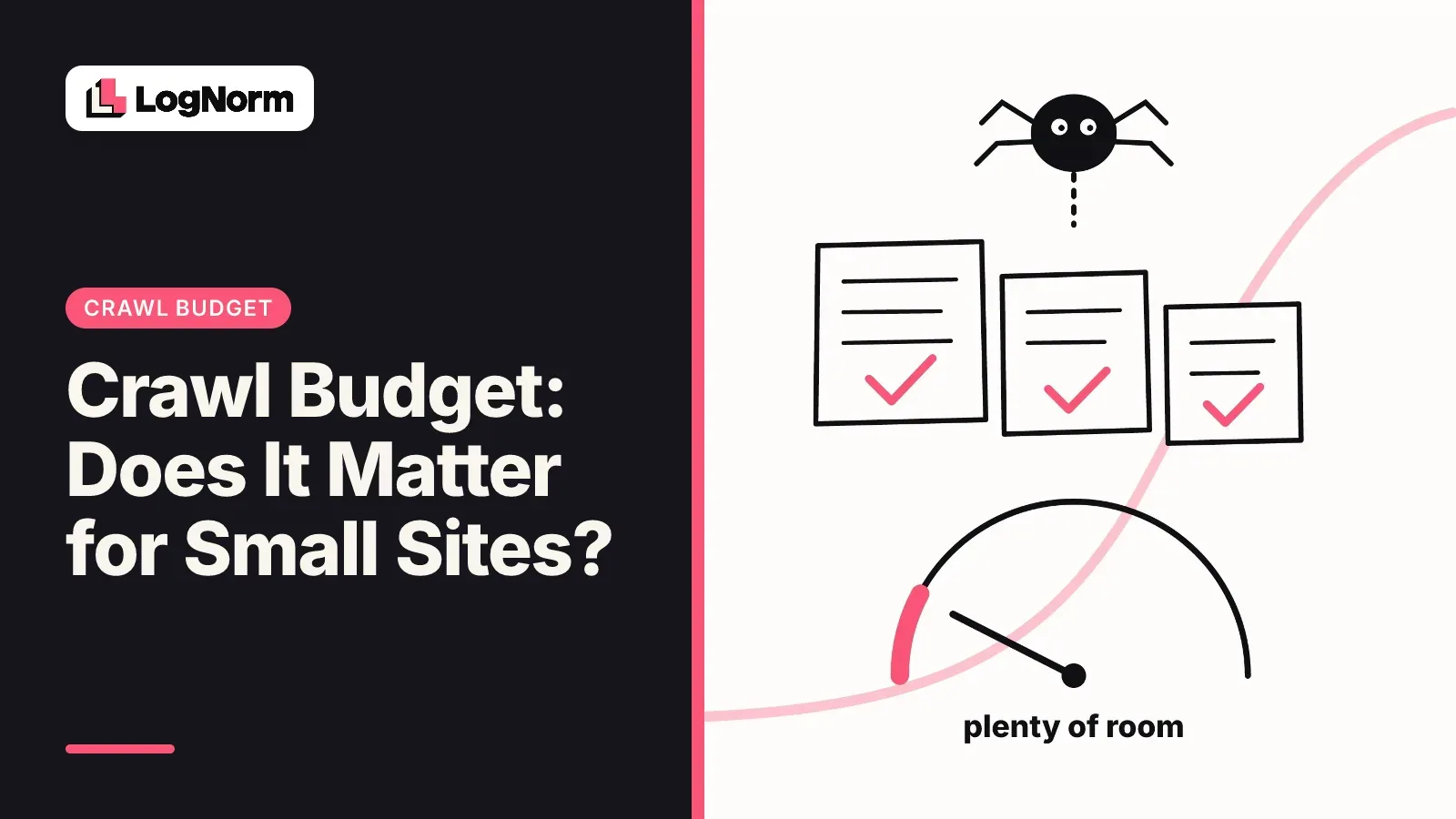
Crawl budget does not matter for most small sites. Google's own crawl budget guide is written for sites with more than a million unique pages, or more than 10,000 pages that change every day. If your startup site has a few hundred pages, Google can crawl all of them without trouble, and time spent "optimizing crawl budget" is time taken from work that moves traffic.
What does matter on a small site is whether Googlebot hits errors, redirects and duplicate URLs on the way to your real pages. Those problems slow indexing at any size. This guide covers the verdict, the few cases where crawl budget becomes real, the problems worth fixing instead, how to read the Crawl Stats report, and how AI crawlers fit in.
Does crawl budget matter for small sites?
No. For a site under a few thousand URLs, crawl budget is almost never the reason a page is missing from Google. Google says so in three places.
- The crawl budget guide lists who it is for: large sites with 1 million+ unique pages that change about weekly, medium sites with 10,000+ unique pages that change daily, and sites where a large share of URLs sit in Search Console as "Discovered - currently not indexed".
- The same guide says that if your pages are crawled the same day they are published, you don't need to read it. For Google Search, keeping your sitemap up to date and checking the Page indexing report is enough.
- Google's 2017 post on crawl budget states that sites with fewer than a few thousand URLs are generally crawled efficiently.
The Crawl Stats report help page is even more direct: if your site has fewer than a thousand pages, you should not need that report or worry about that level of crawling detail.
So the useful question for a small site is a different one. Is Google wasting its visits on broken or duplicate URLs, and are your important pages easy to find? That is a crawl health problem, and it is cheap to fix.
What crawl budget actually is
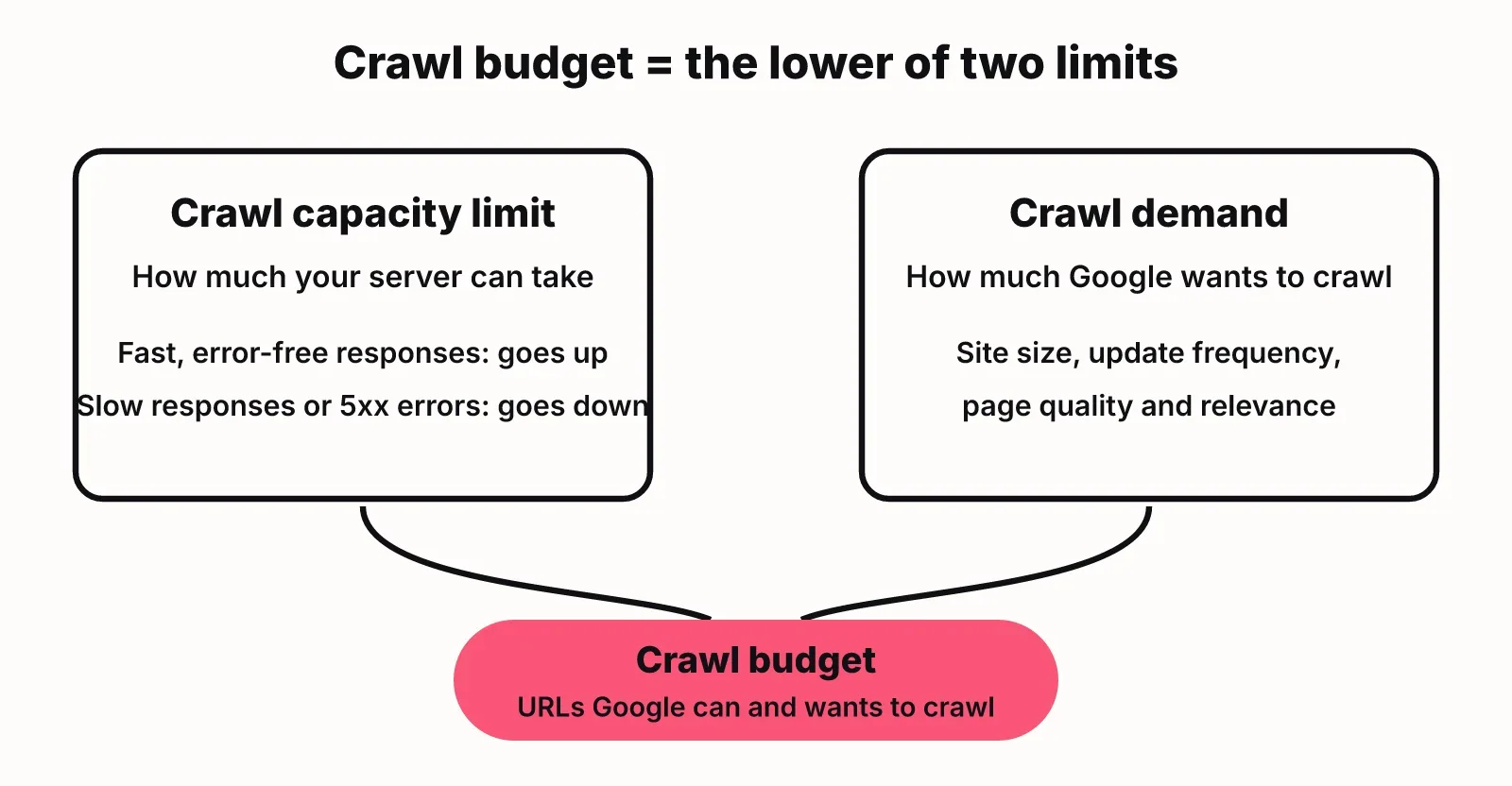
Crawl budget is the set of URLs that Google can and wants to crawl on your site. Google splits it into two parts.
Crawl capacity limit is how much crawling your server can take. Google measures the time your server spends holding connections open for it. When your server answers quickly, the limit goes up. When it slows down or returns server errors, Google backs off.
Crawl demand is how much Google wants to crawl. It depends on your site's size, how often pages change, page quality and relevance compared with other sites. A popular page that changes often gets recrawled more than a stale one.
Your effective crawl budget is the lower of the two. A fast server does not earn more crawling if Google sees little demand, and strong demand does not help if your server buckles.
One more point that saves founders a lot of worry: Google's 2017 post says crawl rate is not a ranking factor. Being crawled more often does not make a page rank higher. It only means changes are picked up sooner.
When crawl budget starts to matter
Crawl budget starts to matter when your site produces far more URLs than Google wants to fetch. Size is the main signal, but how the URLs are generated matters as much.
| Site type | Typical URL count | Should you care about crawl budget? |
|---|---|---|
| Startup marketing site with a blog | Under 1,000 | No. Fix crawl errors and keep the sitemap current |
| SaaS site with docs and a changelog | 1,000 to 10,000 | Rarely. Watch for parameter and duplicate URLs |
| Programmatic SEO pages (locations, integrations, templates) | 10,000+ | Yes, if new pages take weeks to get crawled |
| E-commerce with faceted filters | Can generate millions | Yes. Faceted URLs are the classic crawl trap |
| News or listings that change daily | 10,000+ changing daily | Yes. This is who Google's guide is written for |
The clearest sign you have a real crawl budget problem is in Search Console. Open the Page indexing report and look at "Discovered - currently not indexed". If thousands of URLs you care about sit there for weeks, Google knows about them but has not spent the visits. A handful of URLs in that bucket on a small site usually points to a quality or internal linking issue, not budget.
What actually blocks crawling and indexing on small sites
On a small site, crawl problems come from wasted requests and confusing signals, not from a lack of budget. These are the items from Google's best-practice list that show up most on startup sites.
- Crawl errors and soft 404s. Pages that are gone should return a real 404 or 410 status. A "not found" page that returns 200 is a soft 404, and Google keeps coming back to it.
- Redirect chains. A link that hops from http to https to www to a trailing slash makes Googlebot fetch three or four URLs for one page. Google's guide says to avoid long redirect chains. Point internal links and redirects straight at the final URL.
- Duplicate URLs. The same page at several addresses (with and without a trailing slash, with tracking parameters, under two paths) splits signals and wastes fetches. Consolidate them with redirects and canonical tags.
- Faceted and parameter URLs. Filters and sorting options can create endless combinations. Google's faceted navigation guide recommends blocking those URLs in robots.txt or using URL fragments for filters, and calls canonical and nofollow less effective in the long term.
- Slow or erroring servers. Google lowers its crawl capacity limit when responses slow down or return 5xx errors. On a small site this rarely blocks crawling outright, but frequent server errors can delay new pages.
- Stale or missing sitemaps. Keep an XML sitemap with every page you want indexed and an accurate lastmod date. It is the cheapest way to tell Google what changed.
One mistake to avoid: using noindex to "save" crawl budget. Google's guide says not to, because Google still requests the page and only then drops it. Noindex controls what appears in search. Robots.txt controls what gets crawled. We cover the difference in more depth in our upcoming guide to noindex.
Every item on this list is a normal finding in a technical SEO audit. If you want to see which ones apply to you, a free SEO checker will flag status codes, redirects and missing tags on a page in a few seconds.
How to check crawl stats in Search Console
The Crawl Stats report lives under Settings in Google Search Console, not in the main menu. Open your property, click Settings, then open the Crawl stats report. It only works for root-level properties: a Domain property or a URL-prefix property at the root of the site.
The report shows three charts over time:
- Total crawl requests
- Total download size
- Average response time
Below the charts, requests are grouped by response code, file type, crawl purpose (discovery of new URLs or refresh of known ones) and Googlebot type. The Host status panel tells you whether Google had trouble with robots.txt fetching, DNS resolution or server connectivity.
For a small site, read it in this order:
- Host status. Any red mark means Google could not reach your site at times. Fix this before anything else.
- By response. A large share of 404s, 301s or 5xx responses means Googlebot is spending visits on URLs that are not real pages. Click a row to see example URLs.
- Average response time. A steady rise usually tracks a slower host, a heavy page template or a bot hammering the server.
- By purpose. If almost every request is a refresh and new pages take weeks to appear, check your sitemap and internal links to those pages.
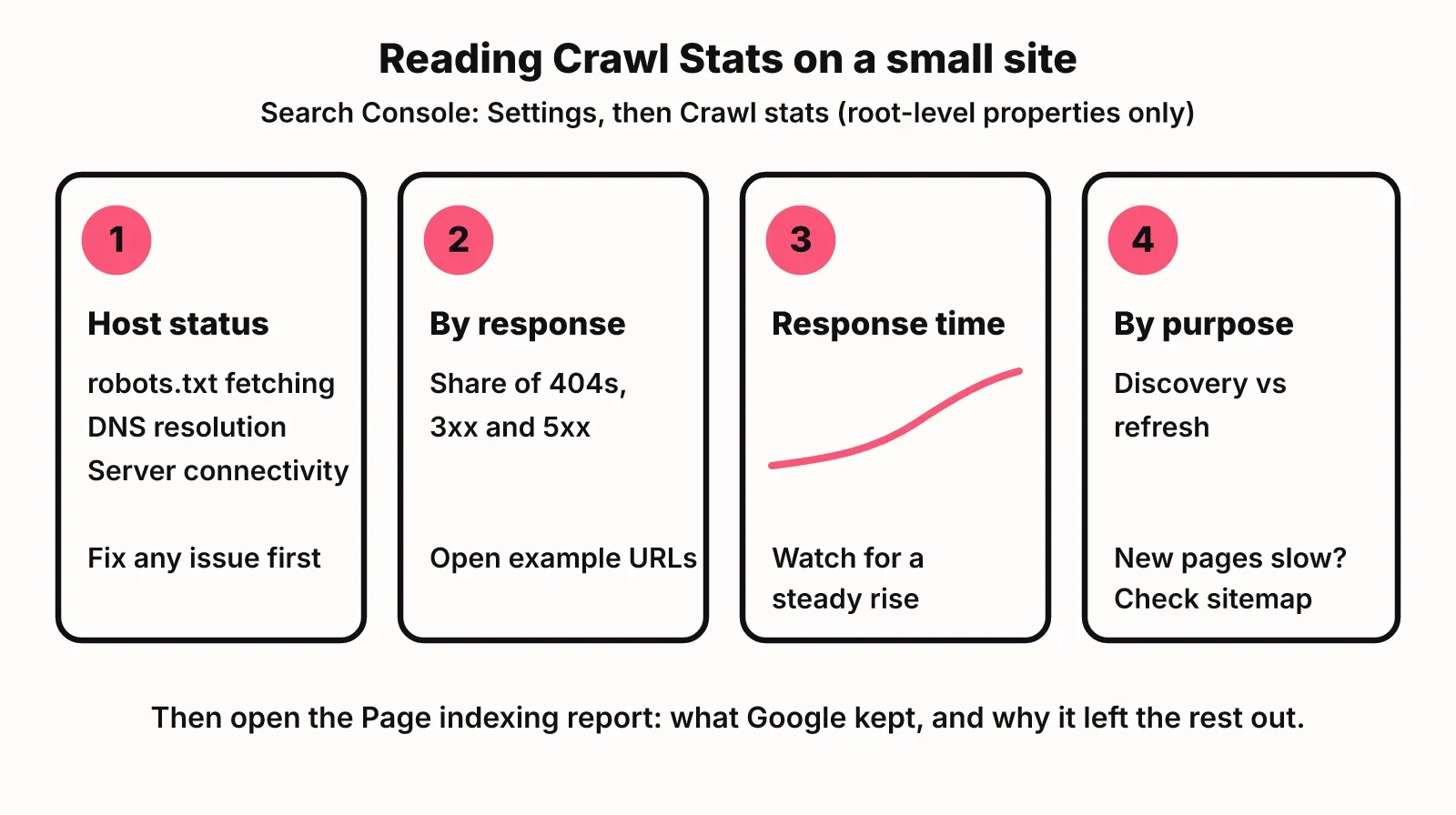
Then open the Page indexing report next to it. Crawl Stats tells you what Google fetched. Page indexing tells you what it kept and why it left the rest out.
AI crawlers: a different question
AI crawlers raise a different question from Googlebot: whether they can reach your content at all, not how much they crawl. For a small site, the bigger risk is blocking them by accident.
AI companies run their own bots with their own user agents. OpenAI documents three: OAI-SearchBot surfaces sites in ChatGPT search, GPTBot crawls content that may be used to train models, and ChatGPT-User fetches pages for actions a user takes in ChatGPT. Each one reads its own rules in robots.txt, and OpenAI notes a robots.txt change can take about 24 hours to apply to search.
That means a Google-friendly site can still be invisible in ChatGPT. Common causes:
- A robots.txt rule that disallows all bots except Googlebot, or a template that blocks GPTBot and OAI-SearchBot together when you only meant to opt out of training.
- A firewall or bot-protection setting at your host or CDN that challenges unknown user agents.
- Pages that render their main text only with client-side JavaScript, so a crawler that does not run scripts sees an empty shell.
To audit this, read your robots.txt for each AI user agent, test a page fetch with that user agent, and check your CDN's bot rules. Load from AI crawlers only becomes a crawl budget style concern on large sites with heavy traffic. If server logs show a bot hitting you hard, you can slow it down or block that one agent in robots.txt rather than closing the site to all of them. A GEO audit checks AI crawler access in robots.txt alongside how answerable your pages are.
A 30-minute crawl check for a small site
You can cover what matters for a small site in about half an hour. Work through it in this order.
- Open Search Console's Crawl stats and confirm host status is clean.
- Check the By response breakdown for 404, 3xx and 5xx shares, and note the example URLs.
- Open the Page indexing report and read the reasons pages are not indexed.
- Fix internal links that point at redirects or 404s so they go straight to the live URL.
- Confirm your sitemap lists every page you want indexed, with accurate lastmod dates, and nothing that redirects or returns 404.
- Pick one canonical form of each URL (https, www or not, trailing slash or not) and redirect the rest in one hop.
- Read robots.txt line by line for Googlebot and for each AI crawler you want to allow.
A full technical SEO audit covers more than crawling, such as titles, structured data and internal linking, but this list catches the crawl issues that hold small sites back. LogNorm's site audit runs the technical audit and the GEO audit together and turns each finding into a ranked move. Once you fix one, you can validate a fix on the live site without re-running the whole crawl. If you use Claude Code or another coding agent, you can fix the findings in your codebase and check them the same way.
FAQ
How do I increase my crawl budget?
You raise crawl capacity by making your server respond quickly and without errors, and you raise crawl demand by publishing pages people want and keeping them current. For a small site, removing wasted URLs (redirect chains, duplicates, soft 404s) does more than trying to increase the budget itself.
Do redirects and 404s waste crawl budget?
Yes, in a small way. Each hop in a redirect chain is a separate request, and Google keeps rechecking URLs that return errors. On a small site this rarely costs you indexing, but clean redirects and real 404 or 410 status codes keep Googlebot focused on your live pages.
Does noindex save crawl budget?
No. Google still has to request a noindexed page to see the tag, and then drops it. Use robots.txt to stop crawling of URLs you never want fetched, and use noindex only to keep a page out of search results.
Is crawl budget a ranking factor?
No. Google has said crawl rate is not a ranking factor. More crawling means changes are picked up sooner, not that pages rank higher.
What is crawl depth, and how is it different from click depth?
Crawl depth is how far from your homepage a page sits in the paths a crawler follows. Click depth is how many clicks a person needs to reach it. On a small site, keep important pages within a few clicks of the homepage and both stay low.
How do I audit technical SEO issues that stop AI crawlers from reading my content?
Check robots.txt rules for each AI user agent, such as OAI-SearchBot and GPTBot, then check your CDN or firewall bot settings, then confirm your main content is in the HTML rather than loaded only by JavaScript. Fix those three before worrying about how often AI bots visit.