What Is MCP? The Model Context Protocol Explained for Marketers
MCP explained for marketers: what the Model Context Protocol is, how it works, and how an agent signs in to your SEO data with safe permissions.


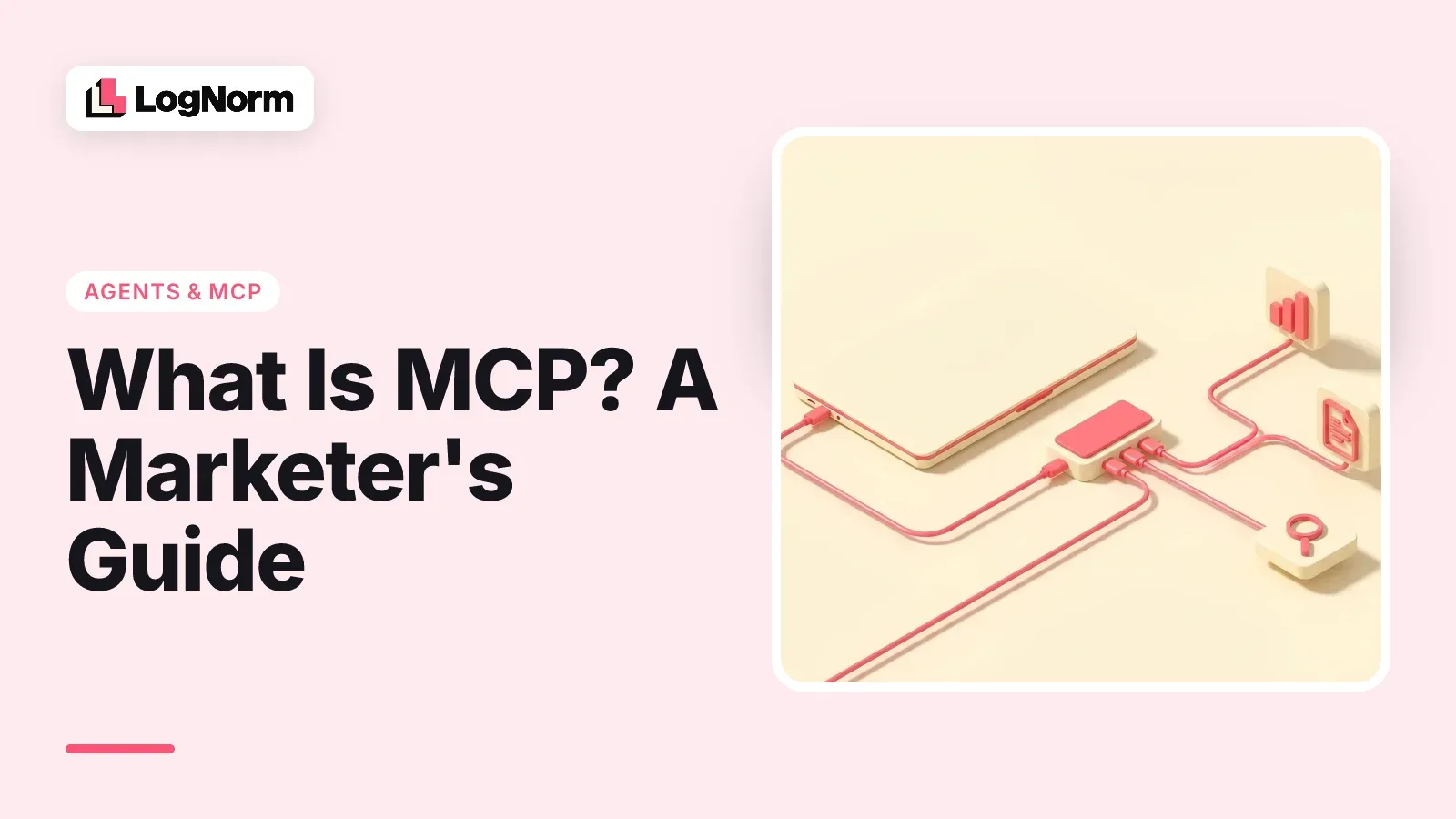
MCP (Model Context Protocol) is an open standard that lets an AI app connect to outside tools and data through one shared format. For a marketer, it is the difference between an agent that guesses about your website and one that reads your audit, keywords and Search Console data, then does something about them.
Most explanations of MCP are written for developers who build servers. This one is for the person who connects them. We'll use one running example: connecting an AI agent to the SEO, audit and content data for lognorm.com.
What MCP is, in one paragraph
MCP is a common language between AI apps and the systems where your data lives. Anthropic open-sourced it in November 2024 as "a new standard for connecting AI assistants to the systems where data lives, including content repositories, business tools, and development environments."
Before MCP, every pairing of an AI app and a data source needed its own custom integration. With MCP, a company builds one server for its product, and any AI app that speaks MCP can use it. Claude Code, Claude desktop, OpenAI Codex and Cursor all do.
The idea caught on fast. One study counted over 10,000 active MCP servers and 97 million monthly SDK downloads by early 2026.
Why marketers should care about MCP
MCP is how an AI agent gets access to your marketing data instead of working from memory. On its own, Claude or ChatGPT knows nothing about your rankings, your crawl errors or what your team shipped last month. It can only give generic advice.
Connect it to the right MCP servers and the same agent can pull keyword volumes, read your Search Console queries and check which pages lost clicks. Some servers also let it act: start an audit, save a draft or mark a fix as done.
SEO vendors have noticed. Semrush, Ahrefs and DataForSEO all run MCP servers now, which is why searches like "semrush mcp" and "dataforseo mcp" exist at all.
How MCP works: host, client and server
MCP has three parts: the host is the AI app you use, the client is the connection it opens, and the server is the program that supplies data and actions. The official architecture docs define them this way:
- Host: the AI application, such as Claude Code or Cursor, that coordinates one or more connections.
- Client: a component inside the host that keeps one connection to one server.
- Server: a program that provides context, such as LogNorm, a keyword database or Google Analytics.
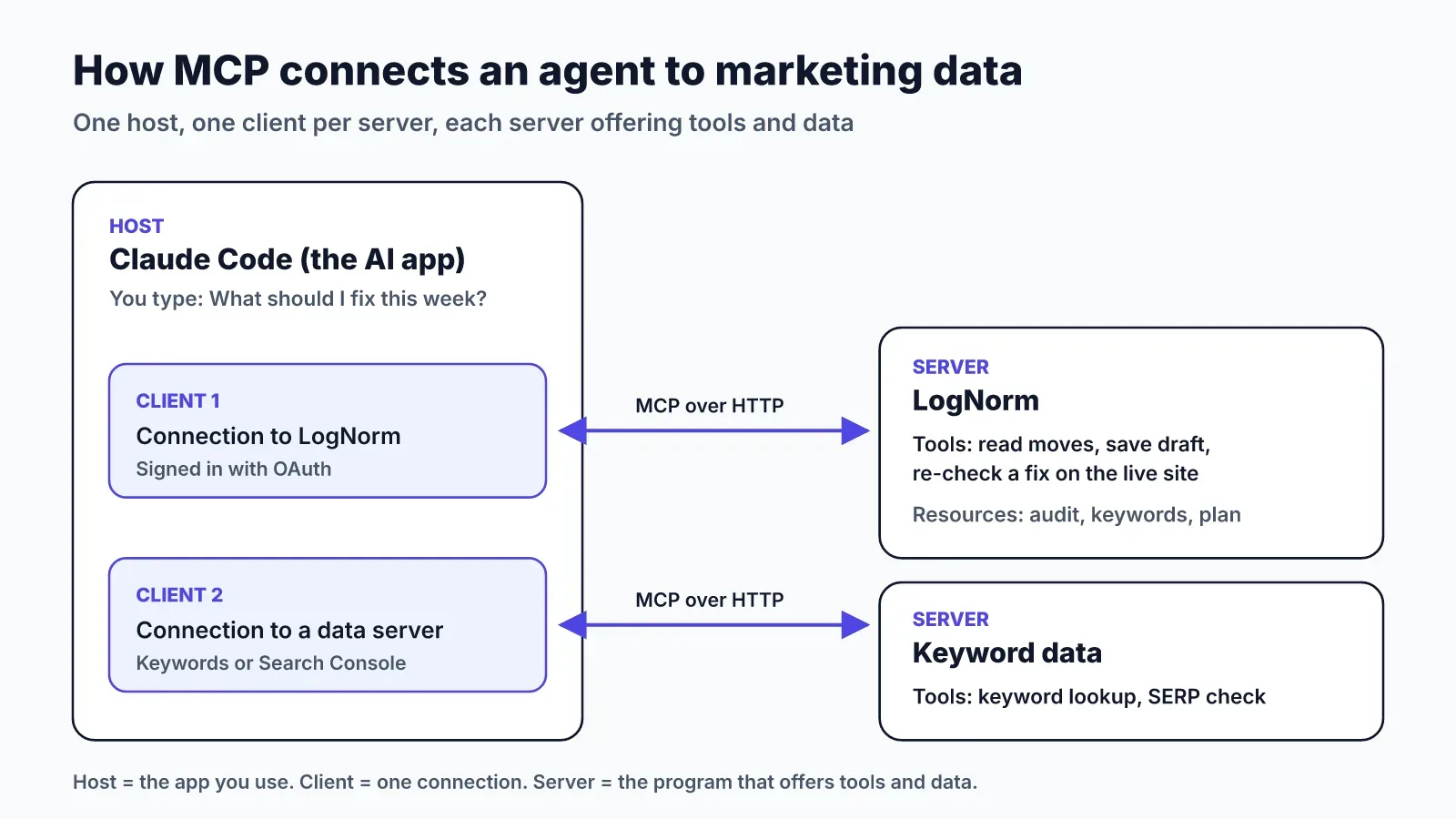
A server offers three main kinds of things. Tools are actions the agent can call, like "run a keyword lookup". Resources are data it can read, like a file or a report. Prompts are reusable templates, like a saved workflow.
Servers run in one of two ways. A local server runs on your computer and talks over standard input and output. A remote server runs on the vendor's side over HTTP, and the spec recommends OAuth for sign-in. Remote servers are easier for marketers, because there is nothing to install or keep updated.
A marketing example: connecting an agent to your SEO data
Connecting an agent to LogNorm takes one command and one click in the browser. In Claude Code, you run:
claude mcp add --transport http --scope user lognorm https://lognorm.com/api/mcpThen you type /mcp, pick lognorm, choose Authenticate and click Allow. There is no API key to copy. You can also paste one sentence into the agent and let it do the steps: "Connect to LogNorm: follow https://lognorm.com/connect.md".
Once connected, the agent asks the server what it offers. LogNorm answers with tools for reading ranked moves, researching a brief, saving a draft, re-checking a fix on the live site and more. The agent now knows what it can do without you explaining it.
Here is one request from start to finish. You ask, "What should I fix on the site this week?" The agent calls a read tool, gets the weekly plan and sees three critical audit findings. It fixes the template in your repository, you deploy, and it asks LogNorm to re-check that rule on the live page. You get a fresh result from LogNorm, not the agent's word that it's fixed.
That loop is the whole point of MCP for marketing. Data comes in through the protocol, the agent does the work where it lives, and the result goes back through the protocol. Our guide to Claude Code for marketing walks through four of these workflows in detail.
Sign-in and permissions: what the agent can and can't do
A well-built MCP server signs the agent in with OAuth and gives it only the permissions you approve. Check this before you connect anything, because the protocol itself doesn't force a server to ask before acting. A study of 1,723 MCP applications found only 37.2% gate tool execution behind a blocking approval step.
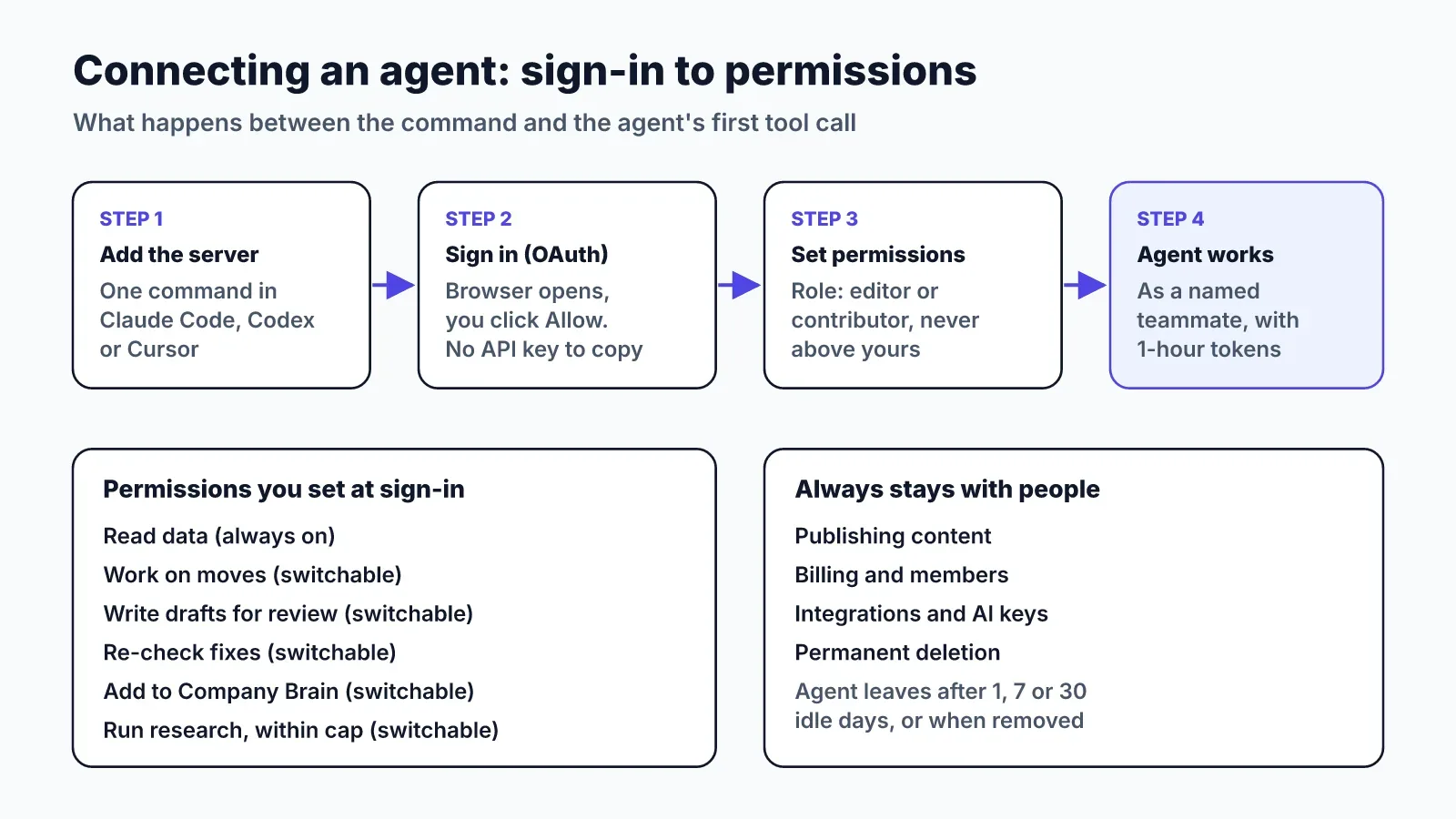
Here is how sign-in works in our example. LogNorm uses OAuth with PKCE, so you approve the agent in your own browser. Access tokens last an hour and refresh tokens rotate, so a leaked token goes stale quickly.
The consent screen then sets what the agent may do. It joins your workspace as a named teammate, such as "Kuldeep's Panda", with the editor or contributor role. It can never get a role above yours. Reading is always on, and each of these can be switched off:
- Work on moves: claim them, move them through stages and comment.
- Write drafts: save articles and send them to review.
- Re-check fixes: re-run an audit check once a fix is live.
- Add to the Company Brain: save documents and memories the team uses.
- Run research: crawl, audit or find keywords, within your credit spend cap.
Some things stay with people no matter what. The agent can't publish content, change billing, members, integrations or AI keys, or permanently delete anything. It also leaves the team after 1, 7 or 30 idle days, or the moment you remove it.
Use this as your checklist for any MCP server you connect. Ask what it can write, whether you can switch each action off, and how you remove its access.
How third-party text is screened
Third-party text is the biggest risk for a marketing agent, because marketing work means reading pages you don't control. Competitor articles, search results and review sites can all hide instructions written for AI agents. If the agent treats that text as a command, a stranger is now steering your work.
LogNorm handles this before the text reaches the agent. It removes hidden characters, and it withholds any passage aimed at AI agents and leaves a note saying so. The agent sees that something was withheld and can tell you, but never reads the instruction itself.
There is a second layer. When the agent runs code against LogNorm's data, that code runs in a sandbox with no network, no files and no timers, limited to one website. Claims also stop two agents from working on the same move at once.
Ask any server that reads the open web for you how it treats that text. "We pass it through unchanged" is an answer you should know before you connect it.
MCP vs API vs RAG
An API is one service's own interface, while MCP is a shared standard that wraps APIs so any agent can find and call them. Most MCP servers sit on top of an existing API. The server tells the agent which tools exist and what inputs they take, so nobody writes custom glue code for each AI app.
RAG (retrieval-augmented generation) is a technique for pulling relevant documents into a model's prompt. MCP is broader. A server can supply documents the same way, and it can also take actions, like starting an audit or saving a draft.
Is MCP just JSON? Its messages are JSON-RPC, so on the wire it looks like JSON. What makes it useful is the shared rules on top: how an agent discovers tools, how it signs in and how a server reports changes.
How to start with MCP this week
Start with one AI app you already pay for and two servers: one for data and one that tells the agent what to work on. Here is the order we'd follow:
- Pick your host. Claude Code, Codex and Cursor all support remote MCP servers.
- Add a data server for the numbers you check most, such as keywords or Search Console.
- Add a server that ranks the work, so the agent picks the highest-value task instead of the loudest one. Connect your agent to LogNorm if you want ranked moves and live re-checks.
- Start with read-only permissions for a week. Then switch on drafts and fixes.
- Keep publishing with people. Review every draft before it goes live.
You won't need an AI key for LogNorm. The agent's own plan does the thinking, so plans, briefs, drafts and reviews cost no credits. LogNorm's own processes, like audits and research runs, run on LogNorm and use credits.
The full setup for Codex, Cursor and Claude desktop is in the Agents and MCP docs.