Title Tag Length: How Long Should SEO Titles Be?
Google has no title tag length limit but cuts titles by pixel width. Aim for 50 to 60 characters, learn why Google rewrites titles, and check yours fast.


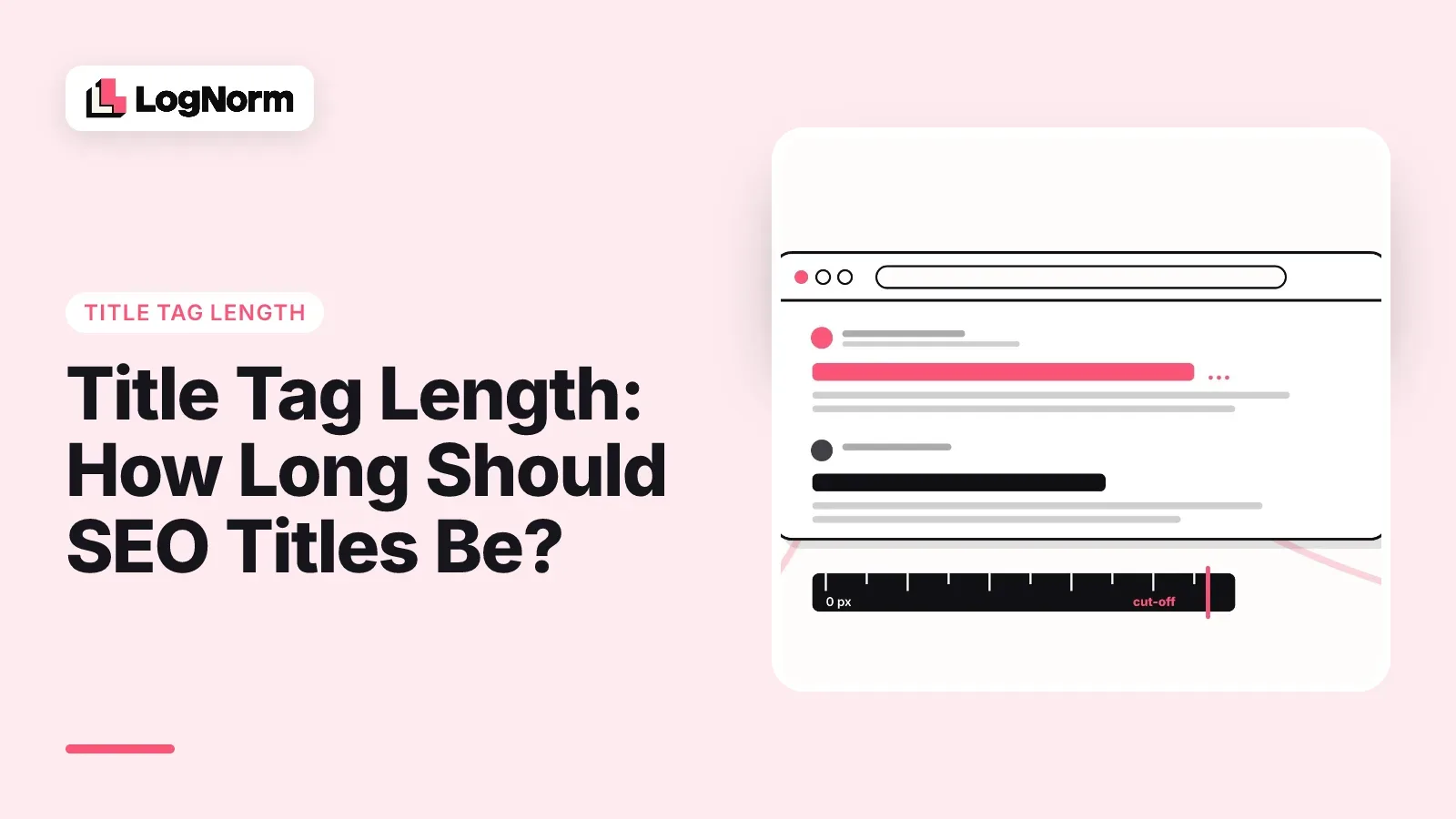
Google sets no title tag length limit. It cuts the title in search results when the text runs out of room on the screen, which means width in pixels decides where your title ends, not a character count. In practice, a title of 50 to 60 characters with the keyword at the front shows in full on most results pages.
This guide gives you that number with its sources, explains why Google measures width, covers why Google sometimes rewrites your title anyway, and shows how to check a title in a minute.
How long should a title tag be?
Keep title tags between 50 and 60 characters, and treat the pixel width as the real limit. Google's own documentation says "there's no limit on how long a <title> element can be", but the title link in results "is truncated in Google Search results as needed, typically to fit the device width."
The 50 to 60 character range is the common working rule. Search Engine Journal reported Google's position that there is no strict limit, and keeping titles around 50 to 60 characters remains the standard advice so they display fully. MDN's reference for the title element says search engines typically display about the first 55 to 60 characters.
Characters are a proxy for width. LogNorm's title and meta description checker measures titles against about 580 pixels on desktop, set in 20px Arial, and LogNorm's site audit flags titles outside 30 to 60 characters. Under 30 characters, you leave room unused. Over 60, the end of the title, often your brand, is at risk.
| Title length | What usually happens | What to do |
|---|---|---|
| Under 30 characters | Shows in full but says little | Add the audience, the benefit or a specific detail |
| 30 to 60 characters | Shows in full on most results | Check the pixel width if the title uses many wide letters |
| Over 60 characters | The end is replaced with an ellipsis | Cut filler words or drop the brand to the end |
A longer title is not a penalty. Google will index it and may still show it cut short. The cost is that the words after the cut never reach the searcher.
Why Google cuts titles by pixels, not characters
Google truncates titles by the space they take on screen because letters have different widths. In Arial at Google's 20px title size, a capital W is 18.9 pixels wide and a lowercase i is 4.4 pixels, according to the measurements LogNorm's checker uses. Two 60-character titles can differ by more than 200 pixels.
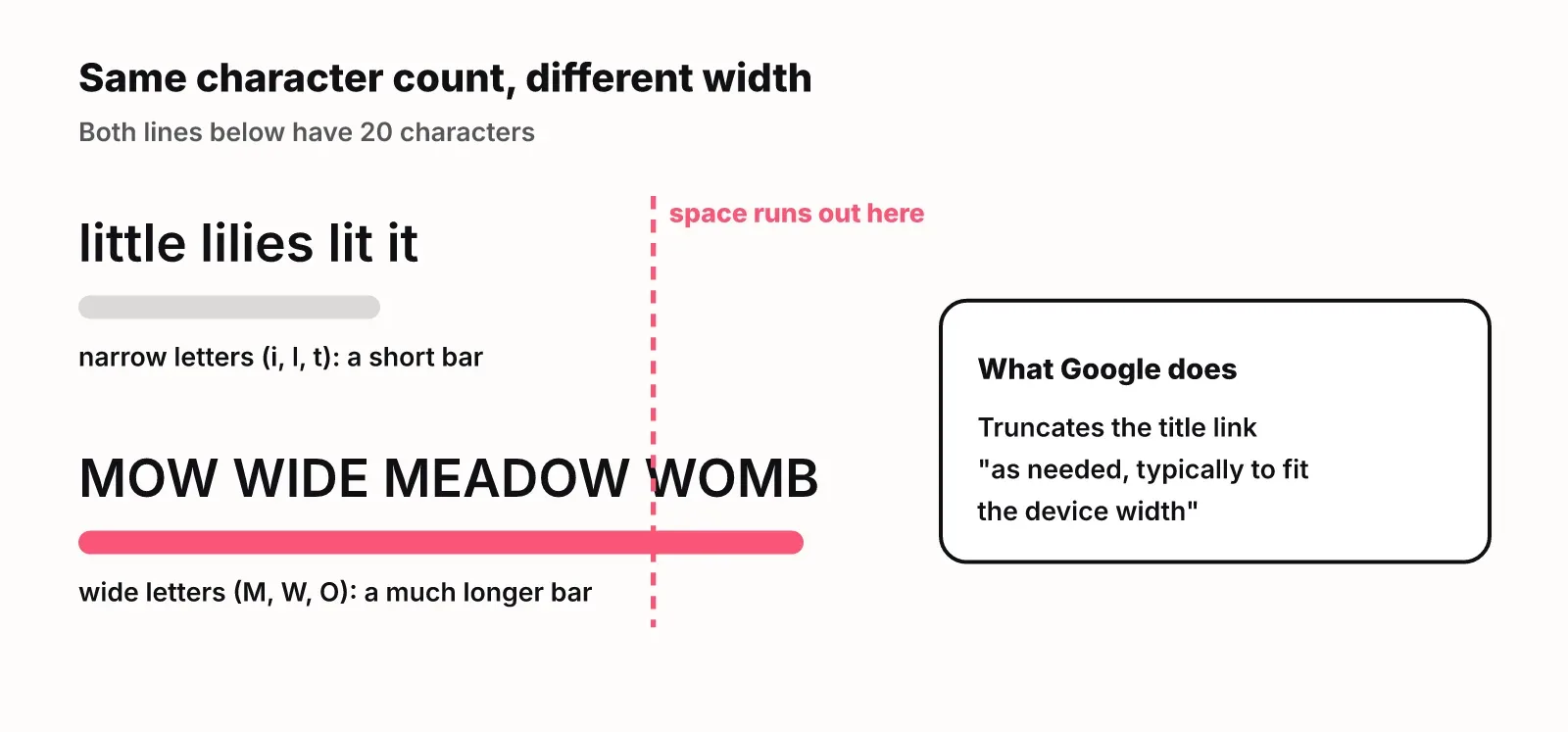
That is why "60 characters" is a guideline and not a rule. A title full of capitals, M, W and numbers runs out of room early. A title with narrow lowercase letters can pass 60 characters and still fit.
Mobile layouts change the picture again. Google's documentation only says titles are cut to fit the device width, so write for the narrowest case: put the words a searcher needs to see in the first half of the title.
Why Google rewrites title tags
Google rewrites a title when it judges that your title element does not describe the page well for the search. Its Influencing title links documentation says title links are generated automatically, and the goal is to "best represent and describe each result."
Your title element is only one input. Google lists these sources for title links:
- Content in the title element
- The main visual title shown on the page
- Heading elements, such as the H1
- Content in the og:title meta tag
- Other large and prominent text, styled to stand out
- Other text on the page
- Anchor text on the page
- Text within links that point to the page
- WebSite structured data
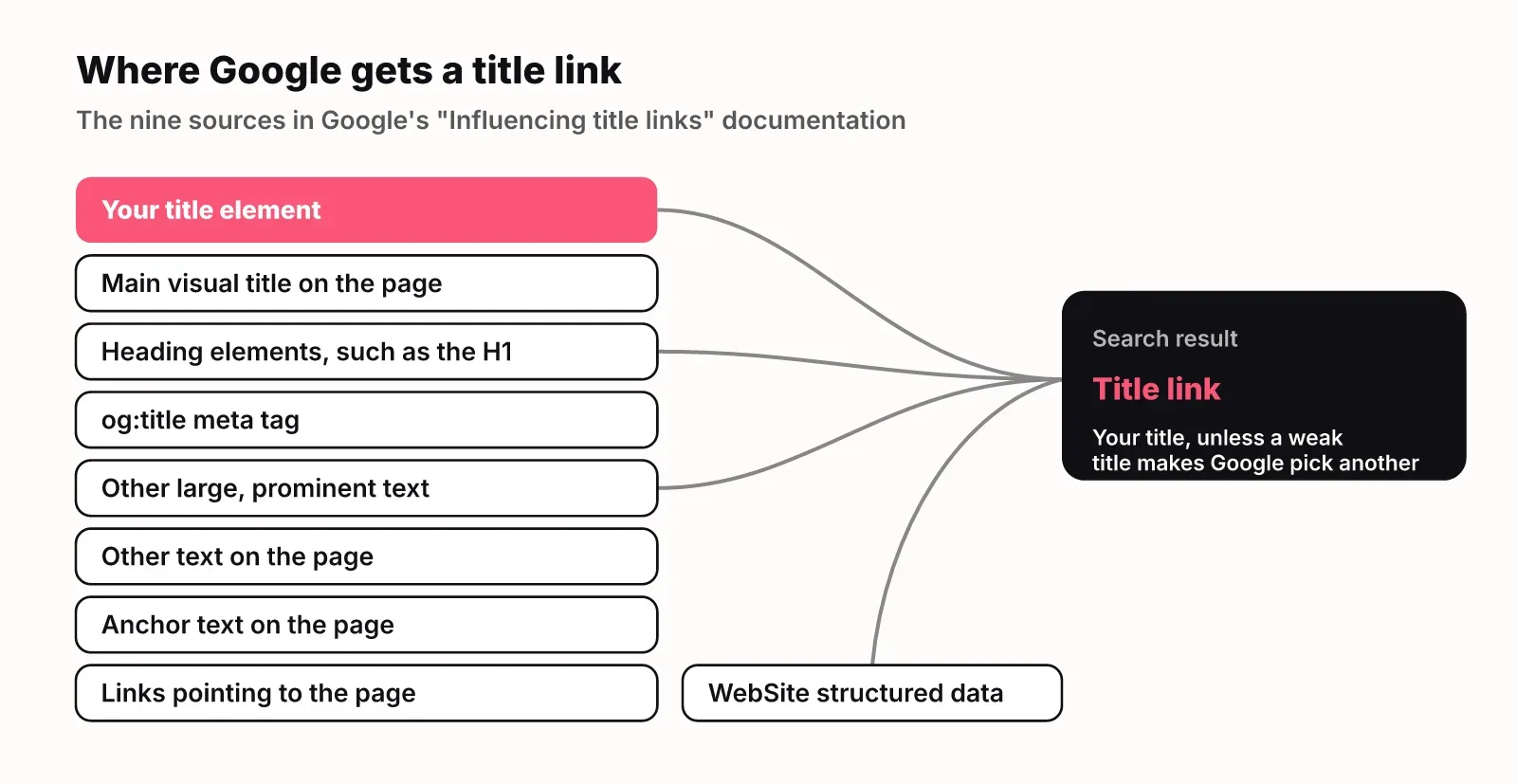
When the title element is weak, Google picks from the others. The documentation names the common problems it corrects:
| Problem in your title | Example from Google's docs | What Google does |
|---|---|---|
| Half-empty title | "| Site Name" | Builds a title from headings or prominent text, such as "Product Name | Site Name" |
| Obsolete title | "2020 admissions criteria" on a page whose visible heading says 2021 | Uses the date from the visible heading |
| Inaccurate title | A title listing products the dynamic page no longer shows | Changes the title link to match the page content |
| Keyword stuffing | "Foobar, foo bar, foobars, foo bars" | Google warns this can make results look spammy |
| Language mismatch | An English title on a Hindi page | May choose different text that matches the page's language |
Google also says it can take "a few days to a few weeks" to notice title changes, because it has to recrawl and reprocess the page. If you fix a title, request a recrawl in Search Console rather than waiting.
How to write titles that survive truncation and rewrites
A title survives when the keyword comes first, the page is described honestly, and the brand sits last where it can be cut without loss. Google's documentation suggests putting the site name "at the beginning or end of each <title> element, separated from the rest of the text with a delimiter such as a hyphen, colon, or pipe." For most pages, the end is the better choice, because truncation removes the end first.
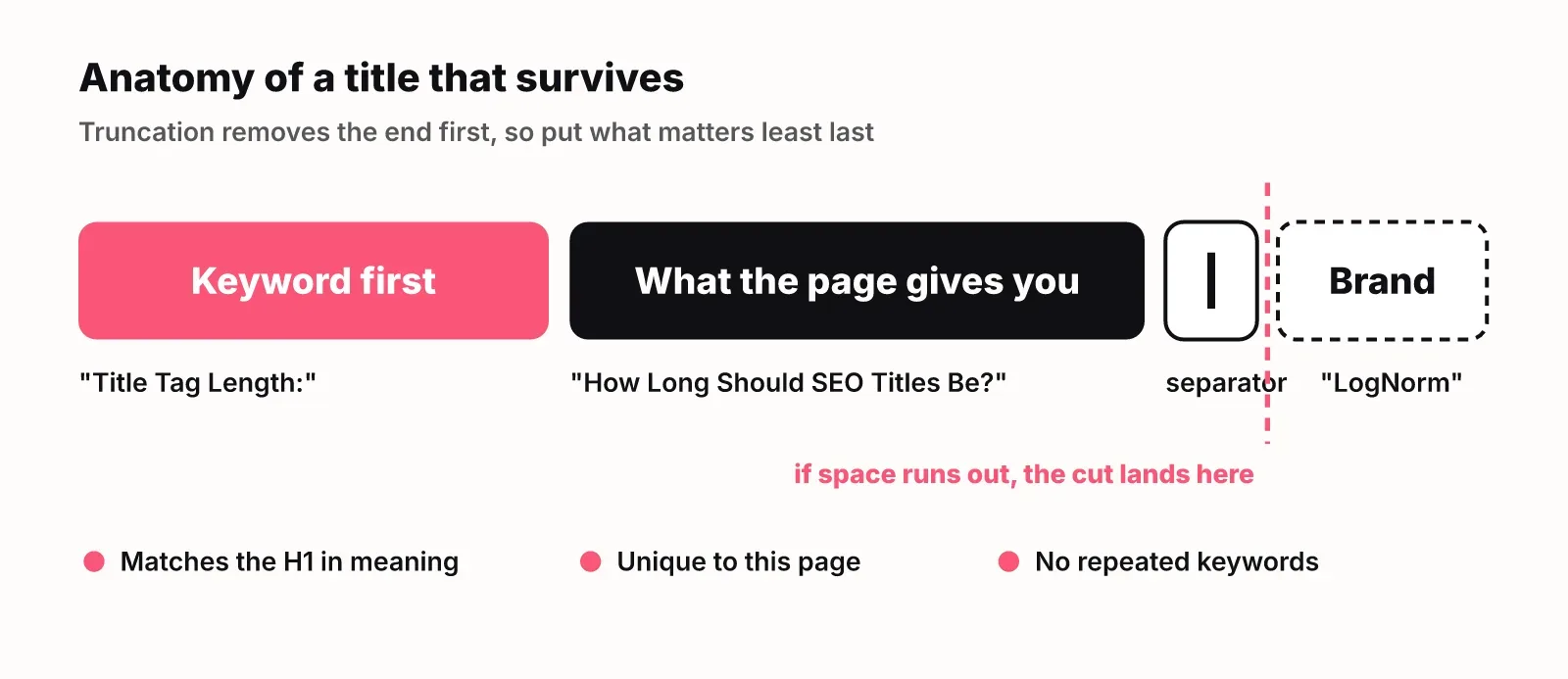
Follow these steps for each page:
- Start with the phrase the searcher typed, such as "Title tag length".
- Add what the page gives them, in a few words: a number, an audience, a format.
- End with a separator and your brand.
- Make the title match the H1 in substance. When the two disagree, Google has more reason to use the H1 or other prominent text instead.
- Make every title unique. Google notes that repeating the same text across pages "will look repetitive if several pages from your site are returned for the same query."
Our own site shows the short-title failure. LogNorm's blog index is titled "Blog · LogNorm" and the docs index "Docs · LogNorm", 14 characters each. Our site audit flags both as too short: they fit easily but tell a searcher nothing about what they will find. A better blog title would name the subjects the H1 already promises: growth, search and AI visibility.
The opposite case is a long title that buries the point. If your title needs 80 characters, the page is often trying to rank for two things. Pick one, and move the other into the meta description, which should add one concrete detail the title could not fit.
How to check your title tag length
Check a title by measuring its pixel width against the desktop limit, then looking at the live result. There are three quick ways to find the title you already have:
- Hover over the browser tab. The tab text is the title element.
- View the page source and search for the title element in the head.
- Open the SEO title field in your CMS. This is the field that fills the title tag.
To measure it, paste the title into LogNorm's free title and meta description checker, or fetch the page URL. It shows the width against desktop and mobile limits, a preview of the result, and where Google would cut it. Add your target keyword and it tells you whether the keyword sits early enough to survive truncation.
To check every page at once, run the free website SEO checker. It finds missing, long and duplicate titles across 25 pages. Template problems, such as one title shared by every product variant, show up here faster than page by page.
Then search for the page in Google. If the result shows different text from your title, Google has rewritten it, and the table above usually tells you why.
Title tag vs SEO title vs H1
The title tag and the SEO title are the same thing: the text in the page's title element that Google uses as the starting point for the search result. "SEO title" is the name many CMSs, including Shopify and WordPress plugins, give the field where you set it. The H1 is the visible heading at the top of the page, and og:title is the headline social networks use for link previews.
| Element | Where it shows | How to write it |
|---|---|---|
| Title tag (SEO title) | Search results and the browser tab | Keyword first, brand last, about 50 to 60 characters |
| H1 | The top of the page | Same promise as the title, phrased for someone who already clicked |
| og:title | Link previews on LinkedIn, Slack and X | Can drop the brand and lean on curiosity |
They can differ in wording. They should not differ in meaning, since Google reads the H1 when it decides whether to keep your title.
FAQ
What is the ideal title tag length?
Aim for 50 to 60 characters. Google has no hard limit, but it cuts titles to fit the screen width, which is about 580 pixels on desktop in LogNorm's checker. Titles with many wide letters, such as capitals, need to be shorter.
What are title tags?
A title tag is the HTML title element in a page's head. It names the page in the browser tab and is the main source Google uses for the clickable headline of the search result.
How do you write an SEO title?
Put the main keyword first, add one specific detail about what the page offers, and end with your brand after a separator. Keep it unique to the page and close in meaning to the H1.
What is the difference between an SEO title and a regular title?
The SEO title is the title tag shown in search results. The regular title is usually the H1 heading readers see on the page. They should make the same promise, but the SEO title is shorter and leads with the search phrase.
How do I find my SEO title?
Hover over the browser tab, view the page source, or open the SEO title field in your CMS. To see the width and a search preview, fetch the URL in a title tag length checker.
What is the SEO title in Shopify?
It is the title Shopify writes into the page's title tag for search results, set in the search engine listing section of a product, collection or page. It can differ from the product name shown on the page.
Why is the keyword in the title important for SEO?
Searchers scan results for the words they typed, and Google bolds matching words. A keyword at the start also survives truncation, while one at the end may be cut off.
What are meta descriptions?
A meta description is the short summary that can appear under the title in search results, best used to add one detail the title could not fit.
Does Google penalize long title tags?
No. Google's documentation says there is no limit on title length. A long title is only cut short in results, so the words after the cut are lost to the searcher.