Click-Through Rate (CTR): What It Is and How to Improve It in Search
CTR click through rate explained: the formula, how to read it in Search Console by query and position, what moves it, and how to test title changes.


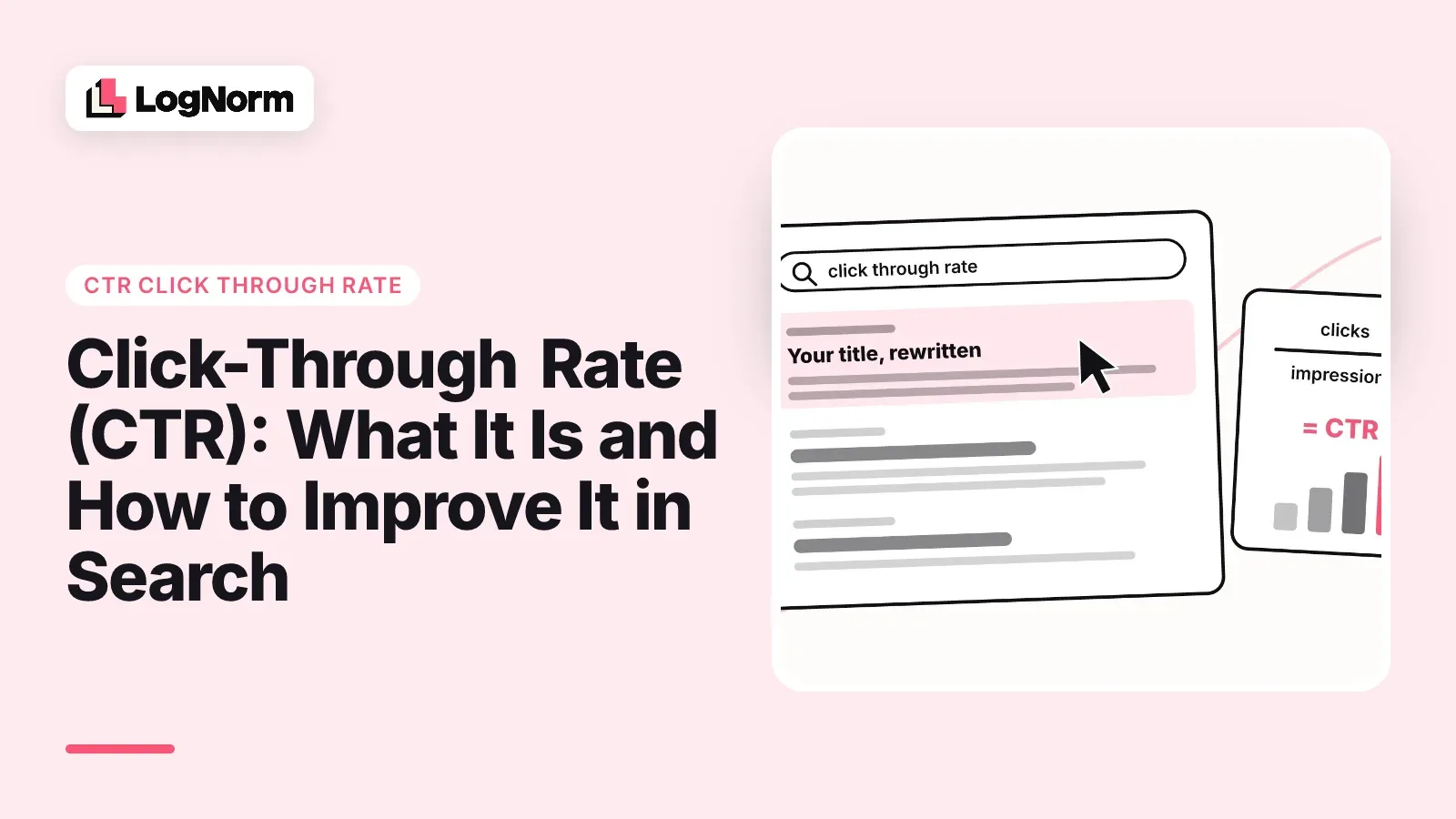
Click-through rate (CTR) is the share of people who saw your link and clicked it: clicks divided by impressions, times 100. In search, it tells you whether your result earns its place on the page. A page can hold position 3 for months and still lose traffic to the result below it because its title gives nobody a reason to click.
This guide is about CTR in organic search. It covers how to calculate it, how to read it in Google Search Console without fooling yourself, what changes it, and how to find, fix and measure low-CTR pages.
What is CTR (click-through rate)?
CTR is the percentage of impressions that turn into clicks. The formula is:
CTR = (clicks ÷ impressions) × 100
If your page appeared in Google 2,000 times last month and got 60 clicks, its CTR is 3%. If an ad was shown 10,000 times and clicked 150 times, its CTR is 1.5%.
The same metric shows up in every channel: search ads, display banners, email links, social posts and organic search results. It is one of the oldest metrics in online marketing. The first banner ad, run on HotWired for AT&T, had a CTR of 44% when it launched. Nobody gets that today, which is a useful reminder that CTR always depends on how much competition sits next to your link.
For organic search, an impression means your result appeared on a results page the searcher loaded. A click means they went to your site. Everything in between, your title, your description, the features Google adds around you, decides the rate.
How to read CTR in Google Search Console
Read CTR per query and per page, with average position next to it, never as a single site-wide number. Search Console's Performance report gives you four metrics for any date range: clicks, impressions, average CTR and average position. The site average blends branded searches, page-one wins and page-four noise into one figure that tells you almost nothing.
Here is how to get a reading you can act on:
- Open Performance, choose the last 28 days and turn on all four metrics.
- Open the Queries tab and sort by impressions. These are the searches where CTR changes matter most.
- Click a query, then switch to the Pages tab to see which page earned those impressions.
- Do the reverse for your important pages: filter by page, then read its queries.
- Exclude your brand name with a query filter. People searching your name click you at rates no generic query will match, and they inflate the average.
Position is the context for every CTR number. A 2% CTR at position 9 can be fine. The same 2% at position 2 means something on the results page is beating you. Compare a page against your other pages at similar positions, for similar kinds of queries, before you call it low.
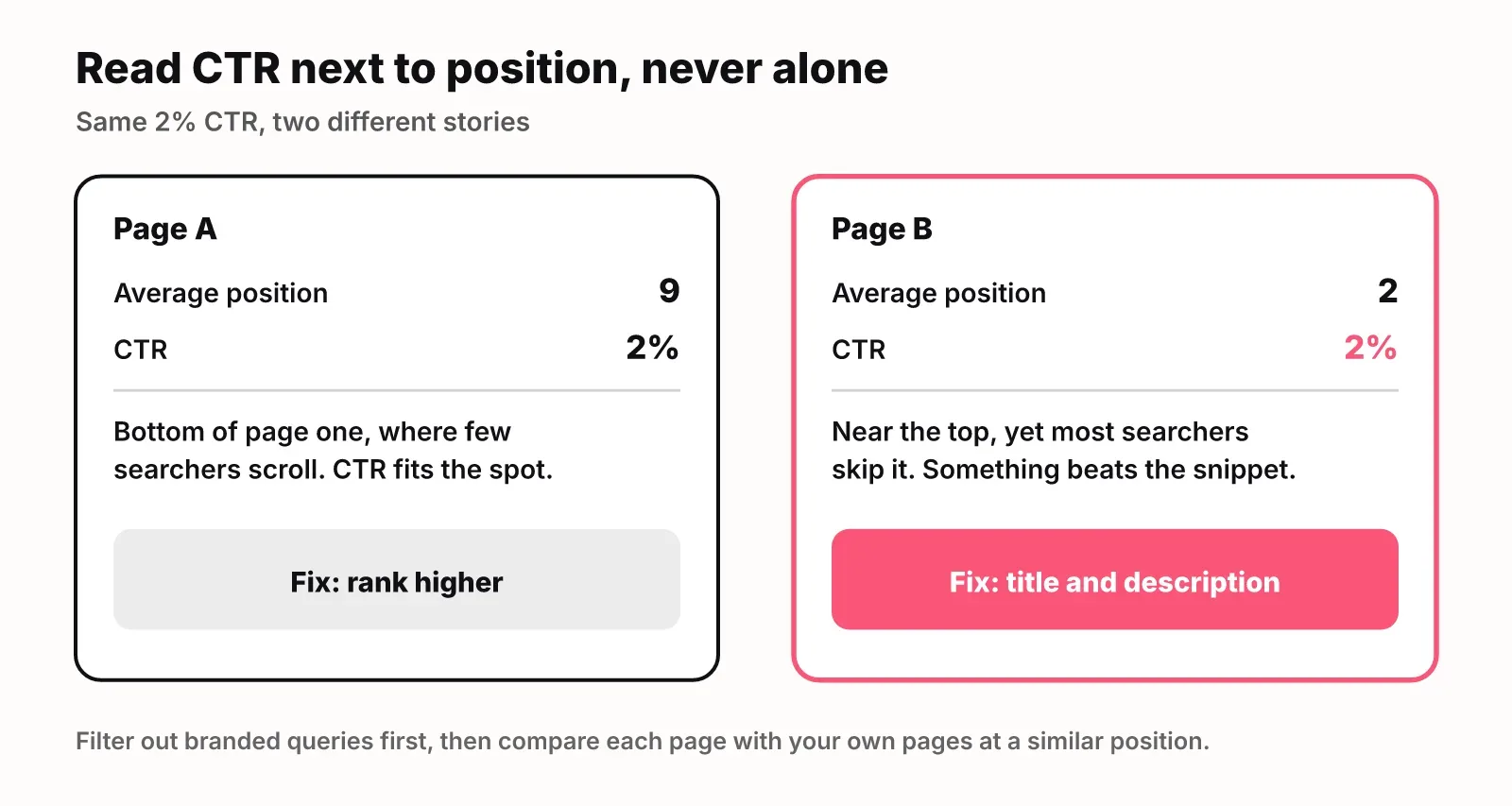
One more caution: average position is an average across every impression. A page that ranks 3 on desktop and 11 on mobile can show an average of 7 and a CTR that fits neither. When a number looks odd, split it by device or country before rewriting anything.
What a good CTR looks like
A good CTR is one that is high for its position and its search, so there is no universal target worth copying. Benchmark tables mix industries, devices and years, and your own data is a better reference: the CTR your other pages earn at the same position for similar queries.
Three things shift what "good" means for a given query:
- Intent. Searches with a clear answer often end on the results page. Searches for a tool, a comparison or a download send more clicks.
- Brand. Branded queries have very high CTR. Strip them out before comparing.
- The results page itself. Ads, AI Overviews, video blocks and People Also Ask boxes all sit between the searcher and your link.
That last point is bigger than most guides admit. SparkToro and Datos' 2024 study found that for every 1,000 Google searches, only 374 clicks go to the open web in the EU and 360 in the US. Most searches never send anyone to a website at all. A low CTR can be your snippet's fault or the page's layout, and you have to look at the live results to tell which.
What moves organic CTR
Your title link moves CTR the most, followed by the description, rich results and the features Google places above you. The table shows what each one changes and how to check it.
| Lever | What it changes | How to check it |
|---|---|---|
| Title tag | The blue headline people scan first | Search the main query and see what Google shows; it sometimes rewrites titles |
| Meta description | The snippet text under the title, when Google uses it | Compare your description with the snippet shown for the main query |
| Structured data | Eligibility for rich results such as FAQs, reviews, breadcrumbs | Google's Rich Results Test on the page |
| URL and breadcrumb | The path shown above the title | Look at the live result; short, readable paths scan better |
| AI Overviews and other SERP features | How far down your result sits, and whether searchers need to click | Search the query logged out, in the right country |
A few rules that hold up across sites:
- Put the main query's words in the title, near the start, phrased the way people search it.
- Make the title specific about what the page gives: a template, a calculator, a comparison, a number, a year if the content is dated.
- Match the intent. If the query is "how to", the title should promise steps, not a definition.
- Write the meta description as the answer plus the reason to click: one sentence on what the page says, one on what the reader gets that the snippet cannot hold.
- Keep the promise. A title that oversells gets clicks and then a bounce.
AI Overviews need their own note. When Google shows an overview, it answers part of the question above the regular results, and some searchers stop there. You cannot rewrite your way out of that with a title. You can try to be one of the pages the overview cites, which puts your link inside the answer. Our guide on how to get cited in AI Overviews covers that side.
This guide treats CTR as a traffic metric. Whatever role clicks play in ranking, more clicks at the same position is more traffic, and that is reason enough to work on it.
How to find low-CTR pages
A low-CTR page is one that ranks well and gets plenty of impressions but earns far fewer clicks than its position should bring. Those pages are the cheapest traffic you will ever win: Google already ranks them, and a better title costs an hour.
To find them in Search Console:
- Set the date range to the last 28 days.
- Open the Pages tab with all four metrics on.
- Ignore pages with an average position worse than 10. Below page one, the fix is ranking higher, not a better title.
- Ignore pages with few impressions. A few hundred impressions in 28 days is a sensible floor; below that, a handful of clicks swings CTR wildly.
- For each remaining page, compare its CTR with your other pages at a similar position.
- Flag the ones far below. Half of what the position usually earns is a practical line.
That last rule is the one LogNorm's Search Console integration uses for its CTR fix move: a page in the top 10 with 300 or more impressions in 28 days whose CTR is under half of what its position usually earns. LogNorm syncs Search Console daily, turns those pages into moves in a ranked backlog with the query rows as evidence, and suggests rewriting the title and description to match the intent of the main query. If you prefer to work in an AI assistant, you can also use Search Console data with Claude and ask for the same filter.
Before rewriting any flagged page, search its main query yourself. You will often see the reason at once: an AI Overview that answers the question, a competitor with a sharper title, a year in their title and none in yours, or a snippet Google pulled from the wrong paragraph.
How to test a title or description change
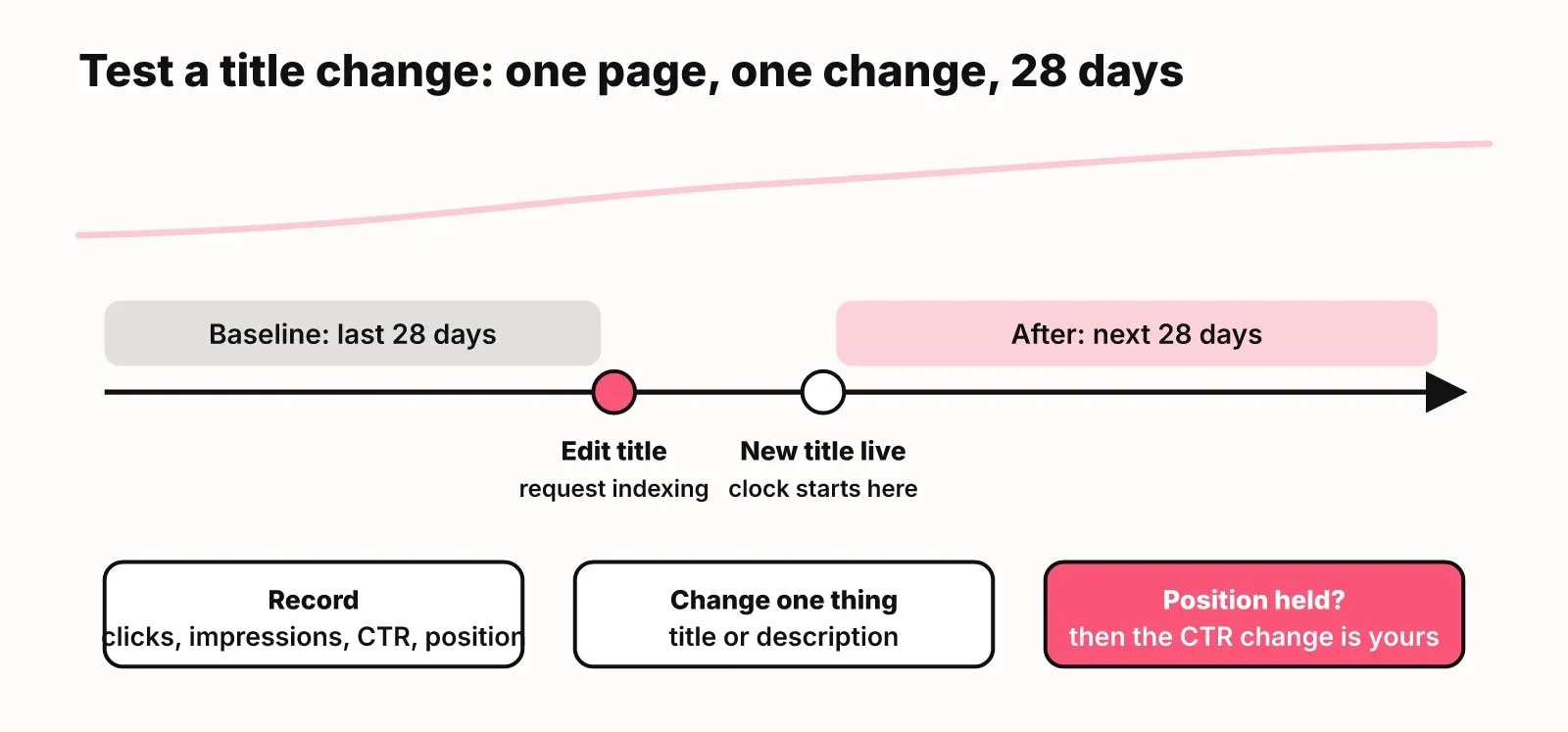
Test one page and one change at a time, against a 28-day baseline, and check that position held steady. Without those three controls, you cannot tell your rewrite apart from seasonality or a ranking shift.
- Record the baseline. For the page and its main queries, note clicks, impressions, CTR and average position for the last 28 days.
- Make one change. Rewrite the title, or the description, not both, and not the content.
- Ask Google to recrawl. Use URL Inspection and request indexing, then search the query until the new title shows.
- Wait. Give it 28 days from the date the new title appears in results, not from the date you edited it.
- Compare. Same metrics, same queries, next 28 days.
- Read the result with position in mind. If position held and CTR rose, the title worked. If position moved, CTR will move with it and the test is muddied.
Keep a simple log of every rewrite with the date, the old title, the new title and both readings. After ten of these you will know what works for your audience better than any benchmark.
LogNorm runs the same loop for every shipped move: it records a 28-day Search Console baseline when the change ships and measures again at 28 and 90 days, so a title rewrite is judged on what it did to clicks, impressions and position.
CTR vs conversion rate
CTR measures whether people click through to your page; conversion rate measures whether they then do what you want, such as sign up, buy or book a call. CTR is about the promise in your search result. Conversion rate is about whether the page keeps it.
The two can pull in opposite directions. A clickbait title raises CTR and lowers conversion rate, because the visitors who arrive wanted something else. Judge a title rewrite on clicks first, then check the page's conversions over the same window to make sure the extra visitors are the right ones.
FAQ
How do I find the click-through rate?
Divide clicks by impressions and multiply by 100. For your website's search results, Google Search Console calculates it for you: open the Performance report and turn on Average CTR. You can see it for the whole site, for each query and for each page.
What does CTR stand for?
CTR stands for click-through rate. It is the percentage of people who clicked a link out of everyone who saw it, whether that link is a search result, an ad, an email or a social post.
How do you calculate CTR?
CTR equals clicks divided by impressions, times 100. A page shown 5,000 times that gets 150 clicks has a CTR of 3%.
What's a good click-through rate?
A good CTR is one that is high for its position and query type. Compare a page with your own pages at a similar position, leave branded searches out, and look at the live results page, since AI Overviews and ads take clicks before searchers reach you.
What is the difference between conversion rate and click-through rate?
Click-through rate counts how many people who saw your link clicked it. Conversion rate counts how many visitors then completed a goal on your site. CTR rates your search result; conversion rate rates your page.
Why should you care about CTR?
CTR is the fastest way to get more traffic from rankings you already have. Raising a page's CTR from 2% to 4% at the same position doubles its clicks without writing a new page or earning a single link.